Most people choose a webcam by reading the resolution on the box, plugging it in, and then wondering why they look flat and slightly orange on their own stream. Resolution is the easiest spec to print and one of the least useful on its own. A 1080p camera with a decent sensor in a well lit room will beat a 4K camera with a tiny chip in a dim one, and that difference shows up on camera far more than the number on the sticker.
This guide covers the best webcams for streaming and everyday video calls across the range that actually matters right now, from a 60fps 1080p model with a built in fill light to a 4K flagship aimed at collaboration and streaming work. Six cameras, six different jobs. The goal is to match the camera to your lighting, your desk, and the way you really use it, rather than to the largest number on the packaging.
Related: How to Light a Streaming Setup Without Buying a New Camera
Quick answer
The Logitech MX Brio Ultra HD 4K Webcam is the strongest fit for streaming and video production because it is the only camera in this group that pairs Ultra HD 4K capture with hardware built for both collaboration and streaming. Choose the Logitech C920x HD Pro PC Webcam instead when you want a familiar 1080p/30fps workhorse and would rather put the savings into better lighting.
Webcams worth comparing
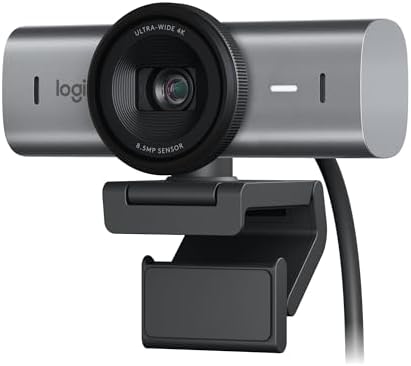
Logitech MX Brio Ultra HD 4K Webcam Collaboration and Streaming - Graphite
An Ultra HD 4K webcam built for both collaboration and streaming, finished in graphite.
Visit on Amazon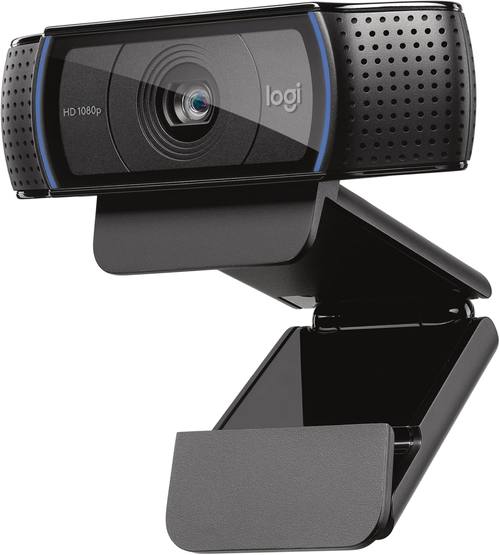
Logitech C920x HD Pro PC Webcam Full 1080p/30fps Video - Black
Full 1080p capture at 30fps in a familiar black desktop design with decades of software support behind it.
Visit on Amazon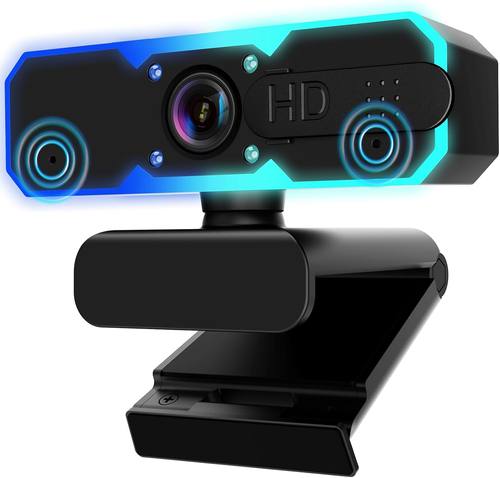
NBPOWER 1080P 60FPS Streaming Camera Webcam with Microphone and Fill RGB Light,Autofocus,Work with Laptop/Desktop Computer/Winsdows/Mac OS/PC Computer for Camera
1080p at 60fps with a built in microphone, autofocus, and an RGB fill light, made for laptop, desktop, Windows, and Mac setups.
Visit on Amazon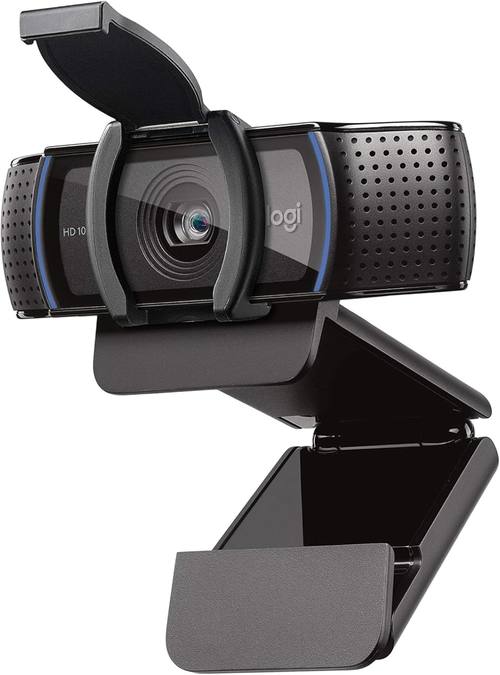
Logitech C920e HD 1080p Mic Enabled Webcam Certified Zoom Microsoft Teams
1080p video with a built in microphone and certification for Zoom and Microsoft Teams, aimed at meeting rooms and work desks.
Visit on Amazon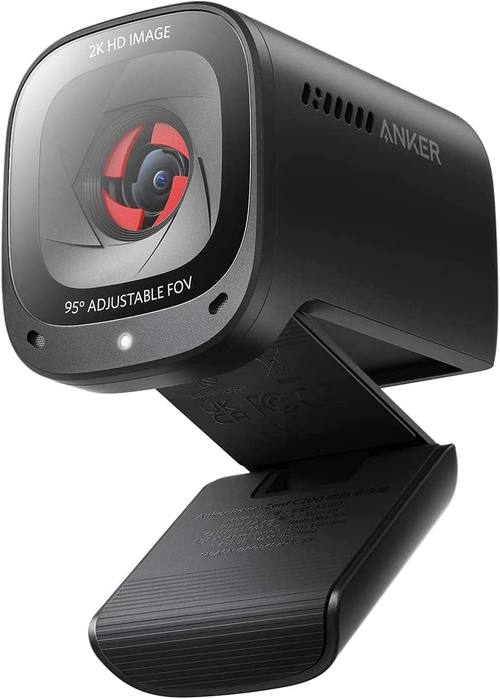
Anker PowerConf C200 2K Webcam for PC/Laptop/Mac, Low-Light Correction
2K resolution for PC, laptop, and Mac with low light correction built into the PowerConf line.
Visit on Amazon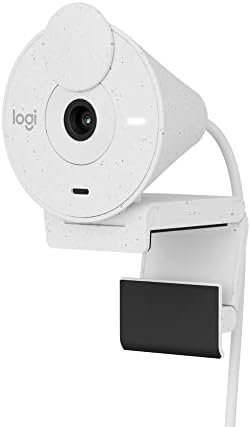
Logitech Brio 300 Full HD Webcam, 1080p, Auto Light Correction, Noise reducing mic, Privacy Shutter, USB-C, Works with Microsoft Teams, Google Meet, Zoom, for Streaming and Video Calling - White
Check current Amazon price
Full HD 1080p with auto light correction, a noise reducing mic, a privacy shutter, USB-C, and support for Teams, Meet, and Zoom, in white.
Visit on AmazonPrices and availability may change. Check the retailer for current details.
How these products were compared
This guide compares native resolution and frame rate, the low light handling each manufacturer advertises, field of view and framing flexibility, the built in microphone and the meeting platforms each camera names, and the mount and connection type. Product names, images, and retailer links are matched to the same product listing so that every card points to the product shown.
Everything below comes from published product specifications and how those specifications translate into ordinary use. Nothing here is presented as lab measurement or as a controlled shootout, and no camera gets credit for a feature that is not part of the listed model. Where a difference only matters in a particular room, a particular app, or a particular kind of lighting, this guide says so rather than pretending the spec sheet settles the question.
How to choose the right webcam
Start with resolution versus sensor, because they are not the same thing. A 1080p camera with a reasonable sensor and a light on your face will look better on a stream than a higher counted camera fighting a dark room. The Logitech MX Brio is the 4K option here, the Anker PowerConf C200 sits in the middle at 2K, and the rest are 1080p. For a talking head stream, 1080p is still plenty. Higher resolutions earn their keep when you crop into the frame, punch in for a close up, or want headroom to reframe in software.
Frame rate is the next fork. Most webcams run at 30fps, which is perfectly normal for calls and commentary. The NBPOWER model lists 1080p at 60fps, which matters if you move a lot on camera, gesture through explanations, or capture anything with fast motion. Smoothness reads as polish, and it also gives you more flexibility if you slow footage down in editing.
Field of view decides how much of the room ends up in frame. A wide view suits desk setups where you want to show a keyboard, a product, or a second person. A narrower view keeps the focus on your face and hides whatever is happening at the edge of the room. If a camera offers several modes, that flexibility is worth more than an extra megapixel, because it changes how the shot is composed rather than how large the file is.
Low light handling is where the marketing tends to outrun the hardware. The Anker PowerConf C200 and the Logitech Brio 300 both advertise light correction, which generally means the camera tries to lift shadows and tame blown out highlights automatically. That helps, but it is not a substitute for an actual light source. If your room is genuinely dim, put the money into a light before you put it into a bigger resolution.
The microphone is a backup plan, not the reason to buy. Every camera here has one, and the NBPOWER and Brio 300 models specifically call out their mic features, but a webcam mic sits on top of your monitor at fan height, which is the worst place in the room for audio. Treat it as a fallback for quick calls.
Then there is fit and finish. The Brio 300 adds a privacy shutter and a USB-C connection, which matters if your laptop only has USB-C ports and you would rather not carry an adapter. The C920e names Zoom and Microsoft Teams certification, which matters in a workplace where IT approves the hardware list. If you stream rather than take calls, pick a camera that works in OBS without a driver fight and check the mount before anything else.
Logitech MX Brio Ultra HD 4K Webcam
The MX Brio is the flagship of this group and the only 4K Ultra HD camera on the list. Logitech positions it for both collaboration and streaming, which is the right framing: it is the pick when you want the maximum capture detail available here and you are willing to pay for the headroom. In a setup where you crop, zoom, or deliver clients a file that might be viewed full screen, 4K capture gives you room to work that 1080p cannot match.
The trade off is straightforward. The MX Brio is the most capable camera here, and it is also aimed at buyers who already have their lighting sorted. If your room is dim, the extra resolution will not save the shot, and a 1080p camera with light correction plus a $40 light will often look better on a live stream. There is also a practical cost to 4K: larger files if you record locally, more processing if you do anything live, and a heavier software stack than a plain 1080p camera.
Buy it when the camera is the part of the setup you are least willing to compromise on. Skip it if you are still figuring out your lighting, because that is the constraint that shows up first.
Alternatives to consider
The Logitech C920x HD Pro PC Webcam is better suited to a first serious setup or a straightforward 1080p/30fps desk camera where reliability matters more than maximum resolution. The Logitech C920e HD 1080p Webcam is a stronger fit when the camera lives on a work desk and needs to be certified for Zoom and Microsoft Teams rather than tuned for a stream overlay.
The NBPOWER 1080P 60FPS Streaming Camera, the Anker PowerConf C200 2K Webcam, and the Logitech Brio 300 Full HD Webcam cover the rest of the range. The NBPOWER is the one to look at if 60fps capture, a built in RGB fill light, and autofocus are the features you care about, and it is the most explicitly streaming oriented of the 1080p models. The Anker PowerConf C200 is the middle path, offering 2K resolution with low light correction for PC, laptop, and Mac users who want more detail than 1080p without jumping to 4K. The Brio 300 is the tidy, compact choice: 1080p, auto light correction, a noise reducing mic, a privacy shutter, USB-C, and named support for Teams, Google Meet, and Zoom in a white finish that suits a lighter desk.
None of these three is a downgrade so much as a different answer. The right one depends on whether your priority is frame rate, resolution, or a clean, current connection and a physical shutter over the lens.
Day-to-day use and maintenance
A webcam is a small, simple device, and most of the day-to-day work is in placement rather than configuration. Put the camera at eye level, not at chest level looking up your nose, and get it as close to your face as the field of view allows, because distance is what makes a webcam image look flat and distant. If you use a monitor mounted camera, check that the mount clears the bezel and that the camera cannot tip forward when the cable pulls.
Cleaning matters more than people expect. A lens with a fingerprint or a film of desk dust will look soft no matter what the sensor does. Use a dry microfiber cloth, avoid liquid cleaners on the lens itself, and leave the sensor and any vent areas alone. If your camera has a privacy shutter, use it rather than unplugging the cable every day, since repeated plugging wears connectors.
Finally, decide your settings once. Auto exposure and auto white balance are fine starting points, but if your lighting does not change, locking those values stops the image from drifting when a cloud passes or someone walks behind you. Keep the camera software updated and keep the number of background apps that touch the camera to a minimum, because that is usually the source of a camera that works everywhere except the app you actually need.
Buying checklist
- Confirm the camera is 1080p at minimum, and decide whether 2K or 4K is worth it for your framing and crop needs.
- Check the frame rate if you move on camera or record motion; 60fps is the higher end of this group.
- Verify the connection type matches your machine, especially if you rely on USB-C.
- Confirm the listed model includes the feature you want, such as a privacy shutter, autofocus, a fill light, or platform certification.
- Look at the field of view and decide whether you need a wide desk shot or a tight face shot.
- Plan a light source before you blame the camera.
- Check the current retailer price, availability, and return terms before you commit.
Final recommendation
Choose the Logitech MX Brio Ultra HD 4K Webcam when you want the most capture detail in this group and your lighting is already handled. Choose the Logitech C920x HD Pro PC Webcam when you want a dependable 1080p/30fps camera and would rather spend the rest on a light and a decent microphone.
If neither of those describes your setup, work down the list rather than around it: the Anker PowerConf C200 for 2K with low light correction, the NBPOWER for 60fps and a built in fill light, the Brio 300 for USB-C and a privacy shutter, and the C920e when your employer's platform list is the deciding factor. Pick the camera that fits the room you actually stream from, and put your next upgrade into the light.