Related: Webcam Lighting on a Budget: What Actually Shows Up on Camera
The box says 4K. The box always says 4K. Before I plug anything in, I want three answers: what is the actual sensor size, how wide is the field of view, and does the autofocus hunt while I am mid-sentence. Those three answers are what separate the best webcams for streaming from the ones that end up in a drawer next to a dead ring light.
I have been running cameras on the same desk in Austin for eight years, through Twitch streams, corporate video calls, and a weekly podcast where my face is on screen for an hour at a time. Same lighting, same room, same OBS scene collection. A camera either earns its spot on the monitor or it does not.
These four are the ones worth looking at right now. They cover the whole range, from a 4K camera whose sensor spec backs up the claim on the box to a budget pick that needs an honest caveat before you click.
Best Overall: Insta360 Link 2C
This is the camera in this group that has the spec sheet to match its price. A 1/2 inch sensor in a webcam is genuinely larger than what most 4K cameras carry, and sensor size is the number that decides whether your face survives a dim room or turns into a smear of noise. Resolution tells you how many pixels get recorded. The sensor tells you how much light those pixels get to work with. The Link 2C does not confuse the two.
HDR is the second thing that matters here, and it matters specifically if you sit in front of a window. Without it, a bright background blows out and your face goes dark, and no amount of fiddling in OBS brings the detail back. With it, the camera holds both ends of the frame.
Auto framing is the feature that solves the problem every solo creator eventually has, which is drifting out of the shot. It keeps you centered without you thinking about it. Gesture control is the one people write off as a gimmick until they use it to zoom in on something without reaching for a keyboard mid-stream. The AI noise-canceling mic is a backup plan, not a reason to buy. The camera is the purchase. Works with Zoom, Teams, Twitch, and anything else that reads a standard camera feed.
If you want one camera for podcasting, client calls, and streaming without swapping hardware, this is the one to look at first.
Best for Tracking: OBSBOT Tiny SE
This is the camera for people who do not sit still. The Tiny SE is a 1080P sensor that runs at 100 frames per second, paired with an AI tracking PTZ gimbal. That combination is the whole pitch, and it is a good pitch. The gimbal physically moves the camera to follow you, which is a different thing from digital cropping, and 100 frames per second means motion stays smooth instead of smearing when you gesture, stand up, or walk a product across the desk.
Here is the tradeoff, and I want to be straight about it. This is 1080P, not 4K. Plenty of people will tell you that is a dealbreaker. It is not. Every major streaming platform compresses your feed hard, and most viewers are watching on a phone or a laptop screen. A clean 1080P signal at a high frame rate with a camera that actually tracks you beats a soft 4K signal from a camera that lost you two minutes ago.
If your content involves movement, demos, or anything where you step away from the chair, the tracking earns its keep. If you sit like a statue for three hours, you are paying for a feature you will never see.
Best Value: OBSBOT Meet SE
The Meet SE takes the same core idea as the Tiny SE and drops the moving gimbal. You still get a 1080P sensor at 100 frames per second. You still get AI framing, which keeps you centered in the shot. What you lose is the physical pan and tilt, and what you gain is a lower price and a smaller footprint on top of your monitor.
For a lot of people, this is the correct answer. If you sit in a chair for your streams, the AI framing does the work that the gimbal would do, because the only thing that moves is you leaning left or right. The high frame rate is the part that surprises people. Motion at 100 frames per second looks cleaner and more natural than motion at 30, and it makes a bigger difference on camera than most spec conversations admit.
This is the pick I would hand to someone setting up their first serious streaming camera, or to someone who wants a second camera for a different angle without spending flagship money.
Best Budget Pick: AOC 4K Webcam
I have a rule that I repeat often enough that people are tired of hearing it: be suspicious of any 4K claim on a camera that costs less than a nice dinner. A 4K sensor is not cheap to make, and something in the build has to give.
So treat this one as what it is, which is the budget entry. It is a 4K webcam with a noise-canceling mic, and for calls, classes, and a first stream it will do the job. What you should not expect is the dynamic range or the low-light behavior of the Link 2C, because those come from sensor size, and sensor size is where budget cameras cut.
Buy it if budget is the real constraint and you need a camera today. Do not buy it expecting a flagship, and do not buy it if your room is dark, because no budget camera fixes a dark room. Which brings me to the thing that matters more than any of this.
How I test a webcam
Every camera goes on the same monitor arm, in the same room, with the same key light and the same window behind me. If the lighting changes between cameras, the comparison is worthless, and most webcam comparisons are worthless for exactly that reason.
The first check is OBS. I open a fresh scene, add a video capture device, and see whether it works without a driver fight. A camera that needs three reboots and a proprietary utility just to change exposure is a toy, no matter what it costs. If it does not appear cleanly in OBS, it does not get recommended, full stop.
The second check is the dim room. I kill the key light and leave one lamp on across the room, then look at what happens to my face. This is where sensor size stops being a spec and starts being visible. Cameras with small sensors go noisy and soft. Cameras with real sensors hold skin tone.
The third check is autofocus. I talk, I lean forward, I hold a coffee cup up to the lens, and I watch whether the camera hunts. Autofocus that breathes in and out during a podcast is worse than no autofocus at all, because you can plan around a fixed focus but you cannot plan around a camera that keeps changing its mind.
The last check is the one I care about most: does my face look like my face. Not sharper. Not brighter. Actually like me.
What the spec sheet actually tells you
Resolution is the number on the box and the least useful one. A 4K sensor and a 1080P sensor record different pixel counts, but what you see on a compressed stream has more to do with light, lens quality, and how the camera handles color.
Sensor size is the number that matters. A 1/2 inch sensor gathers meaningfully more light than the tiny sensors that show up in budget 4K cameras, and more light means cleaner skin tones, better low-light behavior, and more room to work with in post. When someone says a camera looks cinematic, they almost always mean it has a bigger sensor than they expected.
Dynamic range is how much detail survives in the bright and dark parts of the frame at the same time. HDR on the Link 2C is a real feature, not a sticker, and it is the difference between a window that looks like a window and a window that looks like a white rectangle.
Frame rate is the sleeper spec. 100 frames per second on the two OBSBOT cameras makes motion look smooth and natural, and it is the reason those cameras feel good when you gesture or move. If your content has any motion in it, frame rate is worth more than an extra resolution tier.
Field of view is the one you tune to your room. A wide field of view around 90 degrees suits a desk setup where you want some of the space visible. A tighter field of view around 65 degrees is better for a solo face shot, because it crops out the laundry basket behind you and keeps the compression artifacts off your face. Get this wrong and everything else suffers.
The mic on any webcam is a backup plan. Every one of these cameras has a mic, and every one of those mics is a fallback for when your real audio chain dies mid-stream. Buy the camera for the camera.
Webcam comparison table
This is the table I keep open when people ask me which one to get. None of these numbers are the whole story on their own, but side by side they tell you what each camera is actually for. Check the current price on each before you decide, because these move around.
| Webcam | Resolution | Best for | What you are paying for |
|---|---|---|---|
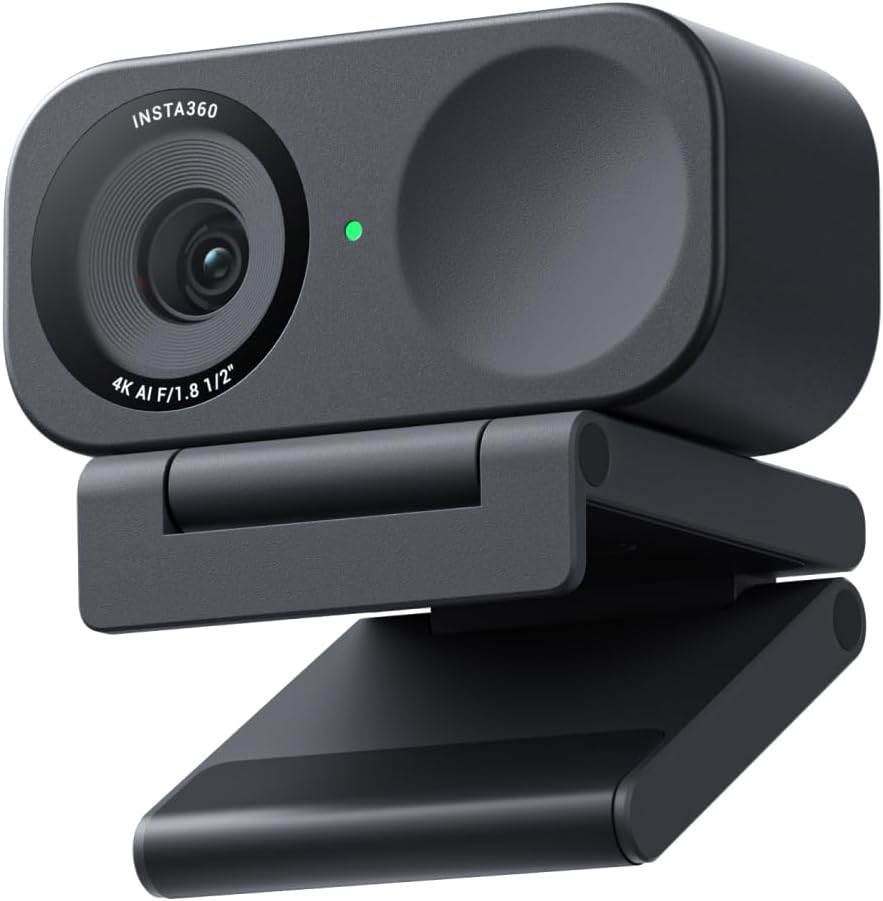 Visit on Amazon → Insta360 Link 2C |
4K | Podcasters, presenters, client calls | 1/2 inch sensor, HDR, auto framing, gesture control, AI noise-canceling mic. Visit on Amazon → |
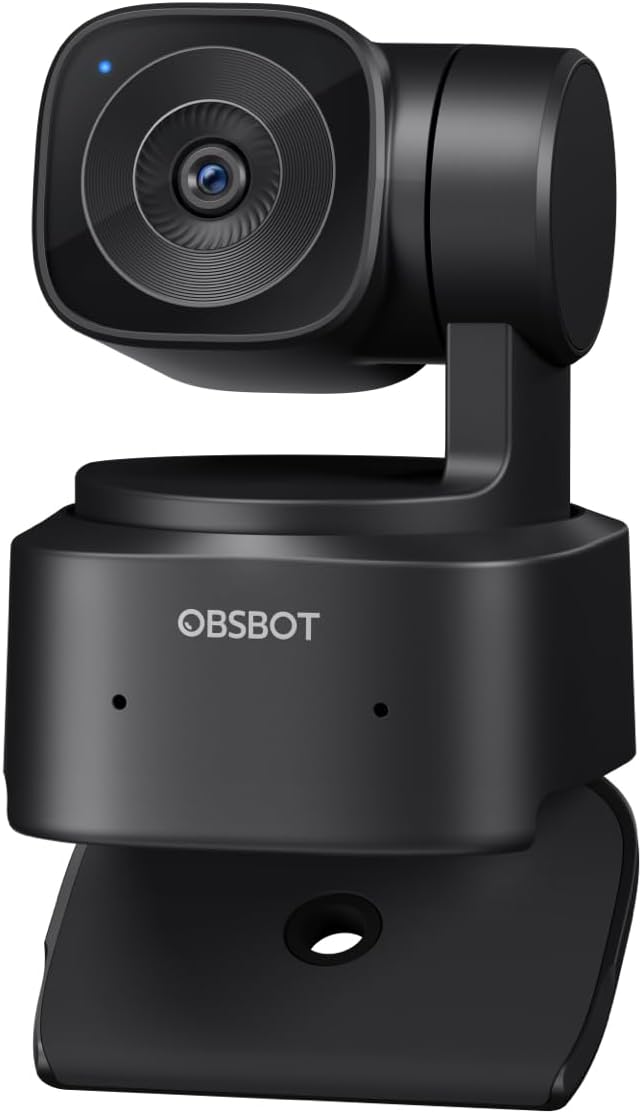 Visit on Amazon → OBSBOT Tiny SE |
1080P at 100FPS | Streamers who move around on camera | AI tracking PTZ gimbal, high frame rate for smooth motion. Visit on Amazon → |
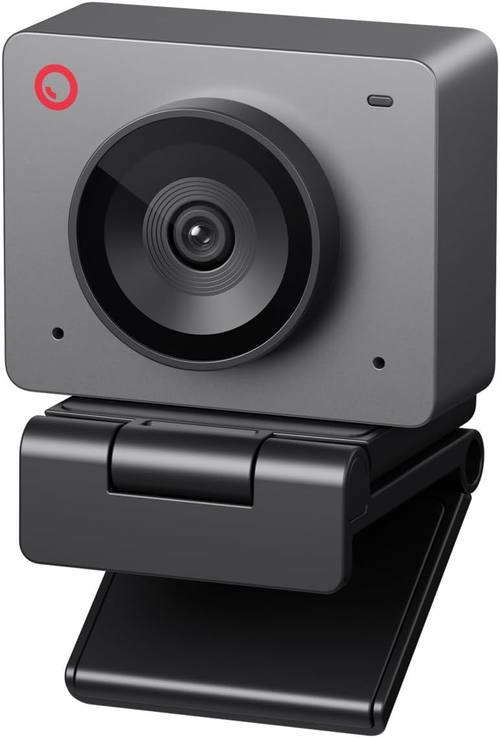 Visit on Amazon → OBSBOT Meet SE |
1080P at 100FPS | Seated streamers and first setups | AI framing without the gimbal, same high frame rate, smaller footprint. Visit on Amazon → |
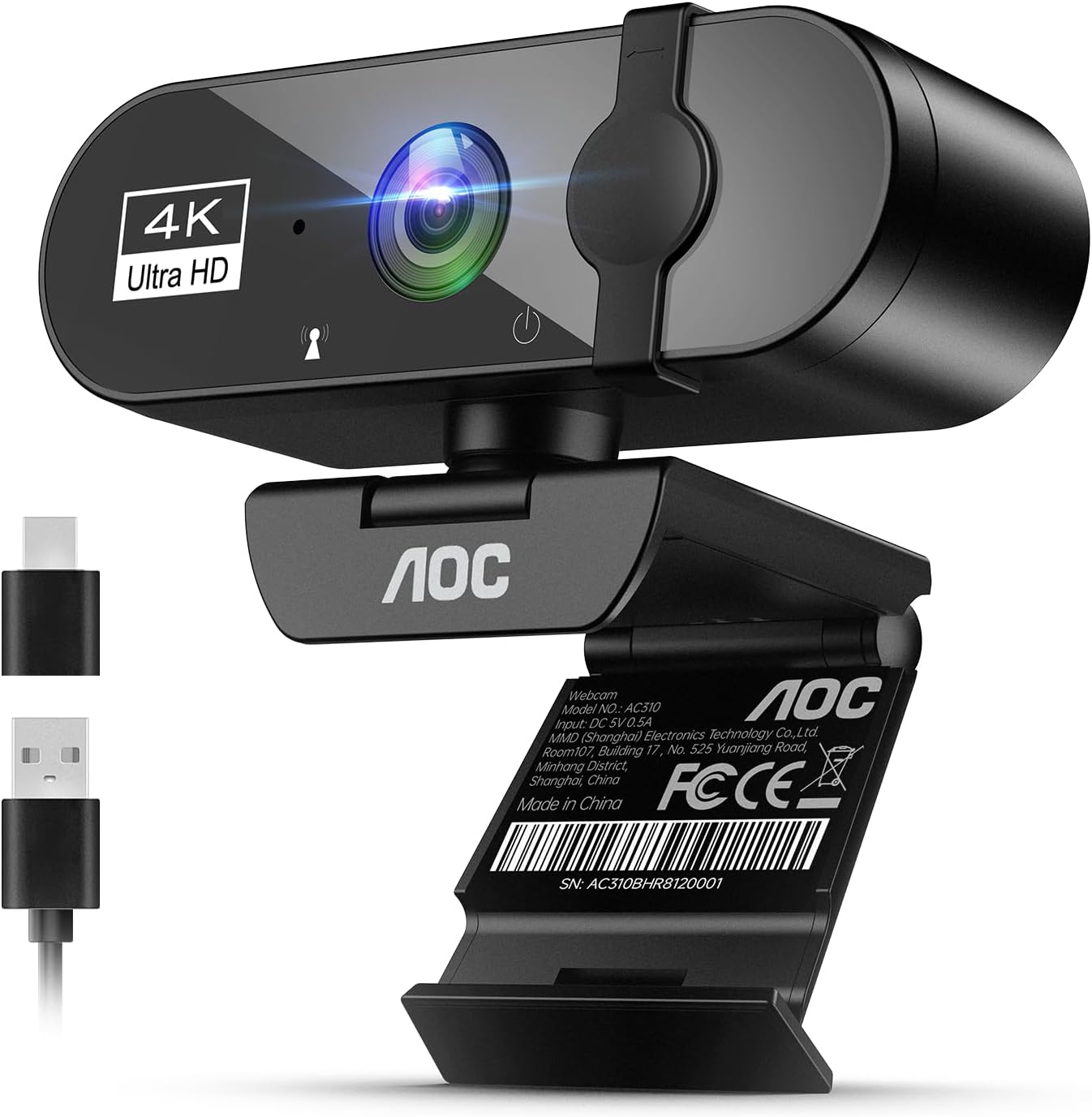 Visit on Amazon → AOC 4K Webcam |
4K | Calls, classes, tight budgets | 4K capture and a noise-canceling mic at the lowest entry point here. Visit on Amazon → |
The one category to skip
Skip the cameras that bolt a webcam onto a ring light or a tripod bundle and call it a streaming kit. You end up with a mediocre sensor and a light you will replace in a month, and you cannot upgrade one without throwing out the other. Buy the camera and the light separately, always.
Should you buy the Insta360 Link 2C?
If you want one camera that handles podcasting, presenting, and client calls without excuses, this is the one. The 1/2 inch sensor is the reason it holds up when the light is not perfect, HDR is the reason it holds up when there is a window behind you, and auto framing is the reason you stop thinking about where you are sitting.
The honest caveat is that it costs more than the other three, and it will not rescue a badly lit room. Spend the money here if you already have decent lighting and you want the camera to stop being the weak link in your setup. If your lighting is a bare ceiling bulb, fix that first. It is cheaper and it does more.
Should you buy the OBSBOT Tiny SE?
Yes, if you move. The AI tracking PTZ gimbal follows you physically, the 1080P sensor runs at 100 frames per second, and the result is smooth, stable motion that does not smear when you gesture or stand up. This is the camera for demos, workouts, cooking, and anything where you leave the chair.
The honest caveat is the resolution. It is 1080P, and if your whole workflow depends on 4K capture, this is not it. For streaming, where the platform is going to compress your feed anyway, a clean high frame rate feed wins more often than people expect.
Should you buy the OBSBOT Meet SE?
Yes, if you sit down to stream. You get the same 1080P sensor at 100 frames per second and the same AI framing, minus the moving gimbal, and you save money and desk space in the process. For a seated setup, the framing is doing the work the gimbal would do.
This is the one I would point a first-time streamer toward. It is not the flagship and it does not pretend to be, but it delivers the two things that actually change how you look on camera: smooth motion and a frame that keeps you centered.
Should you buy the AOC 4K Webcam?
Buy it if budget is the binding constraint and you need a working 4K camera with a mic today. It covers calls, classes, and a first stream, and it costs a fraction of the Link 2C.
Just go in with clear expectations. At this price, the sensor is where the money came from, and low light is where you will notice it. If your room is bright and your standards are reasonable, it does the job. If you are chasing the look of a bigger sensor, save up instead of settling, because you will end up buying twice.