Every webcam listing in the budget aisle makes the same three promises: full HD, a wide angle, and a microphone that cancels noise. Almost none of them tell you what the picture actually looks like when your desk lamp is the only light in the room and your face is the only subject. This budget webcam buying guide is about the parts of that decision you can verify before you buy, using the specifications a listing does give you, plus one item most people leave out of the cart entirely.
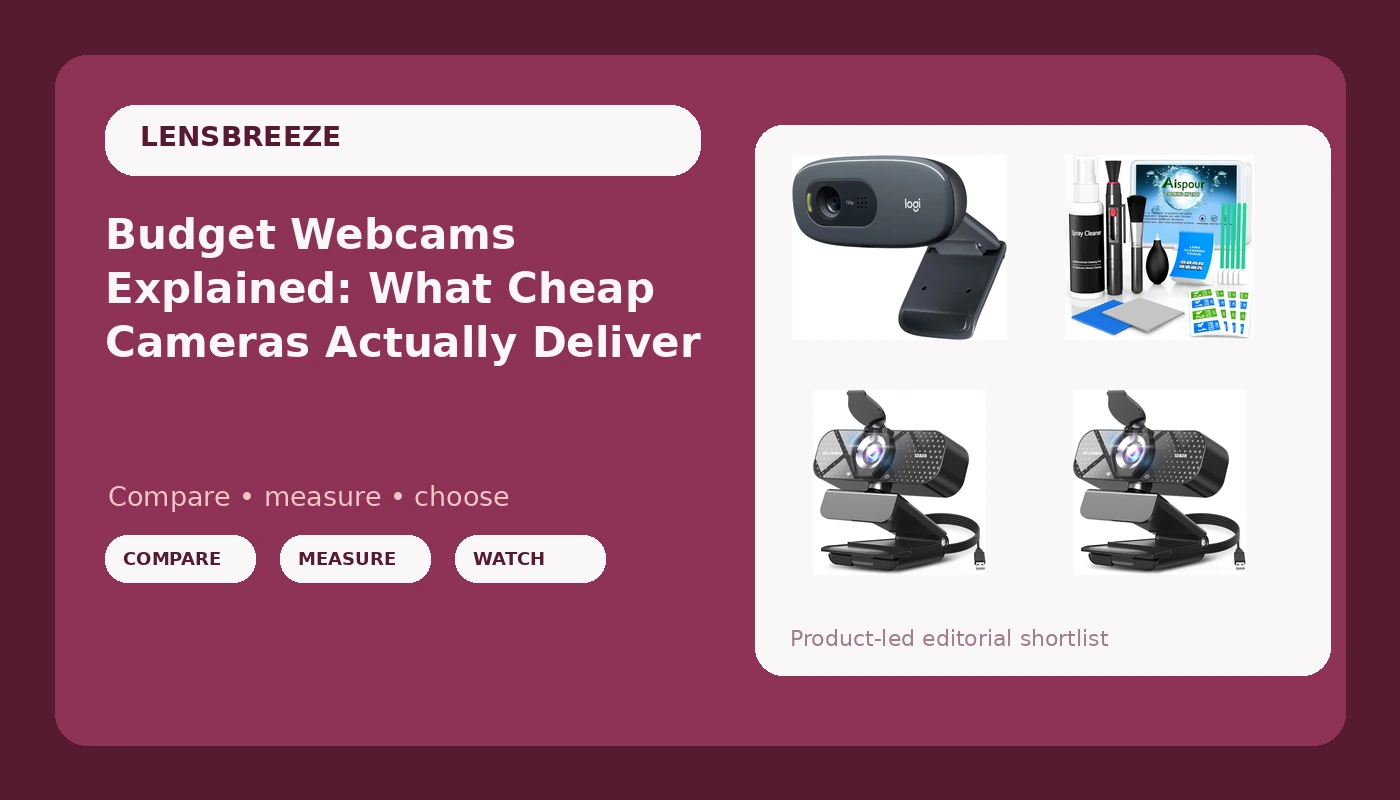
The four products below are what I would look at if you are shopping the low end of the market right now: two listings of the same 1080p TRAUSI camera, the long-running Logitech C270 at 720p, and a 10-in-1 lens cleaning kit. They are not the same purchase, and the differences between them are not just packaging.
Related: Webcam Lighting Basics: A Clean Picture Without a Studio →
Quick answer
For most people, a 1080p webcam with auto light correction and a privacy cover is the better starting point than a 720p model, because the resolution difference shows up in the one shot that matters, your face on a call. The Logitech C270 remains a reasonable choice if you want a simple, familiar 720p camera and your budget is the hard limit. Whichever camera you choose, a lens cleaning kit belongs in the same order, since a fingerprint on the glass softens the image more than any specification difference on this list.
Four options worth knowing
| Model | Best fit | What stands out |
|---|---|---|
| TRAUSI 1080P FHD Webcam (first listing) | Everyday calls and 1080p streaming | 1080p sensor with auto light correction, wide angle lens, privacy cover, noise-canceling mic, plug-and-play USB |
| TRAUSI 1080P FHD Webcam (second listing) | Same camera, alternate listing | Identical feature set to the first listing, so treat the two as one option |
| Logitech C270 720p Webcam | Simple plug-and-play video calls on a tight budget | 720p resolution and wide screen video calling in a long-running design |
| Aispour Camera Lens Cleaning Kit, 10-in-1 | Keeping any camera lens free of smudges | A 10-in-1 kit built specifically for camera and lens cleaning |
The 1080p pick: TRAUSI 1080P FHD Webcam
The honest trade-off here is the sensor. A 1080p badge tells you how many pixels the camera writes, not how large the chip capturing them is, and small sensors struggle the moment the light drops. That is exactly why the auto light correction feature matters more than the resolution number on a camera in this tier: it is the software doing the work your room lighting is not. Treat the microphone as a backup plan rather than the reason to buy, and treat the wide angle lens as a genuine advantage if you share a desk with someone or want to show a whiteboard.
The second TRAUSI listing: same camera, different page
Two listings for one model is common on Amazon, and it is worth naming rather than pretending they are different cameras. The practical advice is simple: pick whichever of the two listings is available when you buy, and do not pay a premium for one over the other, because nothing in the name or the feature set distinguishes them. If you are comparison shopping and both pages appear in your search results, that is a duplicate, not a decision.
The 720p name-brand option: Logitech C270 720p Webcam
The trade-off is the resolution, and it is a real one. 720p is 1280 by 720 pixels, which is fine for a talking head in a meeting window and visibly softer than 1080p when the video is full screen. What you get in return is a camera with a long track record and a design that has not needed reinventing, which is worth something if you value predictability over specification. If your calls are mostly internal, your window is small, and you want the least complicated camera on this list, the C270 still earns its place. If you record anything for later viewing, the resolution gap will bother you.
The maintenance kit: Aispour Camera Lens Cleaning Kit, 10-in-1
The reason this belongs in a webcam article is that webcams sit on monitors, get handled, get moved, and collect the same fingerprints and dust that camera lenses do. A soft, hazy image is far more often a dirty front element than a bad sensor, and no amount of resolution compensates for a smudge. Clean the glass before you decide a camera is disappointing, and clean it again after anyone in the house has borrowed it for a video call.
Prices and availability may change. Product images, names, and retailer links are matched to verified listings. No current price, rating, stock status, or measured result is stated here without current evidence.
What the resolution number actually tells you
Resolution describes the size of the frame, not the quality of the pixels inside it. 1080p means 1920 by 1080 pixels, roughly 2.1 million of them, and 720p means 1280 by 720, about 0.9 million. That is a real difference in detail, and it is most visible on skin, hair, and text on a whiteboard behind you. What resolution does not tell you is how the camera behaves in dim light, how it handles a bright window behind your head, or whether the image looks noisy when the sun goes down.
That is where sensor size and dynamic range come in, and where budget cameras are most limited. A physically larger sensor captures more light per pixel, which is why an older camera with a bigger chip can beat a newer one with a higher resolution badge. Dynamic range is how much detail survives in the bright and dark parts of the same frame at once. Auto light correction, which several cameras on this list advertise, is a software response to a hardware limitation: it brightens and balances the image when your room does not cooperate. It helps, and it is not a substitute for a lamp.
Field of view, autofocus, and the details people skip
Field of view is how much of the room the camera sees, and it changes what the footage is for. A wide angle lens, like the one on the TRAUSI cameras here, is the right choice for a desk setup, a shared workspace, or a demo where your hands are in frame. A narrower view flatters a single face and hides a messy room. Neither is better in the abstract, and a wide angle lens is only useful if you actually want the extra room in the shot.
Autofocus deserves a mention because it is the most common complaint about cheap cameras. When a camera hunts for focus, it drifts in and out during a sentence, and viewers notice immediately. Fixed-focus cameras like the C270 avoid that problem entirely, which is one quiet reason a simple 720p camera can feel less annoying than a fancier one. Finally, check the connection: plug-and-play USB cameras that work without a driver fight are the ones you will actually keep using, especially if you switch between a laptop, a desktop, and streaming software in the same week.
- Decide what the camera is for: meetings, streaming, recording, or all three.
- Set your resolution floor, and accept 1080p as the sensible minimum if you record anything.
- Check the field of view against your space, wider for desks and demos, narrower for solo shots.
- Confirm plug-and-play USB and stated compatibility with the apps you already use.
- Add a lens cleaning kit and a light source before you blame the camera.
Practical guidance before you order
- Clean your current lens first. A smudge is the most common cause of a soft picture.
- Add light before you add megapixels. A cheap lamp behind the camera beats a better sensor in a dark room.
- Prefer driver-free, plug-and-play cameras if you move between machines or use OBS.
- Treat the built-in microphone as a backup and plan a separate mic if audio matters.
- Ignore resolution badges above 1080p on inexpensive cameras until you have checked the sensor.
Which option should you choose?
Choose the TRAUSI 1080P FHD Webcam when you want a 1080p sensor, auto light correction, a privacy cover, and a wide angle lens in a single plug-and-play package, and simply buy whichever of the two listings is available. Choose the Logitech C270 720p Webcam when your calls are casual, your window is small, and you want the least complicated camera with the longest track record. Choose the Aispour Camera Lens Cleaning Kit when you want the cheapest possible improvement to whatever camera you already own, and add it to the order either way.
A caveat worth stating plainly: the feature lists above come from the product names and listings, not from side-by-side testing in identical lighting. Sensor size, low-light behavior, and microphone quality are not disclosed in most budget listings, so treat any claim about how a camera performs in a dim room as something to verify with the return policy in hand.
The bottom line
If you are buying one thing, buy the 1080p camera with auto light correction and a privacy cover, and buy it from whichever of the two listings is in stock. If you are buying two things, add the cleaning kit, because it costs less than almost anything else on this page and it protects the picture quality you just paid for. The 720p C270 is still a legitimate pick for straightforward calls, and it is the option to take when simplicity matters more than detail. Skip the resolution arms race at this price point, spend the difference on a light, and your calls will look better than most of the expensive setups you sit in.