I keep a drawer full of webcams that were supposed to be great. The ones that survive on my desk are boring: they mount straight, they do not pick a fight with OBS, and they make skin look like skin. This 1080p webcam comparison covers the four things I would actually hand someone building a desk setup in 2026, the Logitech C920e, the NBPOWER 60fps RGB cam, the TRAUSI FHD cam, and a lens cleaning kit that has nothing to do with resolution and everything to do with why your footage looks soft.
A word on how I think about this category, because it saves money. The sensor is the camera. A 1080p sensor with a decent lens and honest light handling beats a 4K sticker on a chip the size of a peppercorn, every single time. Resolution is the easiest thing to print on a box and the hardest thing to notice on a call. What people actually notice is whether your face is exposed correctly, whether the window behind you is blown out, whether the audio picks up your voice or your fan, and whether the thing needs a driver installer before it works.
The best pick for most people here is the Logitech C920e, because it is the one camera in this group that has spent a decade proving it works in every app without a fight. If you want a privacy cover and a wider view for less, the TRAUSI is the value play. The NBPOWER is for streamers who specifically need 60fps and on-camera fill light. And the Aispour cleaning kit belongs in the basket no matter which camera you buy.
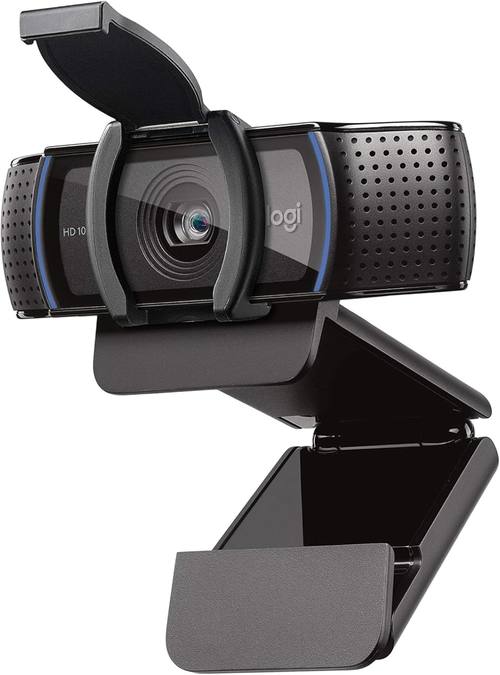
Logitech C920e HD 1080p Mic Enabled Webcam Certified Zoom Microsoft Teams
Vendor-certified for Zoom and Teams, UVC compliant, mounts on a monitor or a tripod, still supported years later
30fps only, no built-in light, no privacy shutter on the enterprise model
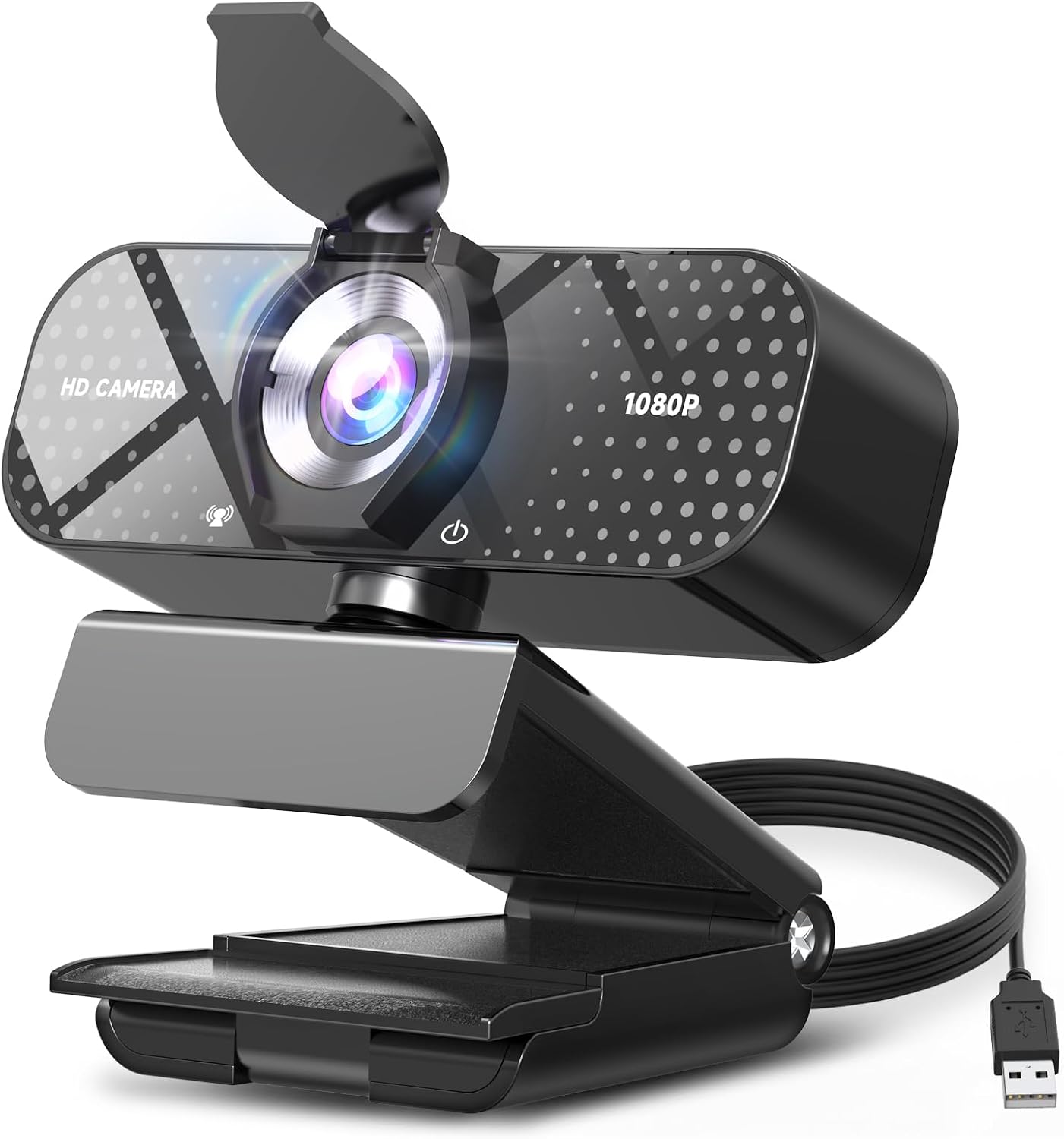
TRAUSI 1080P FHD Webcam with Noise-Canceling Mic, Auto Light Correction, Privacy Cover and Wide Angle Lens
Privacy cover, auto light correction, wide angle lens, true plug and play over USB
Wide glass distorts the edges, and the wide view shrinks your face unless you move closer
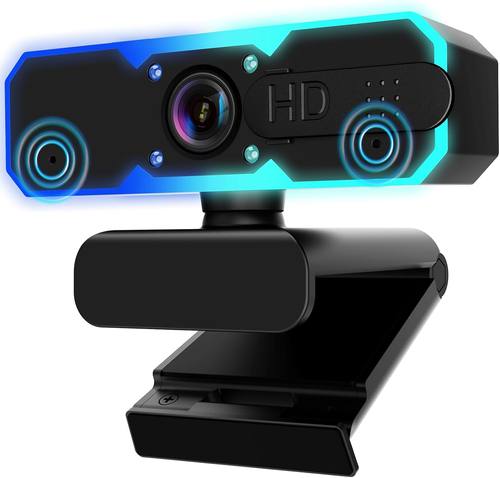
NBPOWER 1080P 60FPS Streaming Camera Webcam with Microphone and Fill RGB Light, Autofocus
1080p at 60fps for game streams, built-in fill light, autofocus that can be genuinely handy
60fps costs light on a small sensor, and autofocus that hunts is worse than no autofocus
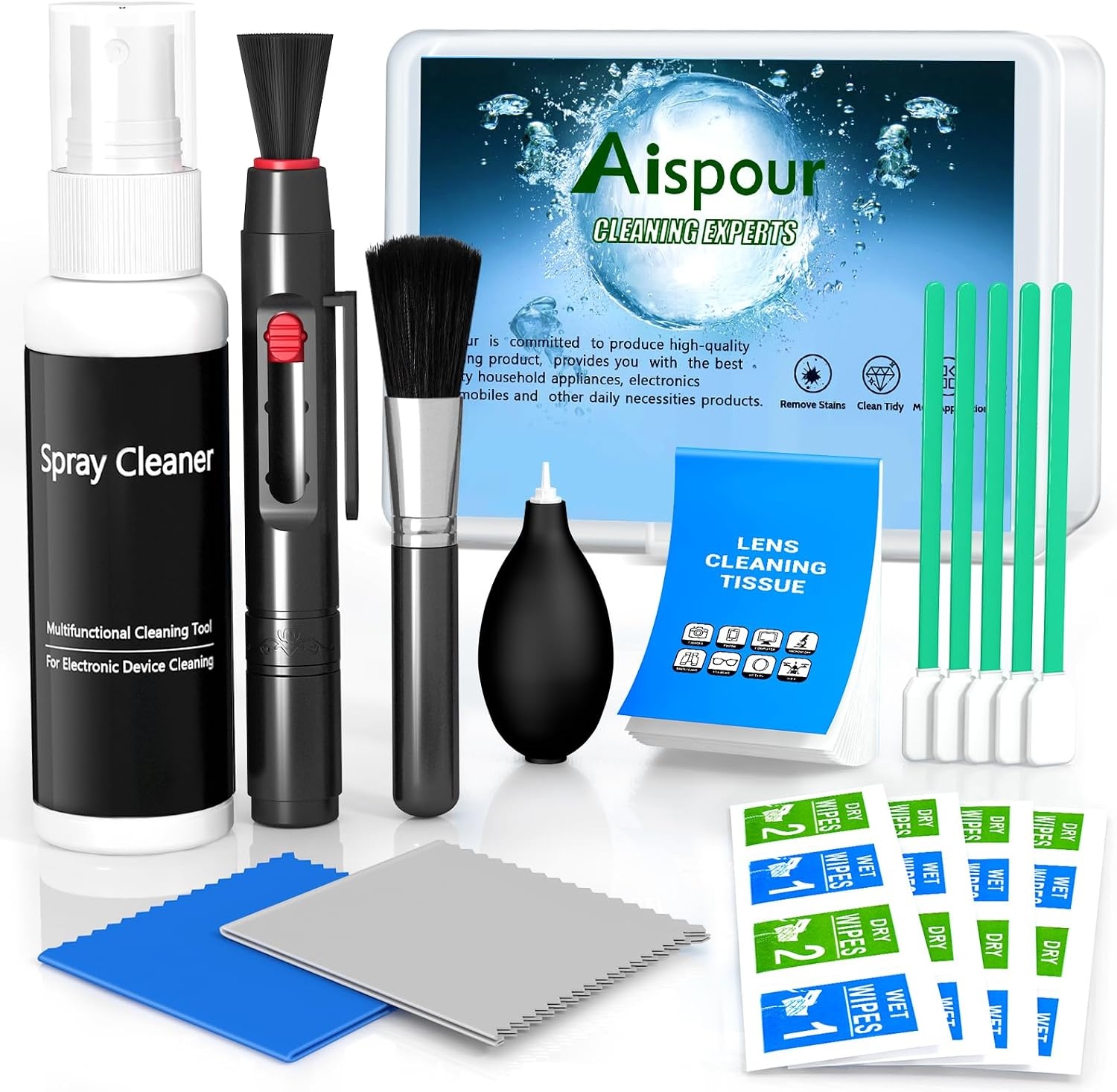
Aispour Camera Lens Cleaning Kit, 10-in-1 Camera Cleaning Kit
Fixes the most common image quality problem there is, a smudged front element, for almost nothing
Not a camera, so it will not upgrade a sensor that was never good
Prices and availability were captured from Amazon Creators API and may change.
How I judge a webcam
Four questions, in order. What is the actual sensor size, not the number on the box? Does autofocus hunt in my lighting? Does it show up in OBS and every meeting app without a driver fight? And would I leave it on my desk for a podcast, where a camera has to hold a locked frame for an hour without breathing?
Everything below is filtered through those four questions. A camera can be sharp and still fail the fourth one, which is why so many sharp cameras end up in the drawer.
The 1080p question nobody asks
1080p at 30 frames per second is the floor, not the ceiling, and for Zoom, Teams, Meet, and a 1080p stream it is genuinely enough. The spec that changes how you look is the sensor size and the glass in front of it. A larger sensor gathers more light per pixel, which is why a well-lit 1080p camera beats a dim 4K one on any call that matters.
The second spec that matters is field of view. Around 78 degrees is a normal desk framing. The wide angle numbers you see on budget cameras, often 90 degrees and up, pull in more room, more ceiling, and more of whatever is behind you. Wide is not better. It is just wider, and it usually means more edge distortion and a smaller face in the frame.
The third spec is frame rate, and it only matters if you output 60fps. On a small sensor, doubling the frame rate halves the light available to each frame, so a 60fps mode in a dim room can look grainier than the same camera at 30.
Logitech C920e: the boring answer that keeps winning
The C920e is the enterprise version of a design that has been on desks for over a decade, and that is the entire pitch. It does 1080p at 30fps, it uses a 78-degree diagonal field of view, it carries dual microphones, and it is UVC compliant, which is the unglamorous technical way of saying it works when you plug it in. Certified for Zoom and Microsoft Teams means the vendors validated it, so you are not the beta tester.
The mount is the part people underestimate. It folds flat for a laptop, sits on a monitor, and has a standard tripod thread underneath, which means it survives the day you buy a boom arm.
What it does not do: no 60fps, no built-in light, and no privacy shutter on the enterprise model, so check the listing photos if a physical cover matters to you. Autofocus on this family is competent rather than silent, and it can hunt if you wave your hands around during a call.
The reason it wins is not that it is the sharpest camera here. It is that in two years you will still open OBS, pick it from the dropdown, and go live. If you have ever spent a Saturday reinstalling a vendor utility to change one setting, you already know what that reliability is worth. Visit on Amazon →
NBPOWER: RGB light, 60fps, and the question of whether either helps
The NBPOWER cam leads with 1080p at 60 frames per second, a built-in fill light with RGB, and autofocus. If you stream gameplay at 60fps and you want your face cam to match the motion of the game, that frame rate is a real feature and not a marketing line. It also means the camera is doing more work with the same amount of light, which is exactly why the fill light is not a gimmick. It is compensation.
A ring of LEDs across the bezel does two things: it puts catchlights in your eyes and it flattens shadows under your nose and chin. It also makes you look lit by a webcam, which is a specific look, and running it at full brightness in an otherwise dark room can wash out skin tones.
Autofocus is the feature that decides this camera for me. When it locks and stays locked, it is great for a desk where you lean in and out to read notes. When it hunts, it is the most distracting thing on a stream, because the whole frame breathes while you talk. Autofocus hunting is the number one webcam annoyance, and it is worth testing in your own lighting during the return window rather than trusting a spec sheet. Visit on Amazon →
TRAUSI: the privacy cover pick
The TRAUSI FHD cam reads like a checklist, and at this end of the market the checklist is the right thing to buy. 1080p, noise-canceling mic, auto light correction, privacy cover, wide angle lens, plug and play over USB, and compatibility with Zoom, Teams, and streaming software.
The privacy cover is the detail I would pay for. A physical shutter is unambiguous in a way that a software toggle is not, and if you take calls in a bedroom, a dorm, or a shared office, that certainty is worth more than a spec bump.
Auto light correction is the second useful item, because it is the camera's attempt at dynamic range. It will not rescue a bright window directly behind you, no camera at this price will, but it stops your face from dropping into silhouette when a lamp switches on mid-meeting.
The wide angle lens is the trade-off. Wider glass means more room in frame and more barrel distortion at the edges, and it makes your face smaller unless you move closer. For a solo talking head, a tighter view usually looks better. For showing a desk, a whiteboard, or two people at one table, the wide lens earns its place.
And the microphone claim deserves calibrating. Every webcam mic is a backup plan. If audio matters to you, buy a separate microphone. Visit on Amazon →
The Aispour cleaning kit is the real fix
The Aispour 10-in-1 camera lens cleaning kit is the only item here that is not a camera, and it fixes the most common image quality problem I see on other people's streams: a smudged front element. A fingerprint on the lens is a soft focus filter you did not ask for. It scatters light, it lowers contrast, and it is the first thing to check when footage looks hazy and none of your settings have changed.
A 10-in-1 kit is basically a blower, a brush, microfiber cloths, swabs, and a cleaning solution, and that is the correct order of operations. Blow the grit off first, brush away what is left, then wipe with solution on a cloth, never on the bare lens. Doing it out of order grinds dust into the coating, which is how a cleanable lens becomes a permanently scratched one.
It is also the cheapest upgrade in this entire article. A cloth in the desk drawer costs less than a coffee, and it protects the camera you already bought. If you own a webcam, a phone, or a mirrorless body, you should own one. Visit on Amazon →
Where each one loses
Frame rate. The C920e and the TRAUSI run at 30fps, the NBPOWER at 60. If your output is 30fps, you gain nothing from 60 and you lose a little light. If your output is 60, the NBPOWER is the only one that will not judder against your game capture.
Field of view. The C920e sits at a normal desk framing. The TRAUSI goes wide, which is flexible but distorts the edges and shrinks your face. Wider is not automatically better, it is just a different composition.
Privacy. The TRAUSI ships with a cover. On the C920e, confirm whether the specific listing includes a shutter before you buy, or budget a few dollars for a stick-on slider.
Software. The C920e runs on the operating system's own camera stack, which is why it appears in every app you own. Cameras that depend on a proprietary utility for basic settings are a long-term risk, because the utility eventually gets abandoned and the camera does not.
Microphones. All three cameras have one. None of them are the reason to buy. Treat the built-in mic as the thing that keeps you audible until a real microphone arrives.
Price and value. I am not going to quote numbers that move every week. Check current Amazon price on each listing and compare it against what you actually need. For calls and occasional recording, the boring camera wins. For 60fps streaming, the NBPOWER's frame rate and fill light are the point. For a cover and a wide view on the smallest budget, the TRAUSI is the pick.
The 4K question, and what I am watching next
Someone always asks about 4K. If a camera under $100 claims it, be suspicious. That is usually a 1080p sensor with interpolation and a sticker, and interpolation does not add detail, it adds softness with a higher number on the label. The honest upgrade path out of this group is not more pixels, it is more light and a bigger sensor.
What I am watching next: whether the budget 60fps class holds up when the room gets dark, and whether the wide angle budget cameras can be tightened with a crop in OBS without falling apart. Both are cheap experiments, and both are worth running before you spend flagship money on a camera that will still be fighting your lighting.
The short version. Buy the Logitech C920e if you want the safest two years and the fewest surprises. Buy the TRAUSI if budget and a privacy cover matter more than a familiar name. Buy the NBPOWER if you stream at 60fps and want light on your face without another stand on the desk. And buy the Aispour cleaning kit either way, because a clean lens is the only free resolution upgrade there is.