I have bought more webcams than I will ever admit to anyone who can see my order history. The C920 that started all of this, a couple of 4K flagships, and a small pile of thirty dollar Amazon specials that made everyone look like a witness sketch. So when I lined up four budget 1080p webcams to compare, I recognized the pattern before I opened a single listing: one has a real brand behind it, one has a genuinely specific spec sheet, and two are the same product with the same keyword paragraph pasted on top.
That last part is not a knock. It is just how this corner of the market works, and once you understand it you can save yourself real money. All four cameras in this comparison claim 1080p, all four claim a microphone, and all four sit in the impulse buy zone. What actually separates them is field of view, microphone design, the privacy cover, the software story, and whether the company that built them will still answer an email next year.
The safe pick in this group is the Logitech Brio 101, because it is the only one from a company with a decade of webcam drivers behind it and no mystery about how it will behave in Zoom or OBS. The EMEET C960 is the interesting alternative if you want the widest frame and dual microphones on paper. The two generic 1080p cameras are the value play, and I will tell you exactly what you give up to get there.
One note before the table. Two of these four listings carry the identical product name, which is the single most annoying thing about shopping for budget webcams. I have labeled them listing A and listing B so you can tell them apart, and every row links to its own page.
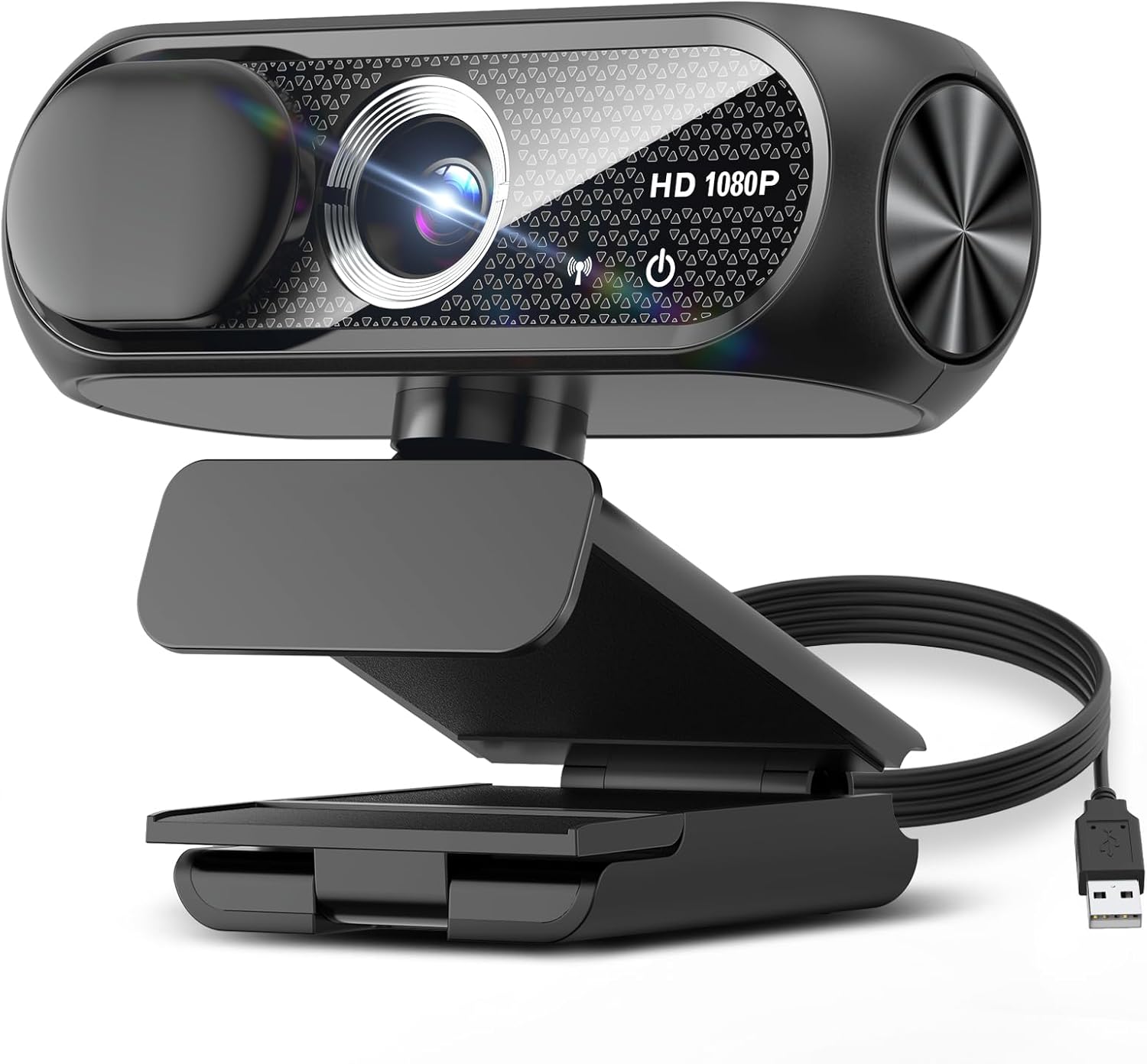
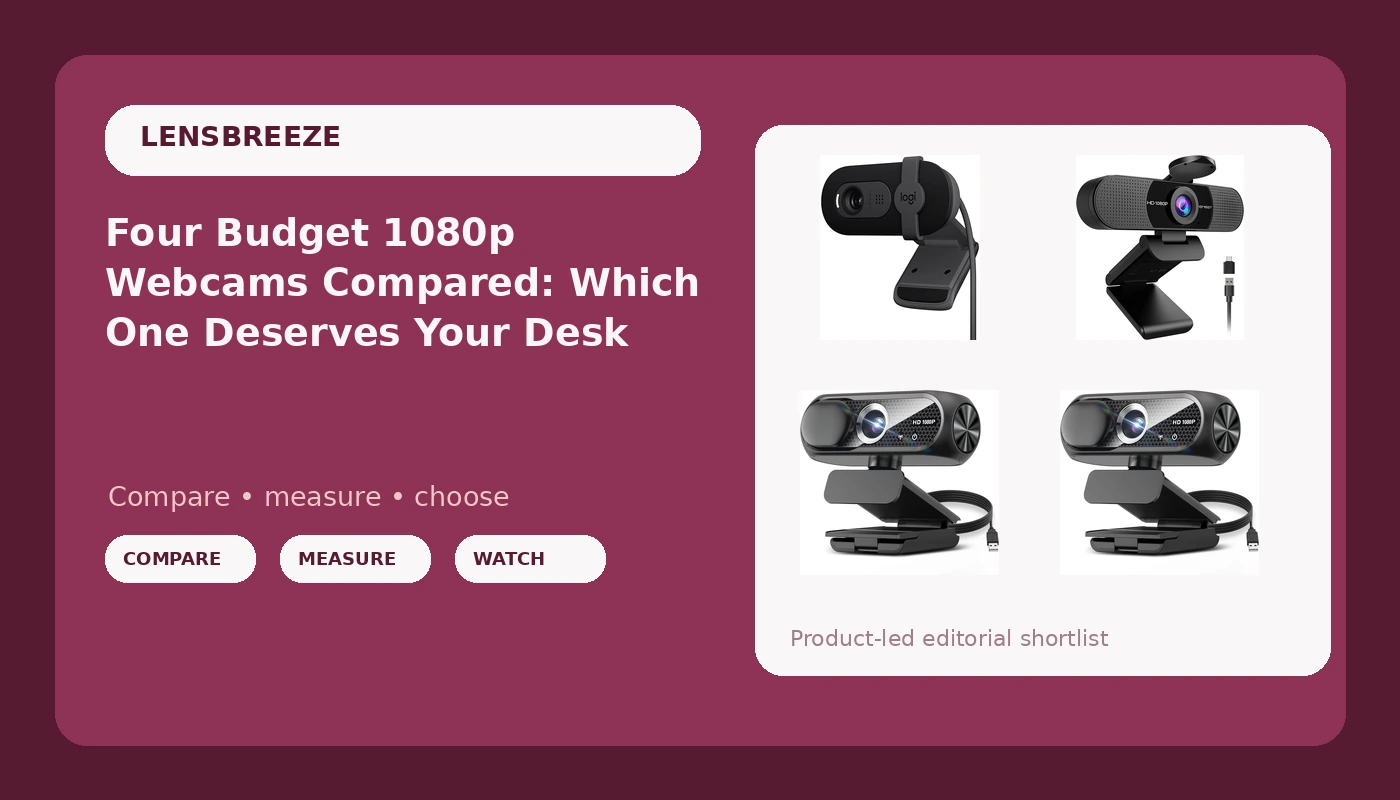
1080P HD Webcam with Microphone, Noise Cancellation, Privacy Cover, Wide-Angle Lens, Auto Light Correction, Plug & Play USB Webcam for Laptop, Desktop, PC, Mac, Zoom, Skype, Streaming (Black) (listing A)
Longest feature list in the group: privacy cover, wide-angle lens, auto light correction, plug and play
"Wide-angle" is not a number, no sensor size stated, no support story
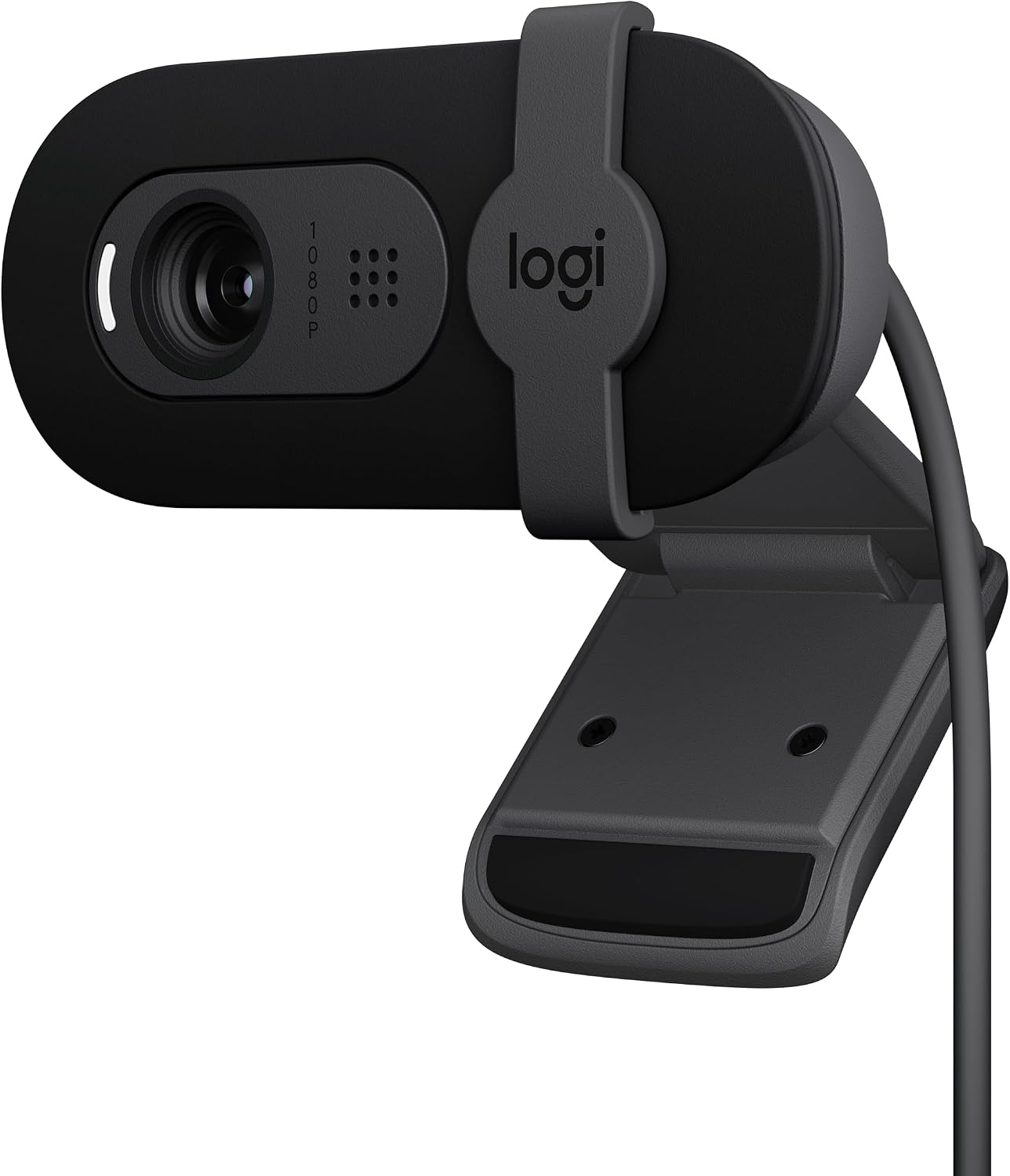
Logitech Brio 101 Full HD 1080p Webcam for Streaming and Meetings - Black
Known brand, predictable drivers, the camera that just works in OBS and Zoom
Fewest listed features here, no privacy cover mentioned, you pay for the name
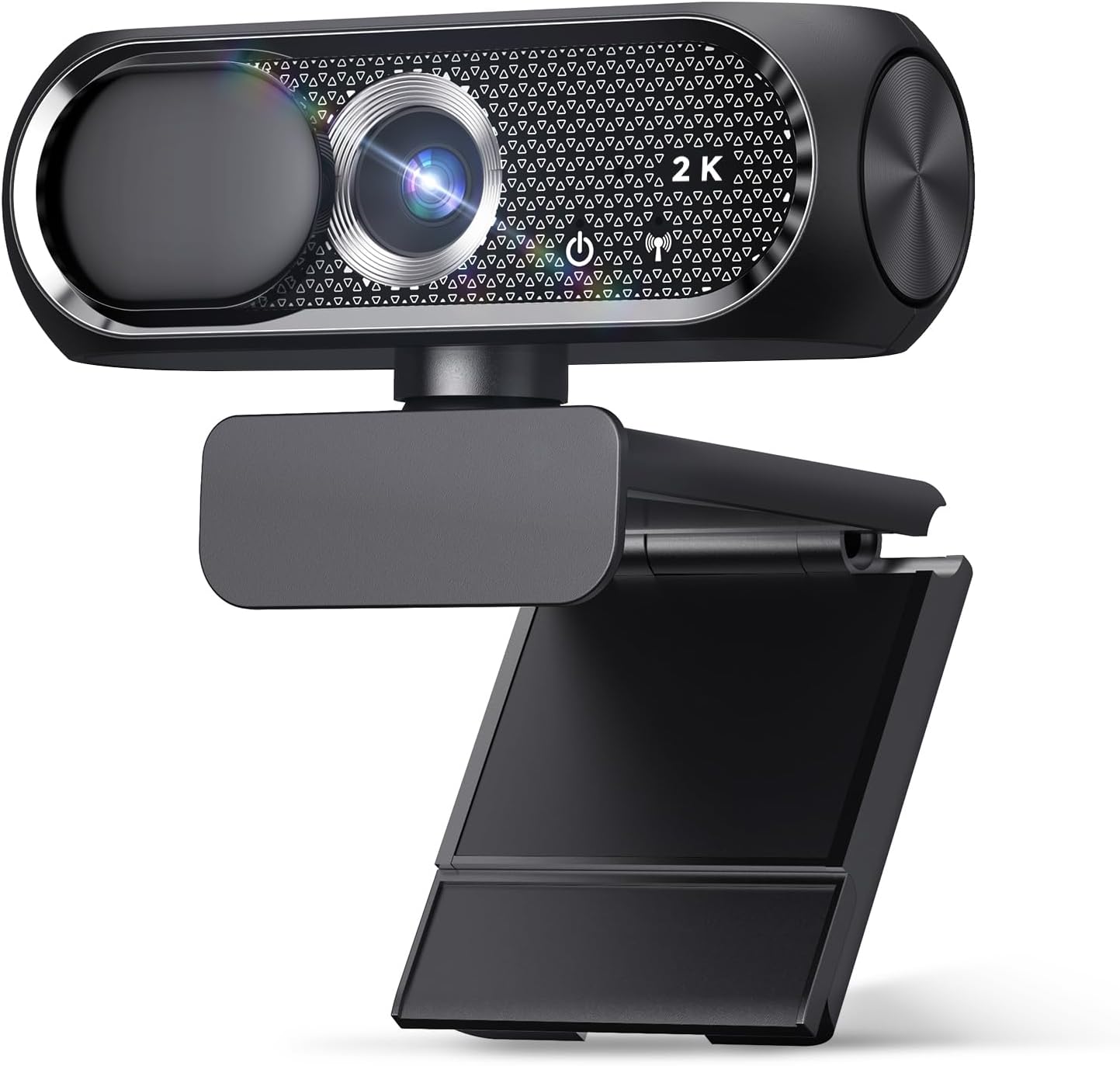
1080P HD Webcam with Microphone, Noise Cancellation, Privacy Cover, Wide-Angle Lens, Auto Light Correction, Plug & Play USB Webcam for Laptop, Desktop, PC, Mac, Zoom, Skype, Streaming (Black) (listing B)
Same feature list as listing A, so you can pick whichever listing is healthier today
Identical name means you cannot tell the two apart, quality varies by seller
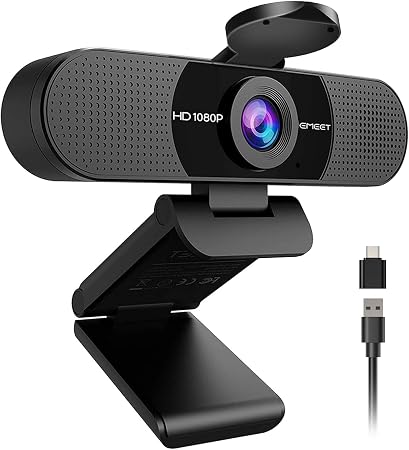
EMEET C960 1080P Webcam with Microphone, 2 Mics, 90° FOV, Computer Camera
A stated 90 degree field of view and dual microphones, which is more than the rest commit to
No privacy cover mentioned, and 90 degrees is wide for a solo face shot
Prices and availability were captured from Amazon Creators API and may change.
How I compared these four
Let me be straight about method, because this is the part most buying guides skip. I did not run these four units through a week of streams, so I am not going to describe footage I have not seen. What I did is read each listing the way I read a spec sheet, which means I looked for the things that actually change how you look on a call: field of view, microphone count and placement, whether a sensor size is stated at all, how the camera attaches to a monitor, what software you need for basic settings, and what the return window looks like if the thing turns out to be a paperweight with a lens.
Where a claim needs to be verified in your room, with your lighting, I say so. That is the honest version of this comparison, and it is still useful, because the differences between these four listings are real and visible on the page.
The Logitech Brio 101: the one with a company behind it
The Brio 101 is the only camera here from a brand whose name you already know, and that matters more than it sounds. Logitech has shipped webcams continuously for over a decade, its cameras show up as standard USB video devices in OBS and Zoom without a driver ritual, and the Brio name carries a floor of expectation underneath it. The listing describes it as a full HD 1080p webcam for streaming and meetings, which is exactly what it is: a 1080p camera, a straightforward frame, and a plain USB connection.
The trade-off is that you are paying for predictability rather than a feature list. The listing here does not mention a privacy cover, dual microphones, or auto light correction, so if any of those matter to you, check the current product page before you buy. What you get instead is the shortest path from unboxing to a working stream. In my experience with this brand, the camera mounts, the software recognizes it, and your call starts on time. That is not a glamorous thing to pay for until the night it saves you.
The EMEET C960: a real number on the spec sheet
The C960 is the one in this group that commits to an actual figure. The listing calls out a 90 degree field of view and two microphones, and 90 degrees is the number I care about most in a budget camera. Field of view is the spec that decides your framing. At 90 degrees, a desk setup where you sit slightly off center still keeps you fully in frame, and a second person leaning in for a couch call is not automatically cut in half. Narrower frames make you look like you are being interviewed through a keyhole.
The dual microphone setup is also a step up on paper from a single mic, because two mics give the camera more to work with when it tries to reject room noise and pick up a voice in front of it. I would still treat any webcam microphone as a backup plan, because that is what every webcam microphone is. The C960 does not mention a privacy cover, which is worth weighing if you work in a shared space.
The two generic 1080p webcams, and why the names match
Now for listings A and B. Both are titled "1080P HD Webcam with Microphone, Noise Cancellation, Privacy Cover, Wide-Angle Lens, Auto Light Correction, Plug & Play USB Webcam for Laptop, Desktop, PC, Mac, Zoom, Skype, Streaming (Black)." That is a keyword paragraph wearing a product name, and it tells you a lot about how these listings were assembled. They are chasing the same search results with the same words, which is why you can scroll past three of them in a row and not be sure whether you are looking at the same camera twice.
What the title does promise is a longer feature list than anything else here: a privacy cover, a wide-angle lens, automatic light correction, a noise cancelling microphone, and plug and play over USB. The privacy cover is the one I would miss most if I went without it, because a physical shutter is the only privacy feature that does not depend on software behaving. Auto light correction is genuinely useful, and I will come back to what it actually does in a minute.
The catch with a listing built this way is not the feature list, it is the support story. Two identical titles with two different seller pages behind them mean the buyer has no easy way to tell which one is the same camera with a different sticker on the box. On top of that, "wide-angle" is not a number. Ninety degrees is a number. When a listing will not commit to a figure, treat the claim as a hope rather than a spec, and lean hard on the return window.
"Noise cancellation" on a webcam microphone deserves the same raised eyebrow. In practice it usually means some onboard processing that reduces steady room noise at the cost of making your voice sound thinner and more robotic. In a loud room that trade is worth it. In a quiet room, it is a downgrade you cannot turn off on some cameras.
Where the money actually goes
Once you strip the marketing, these four cameras are separated by five things, and only one of them is resolution.
Microphone quality. One camera here lists two mics, two list a noise cancelling mic, and one lists a mic without detail. None of that replaces a real microphone, but if you are on back to back calls with no headset, the camera with the stated dual array is the one I would bet on.
Field of view. The C960 is the only one that names a figure, 90 degrees. That is the wide end of comfortable for a single person at a desk, and it is the right end for a shared setup. Everything else here leaves you guessing.
Privacy cover. Two listings include one, and two do not mention one. If your desk faces a door or a roommate, that is not a luxury, and a shutter is more reliable than a software toggle.
Software and drivers. This is where a known brand separates itself. Cameras that need proprietary utilities to change basic settings are the ones that break when an operating system updates. I want a camera that shows up as a standard USB video device and lets OBS do the rest.
Sensor size. None of these four listings states a sensor size, and that is not an accident. In this bracket you are getting a small 1080p sensor, and the copy around it is doing the heavy lifting. I would rather see an honest 1080p sensor with a stated field of view than the letters HD repeated three times in a title.
What auto light correction actually does
Auto light correction is on the feature list for both generic cameras, and it is worth knowing what you are buying. It adjusts exposure and gain as the light in your room changes, so you are not a silhouette at 9 a.m. and a glowing rectangle at 3 p.m. when the sun moves across your desk. That is a real convenience.
The catch is that gain is noise. When a camera brightens a dark room, it turns up the sensor's sensitivity, and the image gets grainy, soft, and slightly muddy in the shadows. You cannot fix that in software, because the information was never captured. The fix is light you control. A twenty dollar desk lamp aimed at your face, positioned so it lights your eyes and not the back of your head, will do more for your image than any of these four cameras can. That is not a knock on the hardware. It is just how video works, and it is the single cheapest upgrade available to you.
If you want a rule: light your face, not the wall behind you. A window behind your chair is the enemy, and a lamp in front of you is the fix.
Which one should you buy
Buy the Logitech Brio 101 if you want the least drama. You are paying a bit more for a brand that has been shipping webcam drivers since before some of these listings existed. It will mount, it will be recognized, and it will work in OBS without a fight. That reliability is the whole product.
Buy the EMEET C960 if framing matters to you. A stated 90 degree field of view and dual microphones is the most concrete spec sheet in this comparison, and if you sit off center from your monitor or share a couch with a co-host, the wider frame is the difference between looking intentional and looking cropped.
Buy one of the two generic 1080p cameras if you want the longest feature list per dollar and you accept the risk. In that case, compare the two listings directly, look at the current return policy on each, and pick the one that is easier to send back. Then test it on day one, not on day twenty-nine.
Whichever you choose, run the same three checks in the first week. Join a video call in your normal lighting and look at your own face. Record ten seconds in OBS and listen to the audio. And confirm the camera wakes up from sleep without needing to be unplugged and replugged. Any of the four cameras here can pass those checks. The one that fails is the one you want to return while the window is still open.