I have bought more webcams than any reasonable person should. Eight years of streaming from a converted spare bedroom in Austin, plus corporate video work on the side, means I have a drawer full of cameras that looked incredible on a product page and looked like a witness sketch on an actual call. So when people ask me to sort through budget webcams for PC, I do not start with the resolution on the box. I start with the sensor, the field of view, and whether the thing will behave in OBS without me installing three utilities and a firmware updater.
This comparison covers four cameras that show up constantly in that search: two 1080p units, one 2K unit with a built-in light, and one that claims 4K. They sit at four different points on the price and spec ladder, and the differences between them matter more than the numbers suggest.
Related: Webcam Settings for Streaming Explained
If you want the short version: the 1080p plug-and-play camera is the safest cheap pick for calls, the Acer A610 is the one I would hand to someone who wants a known brand and a built-in mic, the Atatat 2K is the most feature-dense of the group, and the 4K model is the one I would question hardest, because "4K" on a budget sensor is usually a sticker, not a sensor upgrade.
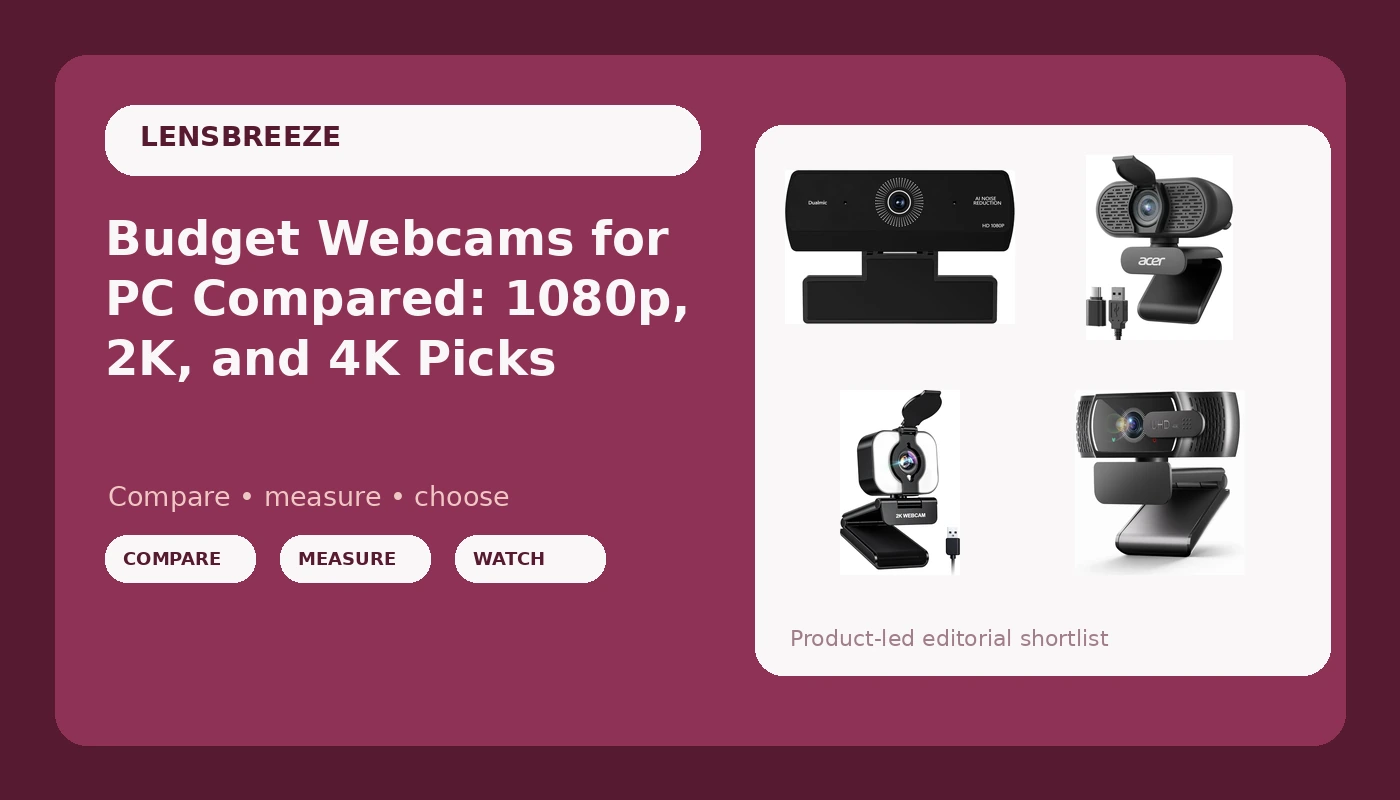
Webcam for PC, HD 1080P USB Plug-and-Play
True plug-and-play: USB, no driver fight, no software to babysit
The spec list stops at 1080p and USB, so there is no privacy shutter and nothing to suggest a mic worth relying on
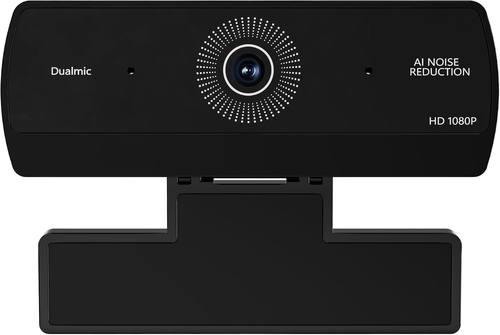
Acer A610 1080p Webcam for PC with Microphones
A name brand with a mic included, built for meeting rooms rather than gaming setups
Still 1080p, and it costs more than two higher-resolution options on this list
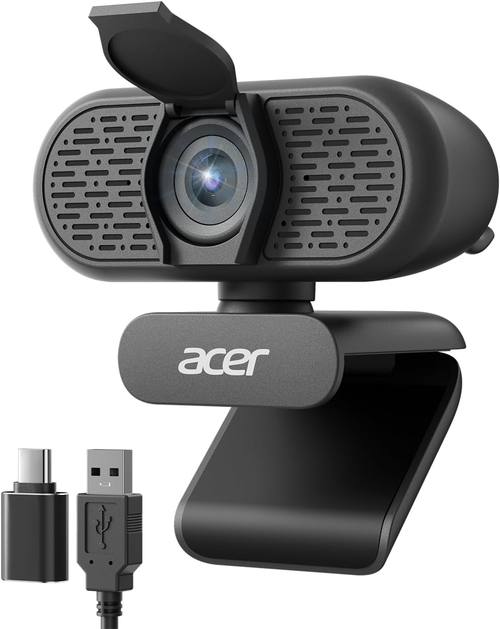
Atatat 2K Webcam for PC with Light, Microphone, Privacy Cover
The most complete package: 2K, a built-in light, a mic, and a privacy cover
No-name brand, and a front-facing light is a tool you have to learn to use or it flattens your face
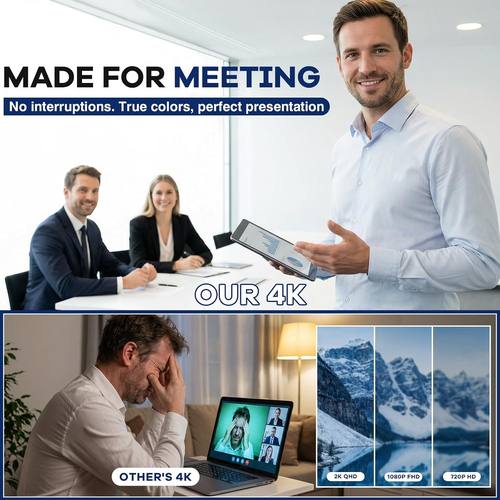
4K Webcam with Microphone for PC & Streaming
The best headline specs here: 4K output plus a mic
This is exactly the price bracket where a 4K badge usually sits on top of a small sensor
Prices and availability were captured from Amazon Creators API and may change.
What the spec sheets actually say
Let me put on the producer hat for a second. Show me the sensor size and the field of view. The sticker on the box does not count.
None of these four listings lead with sensor size, and that silence tells you something. A 1080p sensor is a 1080p sensor whether it costs a little or a lot, and the resolution number is the least interesting thing about it. What actually changes your image is how much light the chip can gather, how wide the lens is, and how the camera handles a window behind you.
Two of these cameras are 1080p. One is 2K. One says 4K. In a normal room with a normal desk lamp, the gap between them is far smaller than the resolution ladder implies, and the gap between all of them and a proper light source is enormous.
The 1080p plug-and-play option
The plain 1080p USB camera is the least glamorous product here, and for a lot of people it is the right one. Plug-and-play means what it says: you plug it in, the operating system sees a UVC camera, and it works. No companion app, no driver installer, no firmware utility that wants to restart your machine mid-meeting.
That matters more than people admit. My rule is simple: if it does not work in OBS without a driver fight, it is a toy. A camera that shows up as a standard video device is a camera you can trust in a client call, in a class, in a stream, and in whatever app you are forced to use next year.
What you give up is everything beyond the basics. There is no privacy shutter in the name, and there is nothing to suggest a microphone worth building around. If you buy this one, budget for a separate mic or accept that your laptop mic is doing the work. For a desk where the camera is a utility rather than a production tool, that trade is completely reasonable. Visit on Amazon →
The Acer A610
The Acer A610 is the grown-up option of the group. It is a 1080p camera with microphones, positioned for meetings, and it carries a brand name that your IT department has heard of before. That last part sounds trivial until you are the person who has to justify a purchase.
The trade-off is straightforward. You are paying for the badge and the meeting-room focus rather than for resolution, because two other cameras on this list claim higher numbers for less. What you get in return is a camera designed around the thing most people actually do with a webcam, which is sit in a video call and look presentable while someone shares a screen.
If your camera lives on a work laptop and your priority is "it just works and the mic is built in," this is the least risky pick here. If you are trying to build a stream, it is not the one. Visit on Amazon →
The Atatat 2K
This is the most interesting product in the group, because it is the only one that solves a lighting problem in the box. The Atatat 2K includes a light, a microphone, and a privacy cover, which is a genuinely thoughtful feature list for a budget camera.
I preach lighting first for a reason. A camera in bad light loses to a worse camera in good light, every single time. A built-in light is not a substitute for a real key light, and a front-facing panel light tends to flatten your face and wash out skin tones if you run it at full power. Used gently, though, it is a fill source that costs you nothing extra and requires no setup.
The 2K resolution is a real step up from 1080p for detail, though the honest framing is that it buys you a little more crispness in a well-lit room and not much else in a dim one. The privacy cover is a small thing I wish every camera shipped with. The unknown is support: no-name brands live and die on whether the software, if there is any, keeps working after an OS update. Visit on Amazon →
The 4K webcam
Here is where I get loud. A 4K badge in this price bracket is the single most misleading spec in the webcam market, and it has been for years.
I have said it before and I will keep saying it: 4K on a tiny sensor is still a tiny sensor. You are not getting four times the image quality, you are getting four times the pixels from a chip that did not get bigger. Small photosites in a cheap lens mean noise in anything but good light, and the moment the room dims, the camera starts smearing detail to hide it. That is the difference between washed out and cinematic, and no resolution number fixes it.
There is also the practical side. Most platforms, including the ones streamers actually use, downscale your feed anyway. You end up paying for pixels that get thrown away before anyone sees them, while the things that do survive, dynamic range and low-light behavior, are the first casualties of the spec chase.
None of that makes this camera useless. It includes a microphone, it advertises 4K, and if your room is well lit and your expectations are calibrated, it can look fine. Just do not buy it because of the number. Buy it because everything else about it fits, and treat 4K as a bonus rather than the reason. Visit on Amazon →
Why lighting beats every camera on this list
I have a forty dollar ring light I have owned for years, and it has done more for my on-camera appearance than any camera upgrade I have ever made. That is not a knock on these four products. It is the whole reason budget cameras are viable at all.
Put a soft light in front of you, slightly above eye level, and take the window out of the background. Do that, and a cheap 1080p camera produces a cleaner image than an expensive camera pointed at a bright window with your face in shadow. Every camera here benefits from the same ten minutes of setup, and every one of them suffers without it.
If you only take one thing from this comparison, take that. The camera is the last variable, not the first.
Autofocus, field of view, and OBS
Autofocus is a feature until it hunts. If a camera cannot hold focus on a stationary face at a stationary desk, it will find a way to breathe in and out during the exact moment you are making a point on a podcast. Budget cameras tend to have simpler fixed-focus lenses, which is honestly a gift: fixed focus cannot hunt.
Field of view matters too, and it is rarely advertised clearly. Around 90 degrees is what you want for a desk setup where you want the room visible behind you. Around 65 degrees is better for a solo face shot, because it crops out the clutter and makes your face bigger in frame. If a listing does not tell you the field of view, assume it is on the wide side and plan to sit closer.
And the OBS test stands. A camera that appears as a standard video device gets used. A camera that requires a proprietary app to unlock its better modes gets abandoned by week two.
The microphone question
Every camera here except the plain plug-and-play model advertises a microphone, and I want to be clear about what that means. The mic on a webcam is a backup plan. The camera is the purchase.
Built-in mics sit inches from the fan, the keyboard, and the air conditioner, and they pick up all three with enthusiasm. For a quick call they are fine. For anything you care about, a separate mic placed closer to your mouth beats them every time. That is not a flaw specific to these four cameras, it is physics.
Who should buy which
Buy the 1080p plug-and-play camera if you want the cheapest reliable video device and you already own a mic or do not care. It is the least complicated product here and the least likely to surprise you.
Buy the Acer A610 if you want a known brand, a built-in mic, and a camera tuned for meetings rather than streams. It is the safe corporate choice.
Buy the Atatat 2K if you want the most features in one box and you are willing to learn how to use a small front light without blowing out your face. The privacy cover is a genuine bonus.
Buy the 4K model if the rest of your setup is ready and you want the highest advertised resolution, with your eyes open about what a 4K badge means at this end of the market.
What I am checking next
I keep a running test bench, and the question I am living with right now is how much of the resolution ladder actually survives a real platform's compression. That answer decides whether any of these cameras is worth an upgrade, or whether the money is better spent on a light and a decent mic. I will have that written up soon, and I suspect it will annoy a few brands.