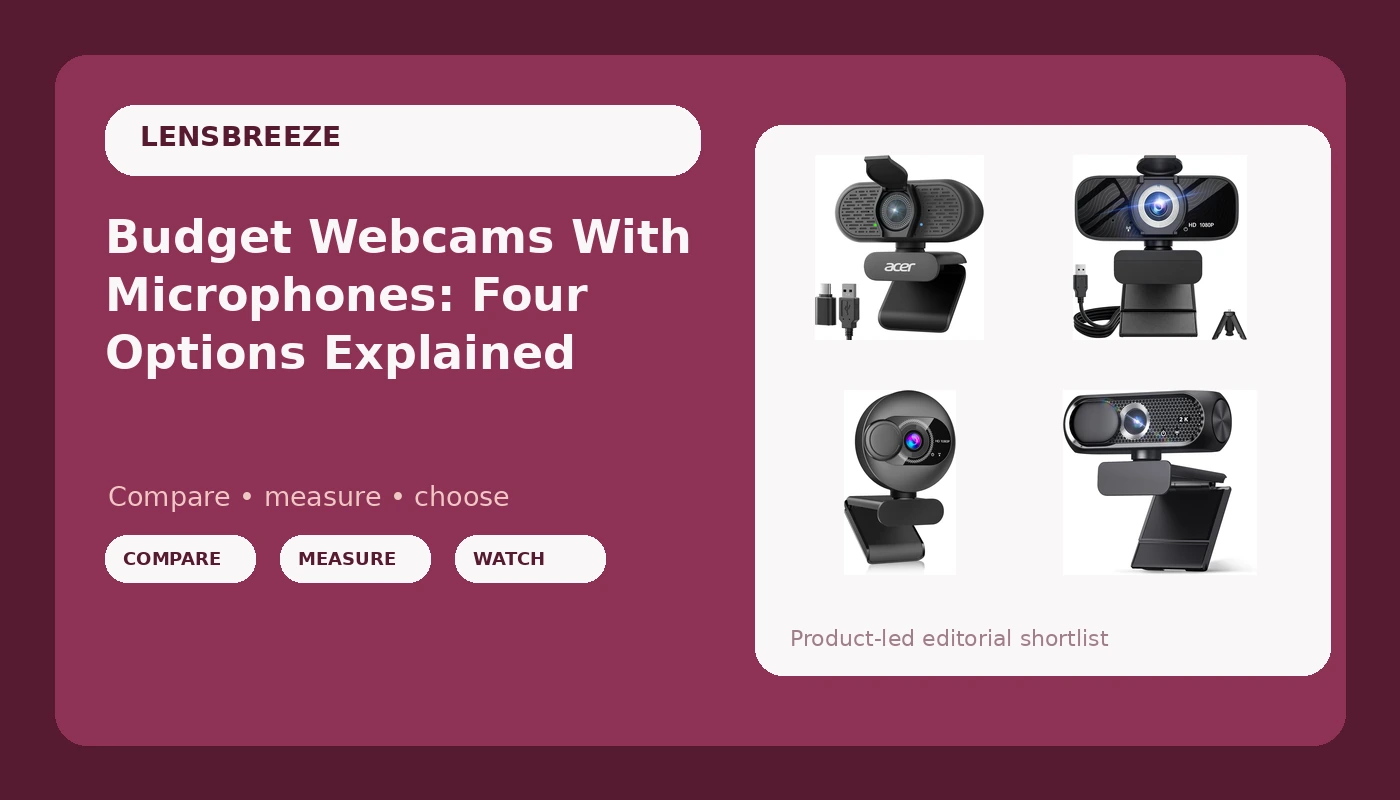
A webcam listing throws a lot of numbers at you at once: 1080p, 2K, 4K, 30 frames per second, a 120 degree field of view, noise cancellation, auto light correction. None of those numbers is meaningless, and none of them tells you on its own whether a camera will make you look and sound right on a call. If you are comparing webcams with microphones, the question that matters is not which listing carries the biggest number. It is which combination of resolution, field of view, and light handling matches the room you actually sit in and the way you actually use video.
Related: Why Lighting Beats Camera Upgrades on Video Calls →
Quick answer
If resolution is the priority, the Acer A640 4K Webcam with AI Noise Canceling Mic is the highest-resolution option in this group. If you want something above 1080p without moving all the way to 4K, the 2K Webcam with Microphone is the middle step. The HD Pro PC Webcam is the one to look at when you need a wide 120 degree field of view, and the Webcam for PC with Microphone is the straightforward 1080p choice with a privacy cover included. None of these replaces decent lighting, and none of them comes with a promise about how it will look in your specific room.
Four useful options
| Model | Best fit | What stands out |
|---|---|---|
| Acer A640 4K Webcam with AI Noise Canceling Mic | Buyers who want the highest resolution here | 4K capture with an AI noise canceling microphone |
| 2K Webcam with Microphone | Buyers who want more than 1080p without 4K | 2K resolution, wide-angle lens, privacy cover |
| HD Pro PC Webcam | Buyers who need to show more of the room | 1080p at 30fps with a 120 degree field of view |
| Webcam for PC with Microphone | Buyers who want a simple 1080p setup | 1080p with privacy cover and wide-angle lens |
The 4K option: Acer A640 4K Webcam with AI Noise Canceling Mic for Streaming Meetings
The trade-off with any 4K webcam is that resolution and image quality are not the same thing. A 4K frame gives you more pixels and more room to crop or zoom without falling apart, which is genuinely useful if you record and edit, or if you want a tighter framing from a wider shot. What it does not do is fix a dim room. If your desk sits in shadow, a 4K sensor still records a shadow, just with more detail in it. The other thing to weigh is bandwidth and software: 4K capture puts more load on your machine and on whatever app you are feeding, and some apps will downscale it anyway. If you mainly join 1080p meetings, this camera's advantage shows up more in recording than in live calls.
The 2K option: 2K Webcam with Microphone, Noise Cancellation, Privacy Cover, Wide-Angle Lens, Auto Light Correction, Plug & Play USB Webcam for Laptop, Desktop, PC, Mac, Zoom, Skype, Streaming (Black)
2K is the awkward middle child of webcam marketing, and that is exactly why it can be a good buy. It is a real step up in pixel count from 1080p, so a crop or a digital zoom holds together better, but it is a smaller jump than 4K in terms of file size, processing load, and the demands it places on your USB connection. The privacy cover is a physical detail worth caring about: a shutter you can slide is a simpler answer than unplugging the camera or trusting a software toggle. Auto light correction is the other feature to think about here. It is a processing step, not a light source, so it helps most in moderately uneven rooms and helps least in genuinely dark ones. Plug and play matters too, because a camera that needs a driver install before your first meeting is a camera you will resent.
The 120-degree option: HD Pro PC Webcam, Full HD 1080p/30fps Video, Clear Audio, 120° FOV, Light Correction, Works with Microsoft Teams, Google Meet, Zoom, Mac/Laptop
A 120 degree field of view is a design decision with consequences. On the plus side, you can fit two people at a desk, a whiteboard behind you, or a room where the camera cannot be moved close to your face. On the minus side, wide lenses exaggerate distance and perspective, so a face framed at 120 degrees looks smaller and slightly more distorted than the same face framed at a narrower angle, and everything behind you is in the shot, including the laundry. If your room is messy or your desk faces a wall of clutter, a wide camera is a liability. If you present, demo, or share a space with someone else, it is the feature you will actually use. The 30fps figure is normal for this class and is fine for talking heads; it is not the camera for high-motion capture.
The 1080p option: Webcam for PC with Microphone - 1080P FHD Webcam with Privacy Cover, Noise Cancellation, Wide-Angle Lens, Auto Light Correction, Plug and Play USB Web Camera for Laptop, Desktop, PC, Mac, Zoom, Skype
1080p is still the resolution most video calls are built around, so a 1080p camera is not a compromise so much as a match. Where a camera like this earns its place is in the details around the sensor: a privacy cover for the days you want to be visibly off, auto light correction for rooms with a window on one side, and a plug and play USB connection so it works on a work laptop without an IT ticket. The honest limitation is headroom. There is no extra resolution to crop into, so if you later decide you want to record in a tighter frame or deliver higher-resolution video, you will be replacing the camera rather than adjusting a setting. For meetings, classes, and casual streaming, that headroom may never matter.
Prices and availability may change. Product images, names, and retailer links are matched to verified listings. No current price, rating, stock status, or measured result is stated here without current evidence.
Resolution numbers, and what they do not tell you
Resolution describes how many pixels the camera records. 1080p is roughly two million pixels per frame, 2K sits above that, and 4K is roughly eight million. More pixels mean more detail and more room to crop, which is why 4K is genuinely useful for recording and editing. But resolution says nothing about how much light each pixel collects, and that is the part that decides whether your face looks like a person or a witness sketch in a dim room.
This is where the marketing gets slippery. A camera can advertise a high resolution and still produce a soft, noisy image if the sensor behind the lens is small, because small sensors gather less light per pixel. Two cameras with the same resolution number can look dramatically different in the same room. When you compare listings, treat the resolution as a ceiling rather than a promise, and treat light correction as a processing feature that improves an already reasonable exposure rather than a fix for a dark room.
The practical rule: pick the resolution your output actually needs, then spend your attention on the room. If you stream at 1080p and record occasional clips, 1080p or 2K is plenty. If you edit, crop, or deliver 4K, the higher-resolution option earns its keep.
Field of view, microphones, and light correction
Field of view is measured in degrees and describes how much of the scene the lens takes in. A narrow view, roughly 65 to 75 degrees, gives you a tight head-and-shoulders frame that flatters faces and hides the room. A wide view, around 90 to 120 degrees, fits more people and more context but shrinks your face in the frame and pulls in everything behind you. Neither is better in the abstract. The right number depends on how far the camera sits from you and how much of the space needs to be visible.
Microphones on webcams are a backup plan, not a studio solution. Noise cancellation in a webcam is a processing step that reduces steady background sound, and it works better on a fan hum than on a keyboard or a barking dog. A camera's built-in mic is fine for calls where you are one voice among many, and it is the weak link when audio quality is the point. If your audience is listening to you for an hour, a separate microphone is the upgrade that pays off first.
Light correction and auto exposure are related but distinct. Auto exposure sets the overall brightness; light correction tries to keep your face readable when part of the frame is much brighter than the rest. Both are helpful, and both have limits. The cheapest way to improve any webcam is to put a soft light in front of you and stop relying on a window behind you.
- Measure where the camera will sit and how far your face is from it.
- Decide the output resolution you actually deliver, not the highest number available.
- Judge the field of view against your room, not against the spec sheet.
- Check the mount and connection against your monitor, laptop, or tripod.
- Confirm the camera works in the apps you use without a driver install.
Practical guidance before you buy
- Match the field of view to your distance from the camera. Wide views suit cameras placed far away; narrow views suit cameras close to your face.
- Light your face first. A soft source in front of you changes a webcam image more than a resolution upgrade does.
- Treat the built-in microphone as a backup. If audio carries your work, plan for a separate mic.
- Check the mount before you commit. Monitor clips, laptop lips, and tripod threads are not interchangeable.
- Prefer listings with a privacy cover if you want a physical, visible way to be off camera.
- Confirm the apps you rely on are named in the listing, and assume nothing about the ones that are not.
Which option should you choose?
Choose the Acer A640 4K Webcam with AI Noise Canceling Mic when you record or edit video and want the highest resolution in this group. Choose the 2K Webcam with Microphone when you want more detail than 1080p without the file size and processing overhead of 4K. Choose the HD Pro PC Webcam when you need a wide 120 degree view to fit a second person, a whiteboard, or a room where the camera cannot sit close. Choose the Webcam for PC with Microphone when 1080p matches your calls and you want the basics covered without extra features.
One caveat applies to all four: the listings describe features, not results. Resolution, field of view, and light correction are stated by the manufacturer, and how they look in your room depends on your lighting, your distance from the camera, and your upload settings. Nothing here is a substitute for checking the listing yourself and confirming the return window before you commit.
The bottom line
These four cameras sit at different points on the same trade-off between resolution and price, and the right one is the one that matches your output rather than the one with the biggest number on the box. If you record and crop, go higher. If you join meetings, 1080p is not a downgrade. If your room is wide, the 120 degree option solves a real problem. Whichever you pick, fix your lighting first, because that is the variable a new webcam cannot change for you.