Most people shopping for a webcam start with the resolution number and end up disappointed. A 4K badge on a sensor the size of a pencil eraser does not make your face look better, it just makes a soft image bigger. The best webcams for streaming pair a genuinely larger sensor with autofocus that holds still, and they drop into OBS without a driver fight. Lighting decides more than any spec sheet: a modest camera in good light beats an expensive camera in a dim room, and no amount of resolution rescues a face lit only by a monitor.
This guide covers six items that turn up in the same shopping session: four webcams, one of them renewed stock, a clip-on video light, and one book for readers whose project is a room rather than a desk. Every card below links to the exact product it describes, so you can confirm current details and availability yourself.
Related: How to Set Up a Clean Webcam Feed in OBS
Quick answer
The OBSBOT Meet 2-4K Webcam for PC with 1/2" Sensor, AI Framing & Autofocus is the strongest fit for a streaming desk because it combines 4K capture with a 1/2-inch sensor, AI framing, and autofocus in a compact body. Choose the Logitech HD Pro Webcam C920 instead when a plain 1080p camera covers your calls and recordings and you have no use for 4K, tracking, or a metal body.
Webcams and lighting worth comparing
Resolution is the least interesting number in this group, because four of the six items are cameras and they do not agree on what matters. What is worth comparing: the sensor each camera specifies, how it handles focus, how it mounts to a monitor or laptop, whether it includes a privacy cover or built-in microphones, and what light you point at your face. The clip-on light and the book sit at the edges of the category on purpose. One fixes the single biggest variable in webcam quality. The other is for the reader whose project is larger than a desk.
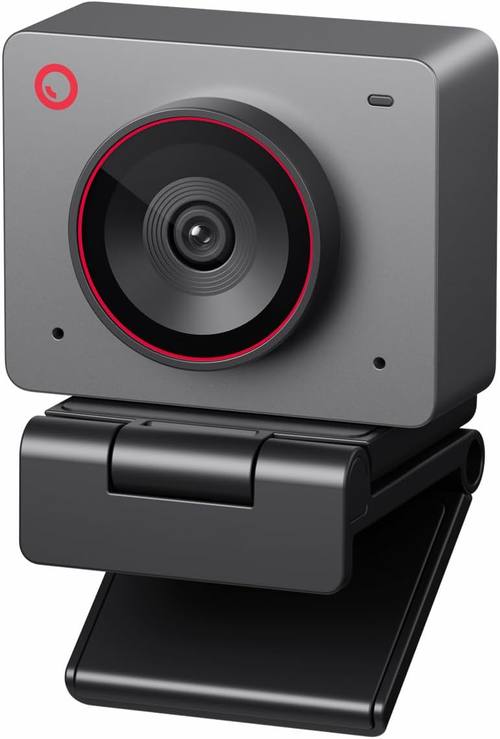
OBSBOT Meet 2-4K Webcam for PC with 1/2" Sensor, AI Framing & Autofocus
A 4K webcam with a 1/2-inch sensor, AI framing, and autofocus, built for PC setups where the camera has to keep up with a host who moves.
Visit on Amazon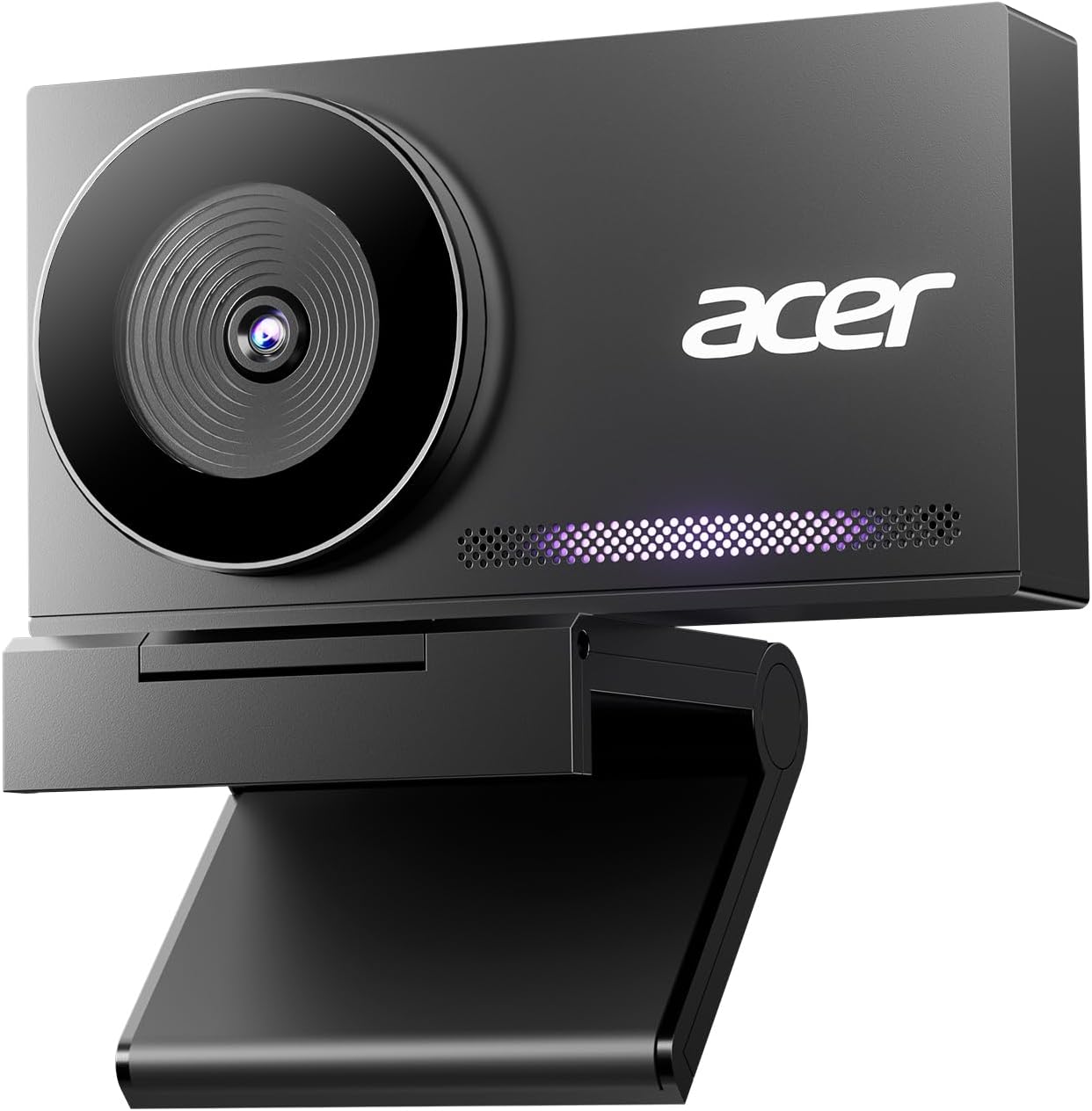
Acer 4K Webcam for PC/Mac with All-Metal Unibody Sculpted, Sony 1/2" Sensor, PDAF, 2 Noise Reduction Mics, Privacy Cover, Lightweight, Fast Cooling, Streaming Camera for Live Meeting Commerce Gaming
4K capture with a Sony 1/2-inch sensor, PDAF autofocus, two noise-reduction mics, a privacy cover, and an all-metal unibody the listing describes as lightweight with fast cooling.
Visit on Amazon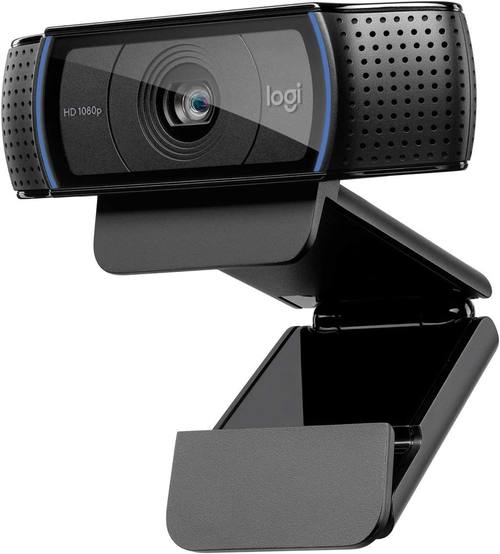
Logitech HD Pro Webcam C920, Widescreen Video Calling and Recording, 1080p Camera, Desktop or Laptop Webcam
1080p widescreen video for calls and recording, with a mount that works on a desktop monitor or a laptop lid, in the long-running design that made it a default pick.
Visit on Amazon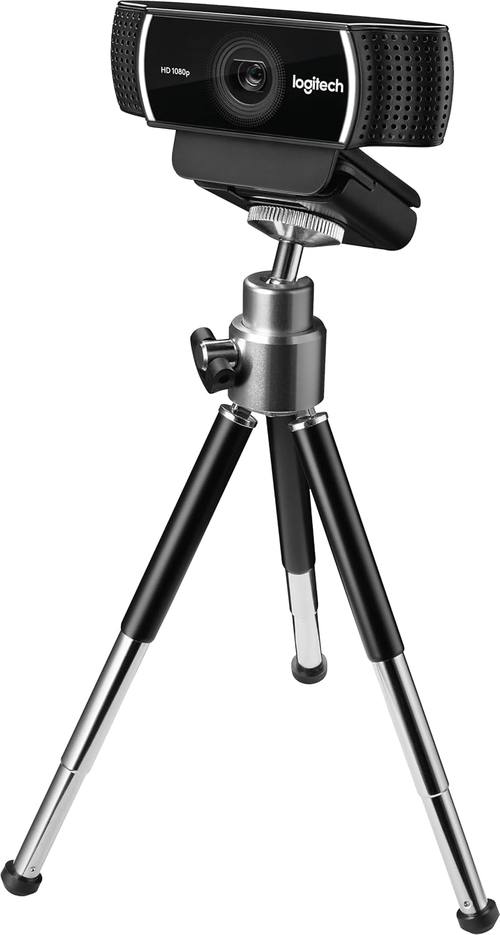
logitech C922 Pro Stream Webcam 1080P Camera for HD Video Streaming & Recording 960-001087(Renewed)
A 1080p camera intended for HD streaming and recording, offered here as renewed stock, which means checking the seller's warranty and return terms before you buy.
Visit on Amazon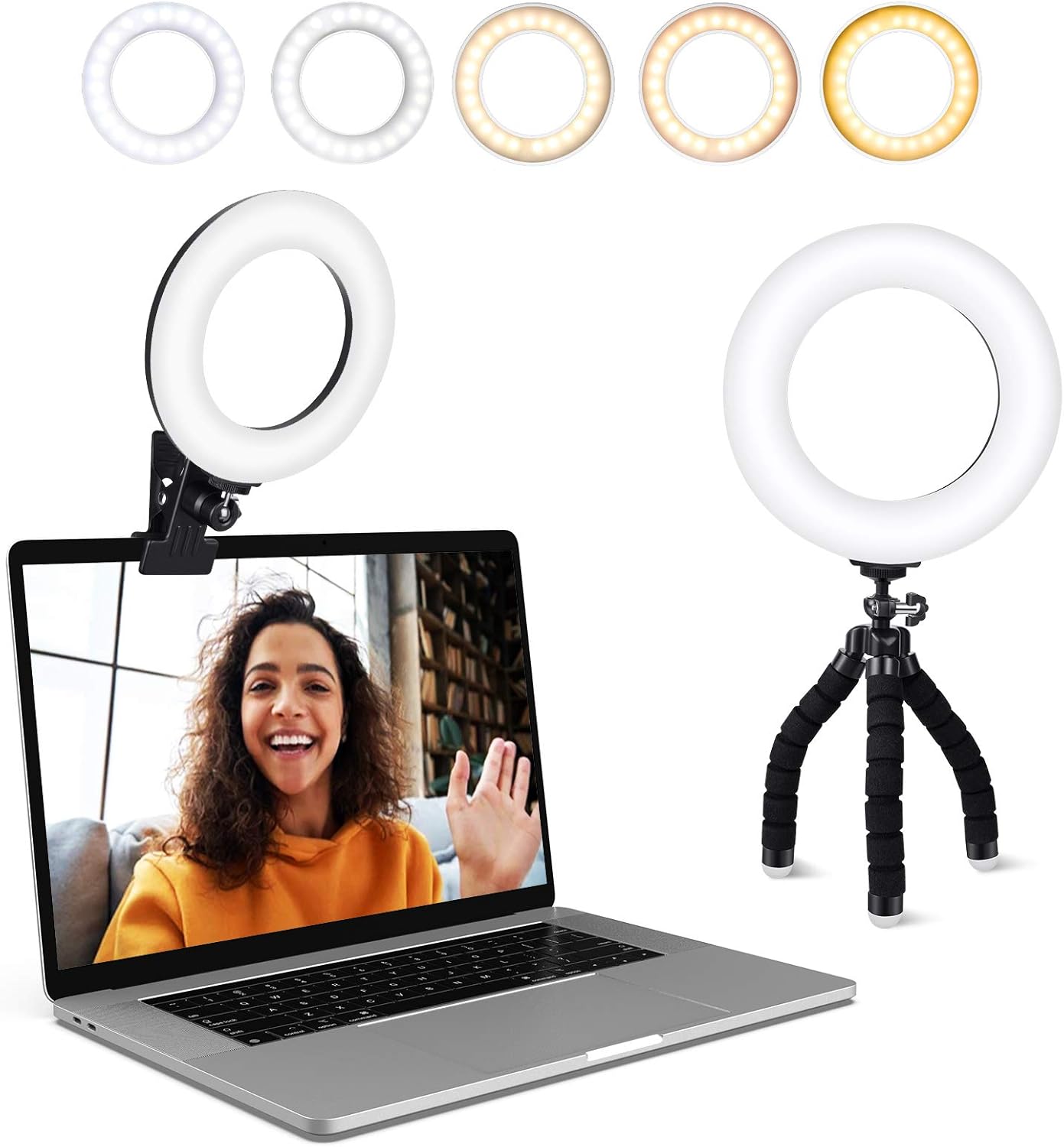
Video Conference Lighting Kit, Ring Light Clip on Laptop Monitor with 5 Dimmable Color & 5 Level for Webcam Lighting/Zoom Lighting/Remote Working/Self Broadcasting and Live Streaming, etc.
A clip-on light for a laptop or monitor with five dimmable color settings and five brightness levels, aimed at webcam lighting, video calls, remote work, and live streaming.
Visit on Amazon
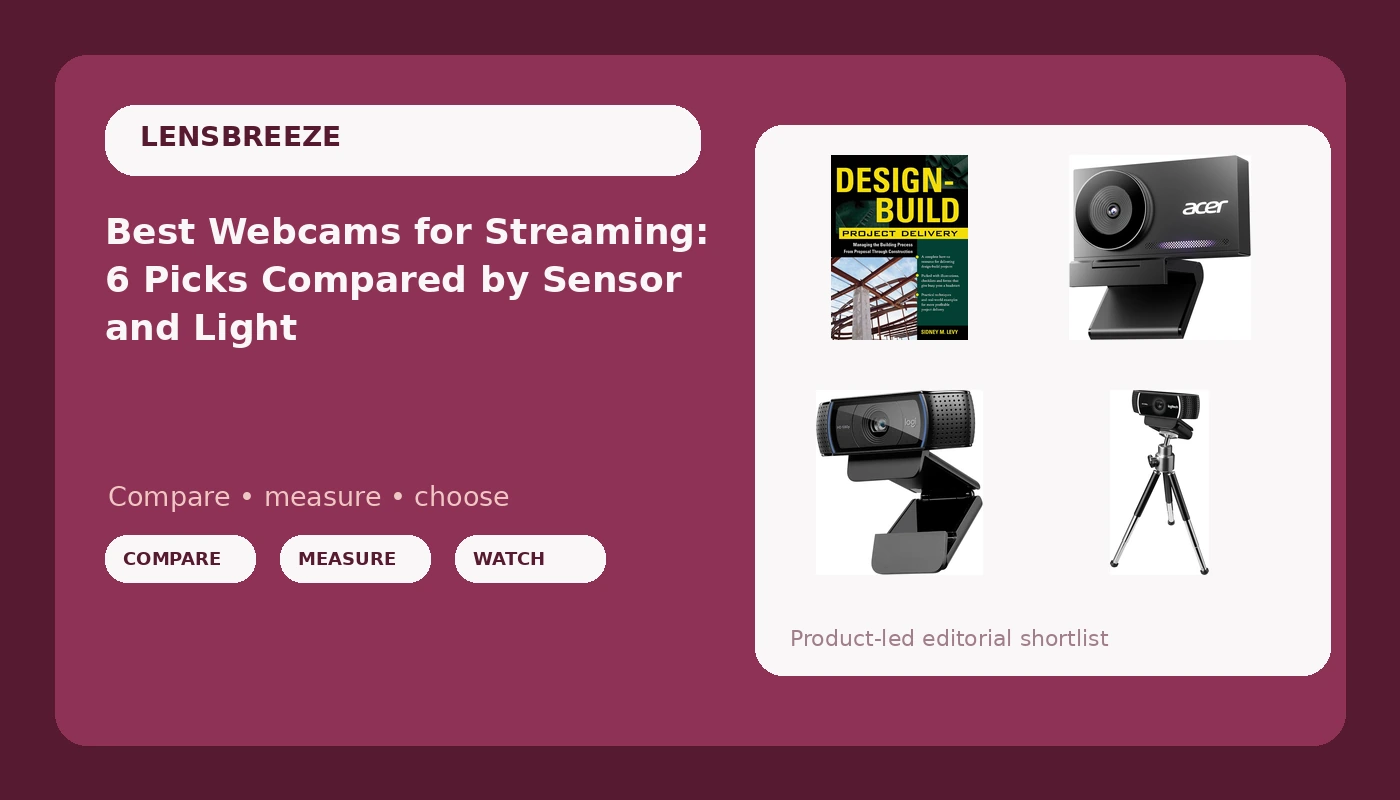
Design-Build Project Delivery: Managing the Building Process from Proposal Through Construction
A reference on design-build project delivery that covers managing the building process from proposal through construction, for readers planning a studio or commercial space.
Visit on AmazonPrices and availability may change. Check the retailer for current details.
How these products were compared
This guide compares sensor size and resolution, autofocus approach, mounting and placement, built-in microphones and privacy features, and the lighting you pair with the camera. Product names, images, and retailer links are matched by catalog record so that every card points to the product shown.
Nothing here is presented as a lab measurement or a hands-on test result. The distinctions come from what each product is specified to do and from the practical questions that decide whether a camera works in a streaming setup: does the sensor actually gather light, does focus hunt when you lean back, does the mount fit where your monitor sits, and does your software see the camera without a fight.
How to choose the right webcam
Start with the sensor, not the resolution. Two cameras in this group specify a 1/2-inch sensor, which is large for the category, and that is the single most useful line on the page. A larger sensor collects more light, which is why the same dim room looks grainy on one camera and clean on another. If your room is bright all day, sensor size matters less and you can spend less. If you stream at night with the door closed, it matters more than anything printed on the box.
Then decide how you feel about autofocus and tracking. Phase-detection autofocus and AI framing are genuinely useful when you stand up, lean in, or gesture at something off-camera. They are also the features most likely to irritate you, because a camera that reframes on its own is making an editorial decision about your shot. If you sit still and want a fixed frame, look for a camera whose focus you can lock, or accept that you will tune the settings once and leave them alone.
Mounting is the quiet dealbreaker. Cameras and clip-on lights compete for the same strip of plastic above your screen, and a heavy all-metal body or a clamped light can crowd out the other. Measure the bezel and the space above it before you buy anything that clips on, and think about where the cable will run, because a webcam cable pulling sideways across a monitor is a problem you will notice every single day.
If you are still sorting out software, our walkthrough on setting up a clean webcam feed in OBS covers the driver and scene questions before you spend anything.
OBSBOT Meet 2-4K Webcam
The top pick is the camera in this group that specifies both a 4K image and a 1/2-inch sensor, which is the combination that matters most for a streaming desk. AI framing and autofocus are part of the package, so the camera is built for a host who moves rather than someone locked into a chair. It is aimed at PC setups, and it is the smallest, most self-contained way to get a large sensor and 4K output onto a monitor.
The trade-off is the framing itself. AI framing means the camera may crop and follow you, and if what you actually want is a wide, fixed shot of a desk, you are paying for a feature you will spend time turning down. A 4K image also raises the bar on light and on the machine doing the encoding, and this listing does not call out a privacy cover, while the Acer camera in this guide does. If a physical shutter is non-negotiable for you, that is the card to open.
Alternatives to consider
The Acer 4K Webcam is better suited to shared desks and meeting rooms, where the all-metal unibody, the Sony 1/2-inch sensor, PDAF autofocus, two noise-reduction microphones, and the privacy cover each earn their place. The Logitech HD Pro Webcam C920 is a stronger fit when you want a plain 1080p camera for widescreen calls and recording and have no interest in 4K, tracking, or a metal body.
The logitech C922 Pro Stream Webcam, the Video Conference Lighting Kit, and Design-Build Project Delivery cover the rest of the field. The C922 is a 1080p camera intended for HD streaming and recording, sold here as renewed stock, which is a different purchase from new retail: confirm the seller's warranty and return terms before you commit. The clip-on light adds five dimmable color settings and five brightness levels to whatever camera you already own, and in a dim room that is frequently a bigger visible upgrade than a new camera. The book is the deliberate odd one out. If your plan is a permanent studio, a converted spare room, or a small commercial space, it walks through managing a design-build project from proposal through construction.
Day-to-day use and maintenance
Keep the lens clean with a dry microfiber cloth and avoid spraying cleaner directly onto a camera, since liquid can work its way into the housing and the seams around a privacy cover. Metal-bodied cameras like the Acer unit are described as running cool, but any camera sitting under a hot monitor or in direct sun will hold up worse over time, so give it some airflow. Clip-on lights are the most fragile item here: the clamp is the part that fails, so open it by the width of the bezel rather than forcing it, and leave enough slack in the cable that a bumped desk does not yank the light off the screen.
If you buy renewed stock, treat the receipt and the seller's terms as part of the product. Renewed units are not new retail packaging, so warranty length, return windows, and cosmetic condition come from the seller rather than the original manufacturer program, and those details are worth reading before the return window closes. On any camera with a privacy cover, use it when the camera is idle; it is the cheapest security feature in the category.
Buying checklist
- Measure your monitor bezel and the space above it, since cameras and clip lights both mount there.
- Choose sensor size based on your normal lighting rather than a bright-room demo.
- Decide whether you want AI framing and autofocus or a locked, fixed frame.
- Confirm that the exact model includes the features you need, such as a privacy cover or dual microphones.
- Read the cleaning and maintenance instructions, especially for clip-on lights and metal-bodied cameras.
- Verify the current retailer price, availability, and return terms, particularly on renewed stock.
Final recommendation
Choose the OBSBOT Meet 2-4K Webcam for PC with 1/2" Sensor, AI Framing & Autofocus when you want 4K, a 1/2-inch sensor, and framing that follows a moving host in one small camera, and you are willing to keep decent light on your face. Choose the Logitech HD Pro Webcam C920 when a plain, well-understood 1080p camera covers everything you do on camera. If your money is better spent on light than on glass, the clip-on video light is the cheapest way to improve the camera you already own, and if your project is a room rather than a desk, the design-build book is the item on this list that will outlast every camera in it.