Built-in laptop cameras are the reason a lot of people assume they look bad on video. The sensor is the size of a peppercorn, the lens sits two millimeters from the bezel, and the microphone hears the room fan before it hears you. A dedicated camera solves the first two problems, and a clip-on light solves the third, which is why the best webcams for streaming are usually bought alongside something that shines.
This roundup covers six products: four cameras, one lighting kit, and one professional reference for readers who manage studio or office build-outs. The scope is practical rather than spec-sheet theatre. What the camera actually sees, how much light it needs, how it mounts, whether it forces you into proprietary software to change a setting, and whether it behaves in OBS without a driver fight.
Two things shape the picks. First, sensor size: a 1/2 inch chip gathers more light than the tiny sensors behind most built-in cameras, and that matters more than a 4K label. Second, lighting: a mid-range camera in good light beats a flagship in a dim room, every time.
Related: Ring Lights for Streaming and Zoom Calls: What Actually Works
Quick answer
The Insta360 Link 2C is the strongest fit for presenters, streamers, and anyone whose camera has to follow them around a desk, because it pairs 4K capture with a 1/2 inch sensor, HDR, auto framing, and an AI noise-canceling microphone. Choose the Logitech HD Pro Webcam C920 instead when you want a dependable 1080p image at the lowest entry point.
Webcams and video lighting worth comparing
Six products are in the grid, and they do different jobs. The Insta360 Link 2C and the Acer 4K webcam are the two 4K cameras here, both built around a 1/2 inch sensor. The Logitech C920 and the renewed C922 Pro Stream are 1080p cameras that have been the default desk setup for years. The ring light kit is the lowest-cost upgrade in the group and the one that changes the picture fastest. The final card is not a camera: it is a project delivery reference for anyone whose video work sits inside a bigger studio, office, or facility build.
If you are choosing a camera today, the useful comparison is not 1080p versus 4K. It is sensor size, field of view, mount, microphone, and how the camera behaves when the light drops.
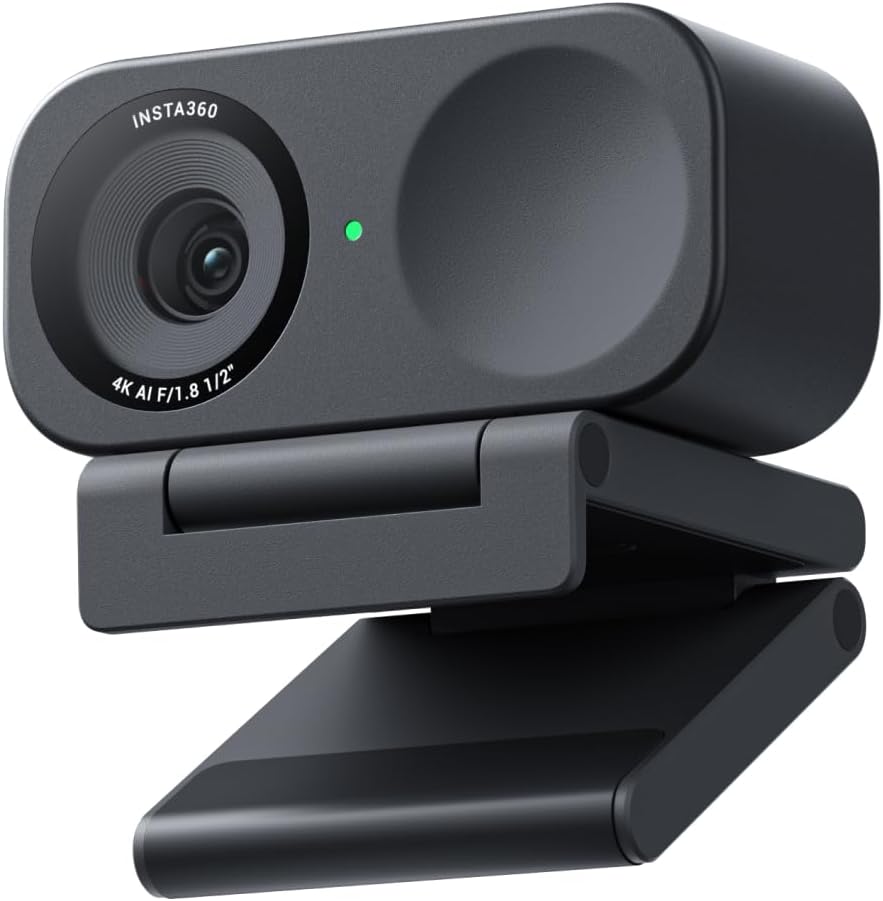
Insta360 Link 2C - 4K Webcam for PC/Mac, 1/2" Sensor, Auto Framing, HDR, AI Noise-Canceling Mic, Gesture Control for Streaming, Video Calls, Gaming, Works with Zoom, Teams, Twitch & More
A 4K webcam for PC and Mac built around a 1/2 inch sensor, with auto framing, HDR, an AI noise-canceling microphone, and gesture control. Works with Zoom, Teams, and Twitch.
Visit on Amazon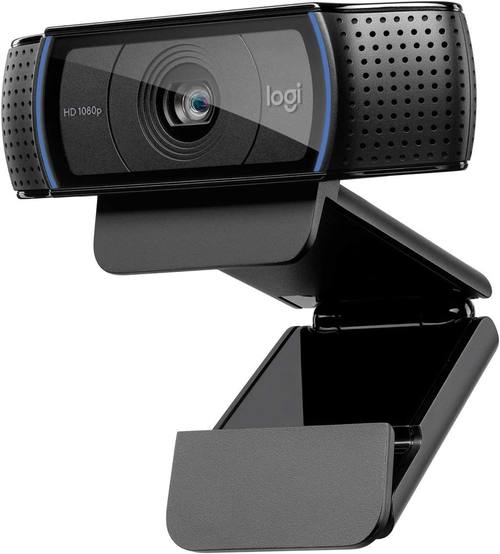
Logitech HD Pro Webcam C920, Widescreen Video Calling and Recording, 1080p Camera, Desktop or Laptop Webcam
The long-running 1080p desktop webcam: widescreen video calling and recording in a clip-mount body that fits a monitor or a laptop.
Visit on Amazon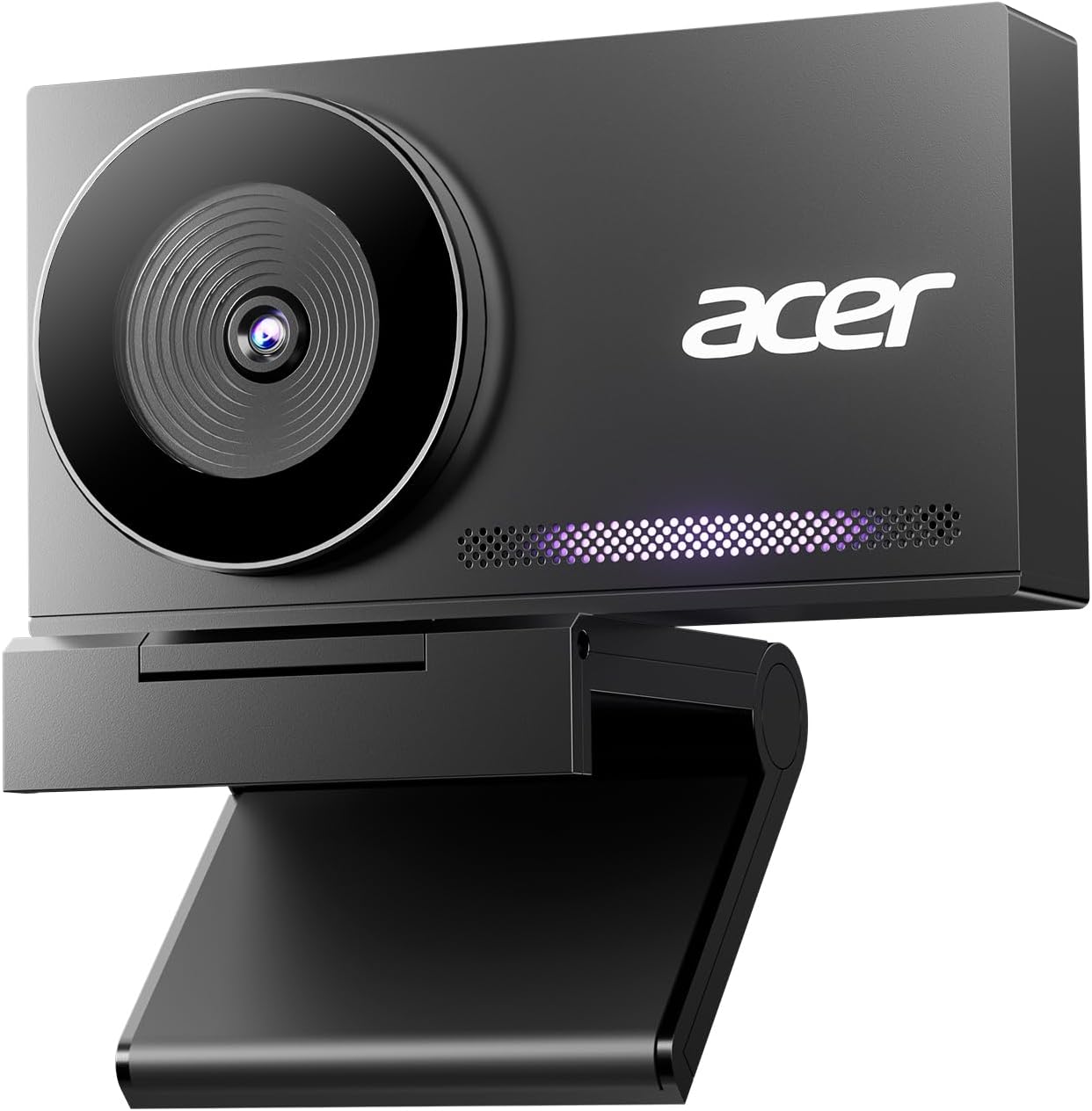
Acer 4K Webcam for PC/Mac with All-Metal Unibody Sculpted, Sony 1/2" Sensor, PDAF, 2 Noise Reduction Mics, Privacy Cover, Lightweight, Fast Cooling, Streaming Camera for Live Meeting Commerce Gaming
An all-metal 4K webcam with a Sony 1/2 inch sensor, PDAF autofocus, two noise-reduction microphones, and a built-in privacy cover for live meetings and streaming.
Visit on Amazon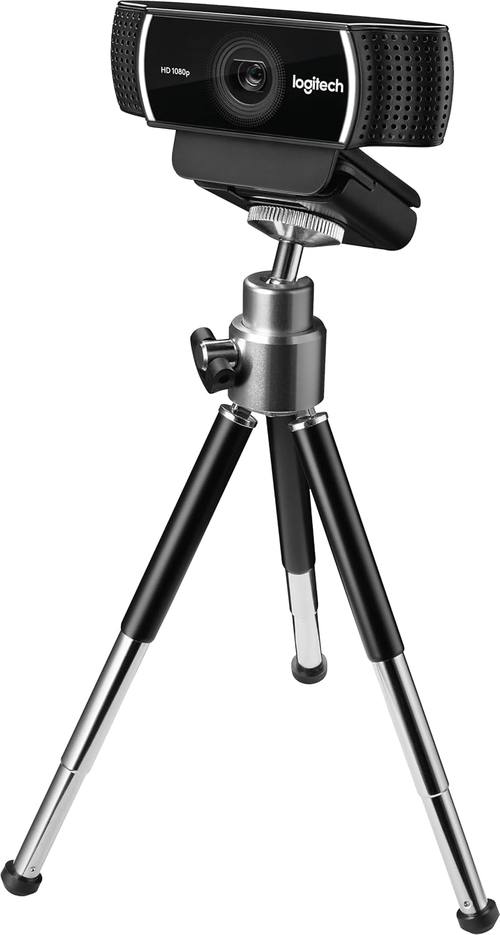
logitech C922 Pro Stream Webcam 1080P Camera for HD Video Streaming & Recording 960-001087(Renewed)
A 1080p camera aimed at HD video streaming and recording, offered here as a renewed unit, so condition notes and warranty terms are worth reading first.
Visit on Amazon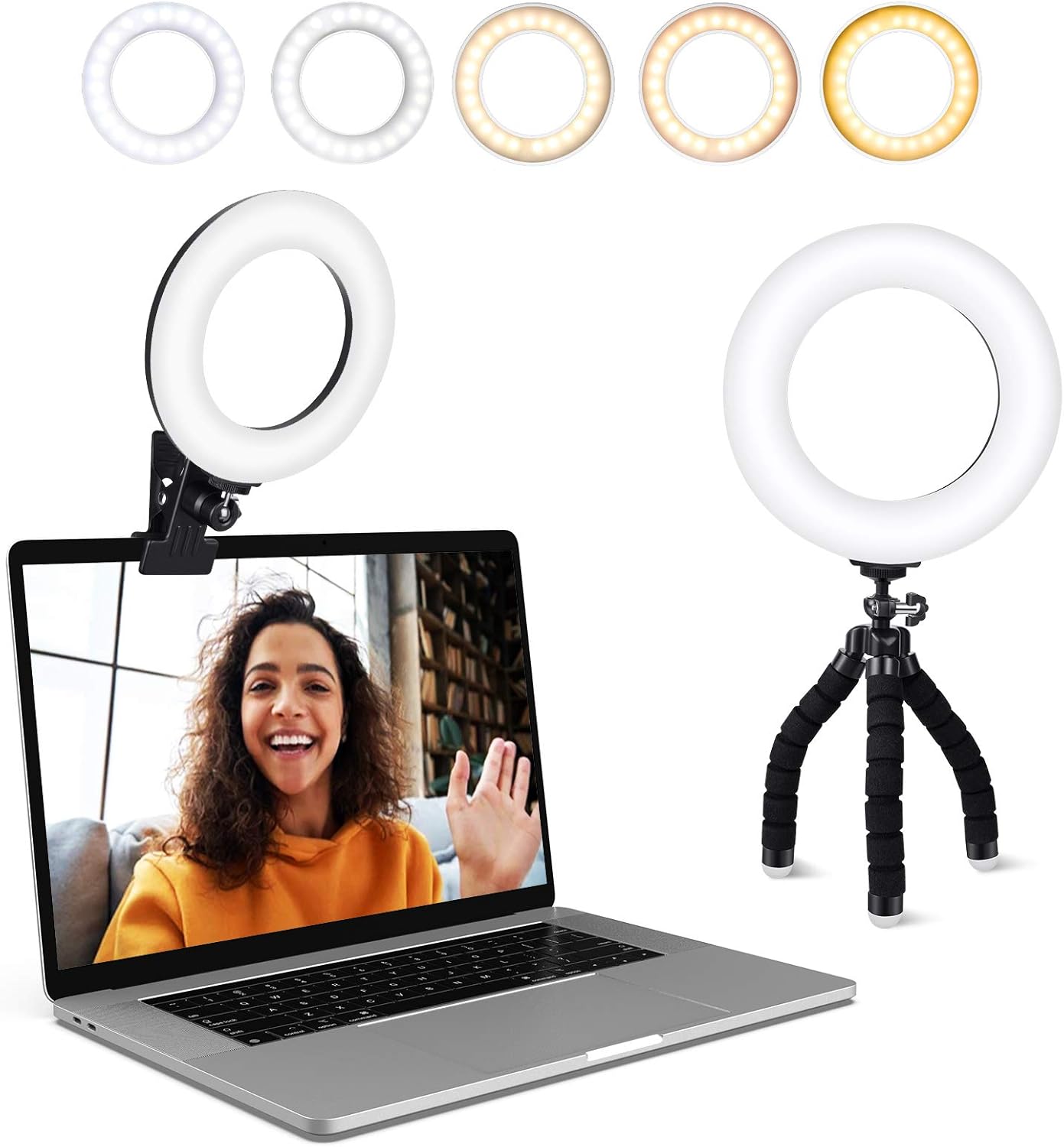
Video Conference Lighting Kit, Ring Light Clip on Laptop Monitor with 5 Dimmable Color & 5 Level for Webcam Lighting/Zoom Lighting/Remote Working/Self Broadcasting and Live Streaming, etc.
A clip-on ring light for monitors and laptops with five dimmable color settings and five brightness levels, intended for webcam lighting, Zoom calls, remote work, and streaming.
Visit on Amazon
Design-Build Project Delivery: Managing the Building Process from Proposal Through Construction
A professional reference on the design-build delivery method, covering the building process from proposal through construction. Relevant if your video work includes commissioning or managing a studio or office build-out.
Visit on AmazonPrices and availability may change. Check the retailer for current details.
How these products were compared
This guide compares sensor size, resolution and frame-rate claims, mounting and field-of-view flexibility, microphone implementation, and software requirements. Product names, images, and retailer links are matched by model so that every card points to the product shown.
Nothing here is presented as a lab measurement. The summaries describe what the manufacturer documents and what those specifications imply for a desk setup, and lighting performance is described as a range rather than a promise, because your room decides the result. Use the card links to confirm the current price, the exact configuration, and the return terms before you buy.
How to choose the right webcam
Start with the sensor, not the resolution. A 4K sensor the size of a grain of rice produces a soft, noisy image, and no amount of pixel count fixes it. The cameras worth comparing here use a 1/2 inch sensor, which is large by webcam standards and gives you cleaner skin tones and more detail in shadows. Resolution is the second question, and it is really a question about how you use the footage: 1080p is plenty for a meeting or a 1080p stream, while 4K gives you room to crop into a tighter frame without losing quality.
Field of view decides how much of the room the camera sees. Wider angles suit desks where you move around, while a narrower framing flatters a single speaker and hides whatever is behind you. Autofocus matters too, but it matters for the wrong reasons when it hunts, so phase-detection autofocus is the feature to look for if you lean in and out during a call. Then check the mount and the microphone: a clip that fits your monitor bezel is worth more than a specification you cannot use, and a built-in mic is a backup plan rather than a purchase reason.
Software is the quiet deal-breaker. Some cameras expose exposure, white balance, and field of view through standard controls that OBS and meeting apps can read directly, while others push you into a vendor app. Neither approach is automatically wrong, but if you switch between streaming software and meeting apps all day, the standard-control route wastes less time. Lighting deserves the last word, because it changes the picture more than any camera in this bracket. If you want to go deeper on that side of the setup, our guide to ring lights for streaming and Zoom calls covers the options.
Insta360 Link 2C
The Insta360 Link 2C is the top pick because it is the only camera in this group that pairs 4K capture with a 1/2 inch sensor and then adds features that solve real desk problems. Auto framing keeps you in the shot when you lean toward a second monitor. HDR holds detail when a window is behind you. The AI noise-canceling microphone is a genuine fallback for a call you did not plan to take on camera, and gesture control lets you start or stop framing without touching the keyboard. It works with Zoom, Teams, and Twitch on PC and Mac.
The trade-off is that you are paying for the software features as much as for the sensor. If you sit in one spot, keep a fixed frame, and already own a decent microphone, auto framing and gesture control are conveniences you may never use, and a simpler 1080p camera covers the same meeting. The second trade-off is dependence on the companion app for the advanced behavior: the camera works as a standard webcam, but the tracking and gesture features are the reason to choose it.
Alternatives to consider
The Logitech HD Pro Webcam C920 is better suited to a first camera or a second desk, where a proven 1080p image, a monitor clip, and widescreen calling matter more than 4K. The Acer 4K Webcam is a stronger fit when you want 4K from a 1/2 inch Sony sensor with PDAF autofocus, two noise-reduction mics, and a built-in privacy cover in an all-metal body.
The logitech C922 Pro Stream Webcam covers HD streaming for buyers who are comfortable with renewed hardware, which makes it the card to read carefully: check the seller's condition notes and warranty terms before you commit. The Video Conference Lighting Kit covers the lighting gap for any of the cameras above, with five color settings and five brightness levels on a monitor clip. The Design-Build Project Delivery book covers the non-camera side of professional video work, the part where a studio, edit bay, or office fit-out has to be planned, proposed, and built.
Day-to-day use and maintenance
Most webcam problems are mounting and light problems, not camera problems. Set the camera at eye level, or as close as the monitor allows, and angle it down slightly rather than pointing it up at your chin. Keep the lens clean with a microfiber cloth and follow the manufacturer's cleaning instructions rather than reaching for solvent. If your camera has a privacy cover, close it when the camera is idle and confirm it is fully open before a call, because a half-open shutter looks exactly like a broken camera.
Cable management matters more than it sounds. A camera that hangs from a stiff USB cable drifts out of frame over an afternoon, so give the cable a little slack and secure it to the monitor arm or the desk. If you use a clip-on ring light, position it slightly off-axis so the reflection does not land in the lens, keep it a comfortable distance from your eyes, and unplug it when you are done for the day. Renewed hardware, like the renewed C922 in this guide, should be checked on arrival: confirm the camera is detected by your operating system, test the microphone, and verify the return window.
Buying checklist
- Measure the space above your monitor and the bezel thickness if you plan to use a clip mount.
- Choose resolution and sensor size based on your normal lighting rather than the largest number on the box.
- Confirm that the exact model includes the features you need, such as a privacy cover, PDAF autofocus, or a built-in microphone.
- Read the cleaning and maintenance instructions before the first use.
- Verify the current retailer price, availability, and return terms, especially for renewed units.
Final recommendation
Choose the Insta360 Link 2C when you want one camera that handles 4K, a large sensor, auto framing, HDR, and a usable backup microphone, and you are willing to use the companion software to get the tracking features. Choose the Logitech HD Pro Webcam C920 when a dependable 1080p image at a low entry point matters more than 4K, or the Acer 4K Webcam when you want 4K from a 1/2 inch sensor with PDAF autofocus and a privacy cover. Whichever camera you pick, budget for light: a clip-on kit changes the picture more than the step up in resolution does.