Most people upgrade the monitor, the keyboard, and the microphone long before they think about the camera perched on top of the screen. Then a client call happens, or a stream starts, and the video looks soft, orange, and slightly out of focus while everything else in the setup looks sharp. That gap is exactly why this guide sticks to the best webcams for streaming and video calls instead of whatever box is shouting the loudest on the shelf.
Here is the honest version of the problem. The word 4K on a webcam box describes output resolution, not the size of the sensor gathering the light. A tiny sensor pushed to 4K produces a soft, noisy image, especially in a dim room, while a well-lit 1080p camera can look cleaner than a 4K camera fighting a dark office. Resolution is one line on the spec sheet. Sensor size, field of view, and the light hitting your face are the lines that decide whether you look like yourself.
This roundup covers five cameras and one piece of lighting gear that solves the other half of the problem. The range runs from a 2K USB webcam near the budget line up to a 4K PTZ camera with AI tracking, plus a renewed 4K flagship and a renewed 1080p model for anyone who wants a familiar name at a lower cost. Every card links to the exact product listed, and prices move constantly, so confirm the current numbers on the retailer page before you commit.
Related: How to Light a Home Studio for Video Calls
Quick answer
The Logitech Brio 4K Webcam, Ultra 4K HD Video Calling (Renewed) is the strongest fit for most desks because it pairs 4K capture with the Brio line's reputation for color handling and adjustable field of view, and the renewed listing keeps it well below a new flagship. Choose the OBSBOT Tiny 2 Lite 4K Webcam for PC, AI Tracking PTZ Streaming Camera instead when you move around while presenting and want the camera to follow you.
Webcams and video lighting worth comparing
Five cameras and one lighting accessory, grouped by the job each one is built for: a renewed 4K all-rounder, a 4K PTZ camera with AI tracking, a 2K budget pick, two 1080p options, and a desk light that fixes the part of the image no camera can.
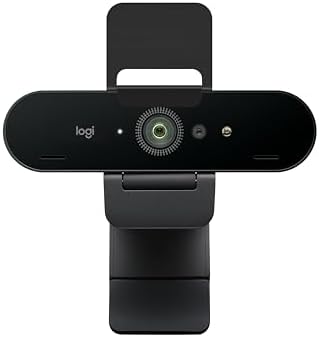
Logitech Brio 4K Webcam, Ultra 4K HD Video Calling (Renewed)
A renewed Logitech Brio offering 4K ultra HD video calling, the reference all-rounder for desks that need detail, color, and field-of-view flexibility.
Visit on Amazon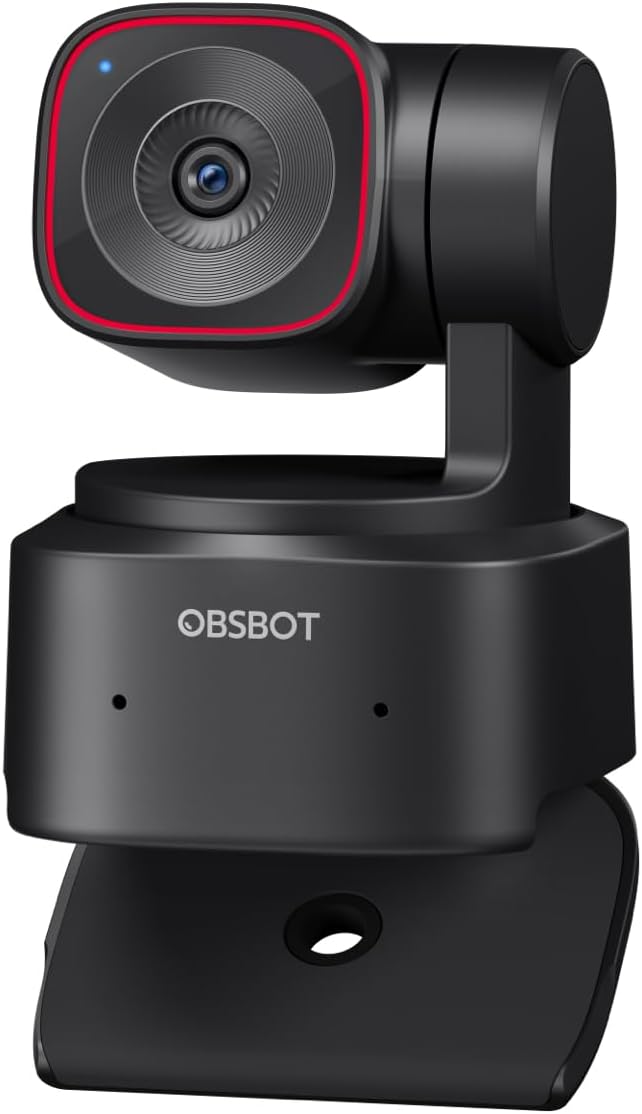
OBSBOT Tiny 2 Lite 4K Webcam for PC, AI Tracking PTZ Streaming Camera
A 4K streaming camera with a pan-tilt-zoom head and AI tracking, aimed at creators who move around the frame instead of sitting still.
Visit on Amazon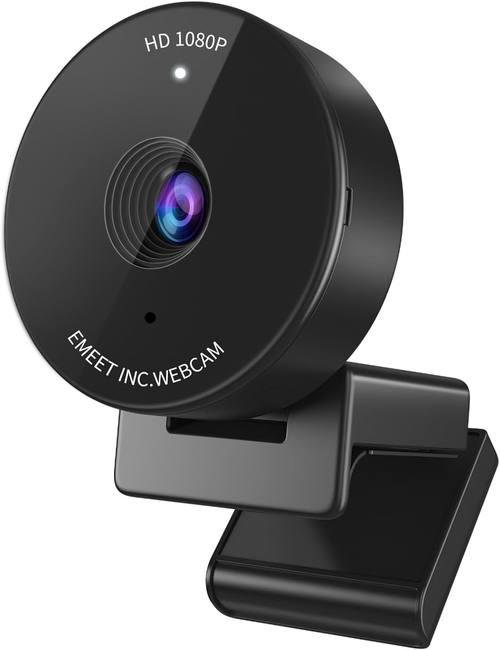
EMEET C950 1080P Webcam, USB Webcam with Microphone&Physical Privacy Cover
A 1080p USB webcam with a built-in microphone and a physical privacy cover, a straightforward pick for everyday meetings.
Visit on Amazon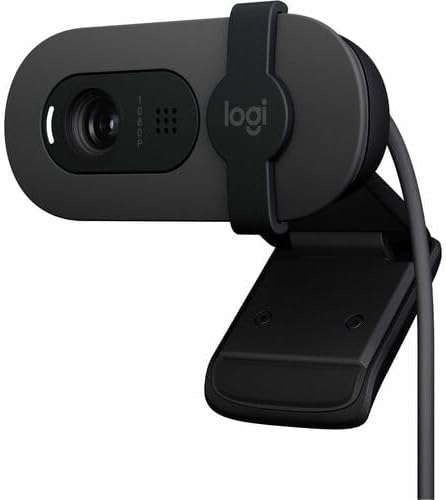
Logitech 960001580 Brio 100 1080p Full HD Webcam (Graphite) (Renewed)
A renewed graphite Brio 100 capturing 1080p full HD, a familiar entry point for buyers who want a known brand on a tight budget.
Visit on Amazon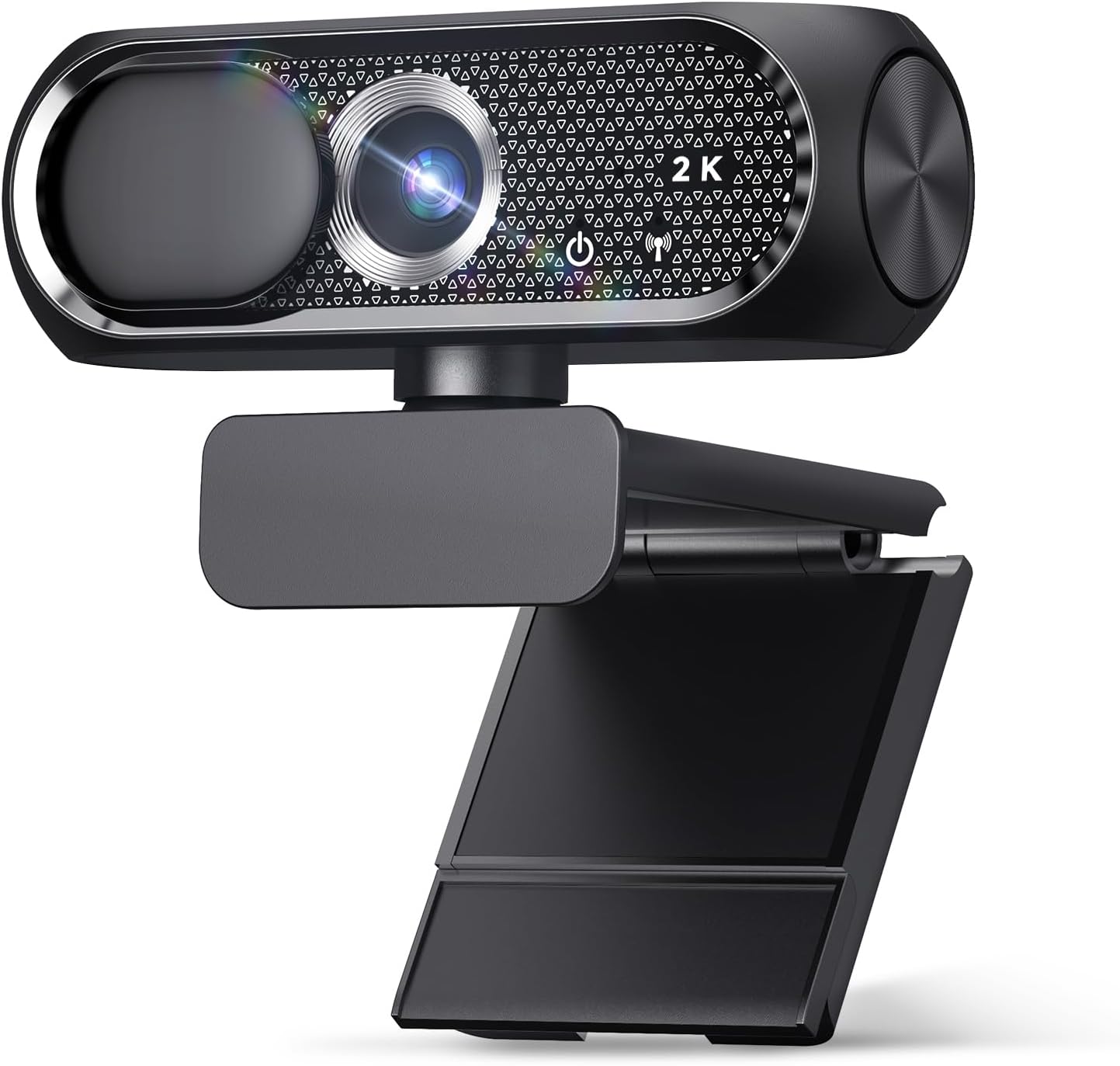
2K Webcam with Microphone, Noise Cancellation, Privacy Cover, Wide-Angle Lens, Auto Light Correction, Plug & Play USB Webcam for Laptop, Desktop, PC, Mac, Zoom, Skype, Streaming (Black)
A 2K webcam with microphone, noise cancellation, a privacy cover, a wide-angle lens, and auto light correction, listed as plug and play across laptops, desktops, PC, and Mac.
Visit on Amazon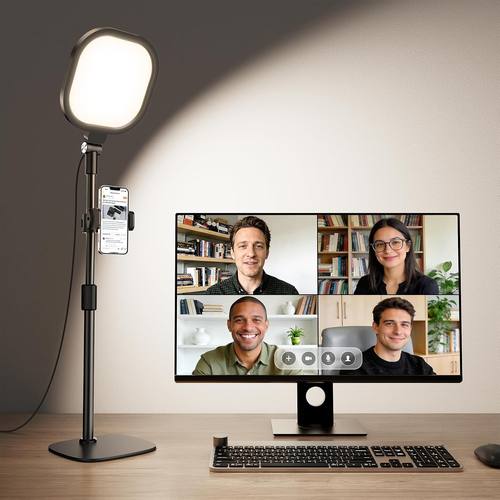
Zoom Lighting for Computer, Adjustable Desk Lighting for Video Calls, 30 Light Modes Video Conference Light, Desk Ring Light with Stand for Webcam, Meetings, Live Stream, Home Office. CRI 97.8
An adjustable desk light built for video calls, with 30 light modes and a listed CRI of 97.8, supplied with a stand for webcam and home office setups.
Visit on AmazonPrices and availability may change. Check the retailer for current details.
How these products were compared
This guide compares output resolution and camera class, field of view and tracking behavior, microphone and privacy features, mounting and software considerations, and price tier. Product names, images, and retailer links are matched by product identifier so that every card points to the product shown.
The distinctions here come from what each listing states rather than from a controlled lab setup. A 4K listing and a 1080p listing are different capture classes on paper, and a camera with a pan-tilt-zoom head and AI tracking is built for a different job than a fixed 1080p unit. Where a listing advertises a feature such as noise cancellation, a physical privacy cover, or auto light correction, that feature is noted as advertised. Nothing in this guide should be read as a measured result, because measurements require a controlled room, a fixed light source, and the same subject across every camera.
Two of the six products are renewed rather than new. Renewed stock changes constantly, so condition, included accessories, and warranty coverage vary between sellers and should be confirmed on the listing page before purchase.
How to choose the right webcam
Start with the sensor class, not the resolution badge. If two cameras both claim 4K, the one with the larger imaging chip will hold detail in shadows and keep skin tones from going orange under mixed lighting. If your room is dim and you cannot add light, a good 1080p camera is the safer purchase than a cheap 4K camera, because the cheap one will raise its gain, and raised gain means noise. That is the whole trade in one sentence: light first, sensor second, resolution third.
Field of view is the second decision, and it depends on how you sit. A wide-angle lens in the 90 degree range fits a desk, a chair, and a bit of the room behind you, which suits streaming and shared workspaces. A tighter view around 65 to 78 degrees puts more pixels on your face and flatters solo calls. A camera that lets you switch between views covers both, which is part of why the renewed Brio sits at the top of this list. A PTZ camera goes a step further by physically moving, and AI tracking makes sense if you stand up, gesture at a whiteboard, or pace while you talk.
Then think about what happens after the camera arrives. If it needs proprietary software to change exposure or field of view, that is a friction point every time you join a call. If it drops into OBS or Zoom as a standard USB video device and exposes its controls without a driver fight, you will actually use those controls. Microphones on webcams are a backup plan at best: they sit far from your mouth and they pick up the room, the fan, and the keyboard. Treat the listed microphone and noise cancellation features as conveniences for casual calls, and keep a separate mic for anything you record on purpose.
Finally, decide how much you care about privacy hardware. A physical privacy cover is a small feature that matters a lot to some buyers, and two of the cameras here include one. It is worth checking that the exact model you add to the cart includes the cover rather than assuming it, because listings within the same product family differ.
Logitech Brio 4K Webcam, Ultra 4K HD Video Calling (Renewed)
The Brio is the camera this list keeps coming back to because it does the boring things well. It captures 4K ultra HD, which gives you room to crop into a 1080p frame without losing sharpness, and the Brio family is known for adjustable field-of-view options, so the same camera can frame a desk for a stream and tighten up for a solo call. It also comes from a line with a long history of working as a standard USB video device, which is the quiet requirement behind every other feature: a camera you cannot configure in your streaming software is a camera you will stop using.
The trade-off is the condition. This is a renewed listing, not a new retail box, so the camera arrives without the new-product packaging and the accessory situation depends on the seller. Renewed units also mean you are buying the same model many other buyers are watching, so availability moves. If you need the certainty of a sealed retail box and full manufacturer packaging, budget for new stock instead. If you want the 4K class at a lower entry point and you are comfortable confirming the seller's return terms, the renewed route is the better value here.
Alternatives to consider
The OBSBOT Tiny 2 Lite 4K Webcam for PC, AI Tracking PTZ Streaming Camera is better suited to presenters and streamers who move, because the pan-tilt-zoom head and AI tracking follow the subject instead of leaving the frame fixed, while the 2K Webcam with Microphone, Noise Cancellation, Privacy Cover, Wide-Angle Lens, Auto Light Correction, Plug & Play USB Webcam is a stronger fit when the budget is tight and you want a wide-angle 2K image, a privacy cover, and auto light correction in one package.
The EMEET C950 1080P Webcam, the Logitech 960001580 Brio 100 1080p Full HD Webcam (Renewed), and the Zoom Lighting for Computer cover the rest of the field. The EMEET C950 is the simple 1080p option with a microphone and a physical privacy cover for meeting-heavy days. The renewed Brio 100 is the lowest-cost route into a known brand at 1080p full HD in graphite. The desk light is the one item here that is not a camera at all, and it may be the highest-impact purchase on the page: 30 light modes and a listed CRI of 97.8 target the exact problem of a good camera rendering a badly lit face.
Day-to-day use and maintenance
Mount the camera at eye level and keep the lens clean. A surprising share of "soft image" complaints are fingerprints on the front element, and a microfiber cloth fixes them without any settings changes. Dust the housing and the vents occasionally, and keep the camera out of direct sun through a window, since heat and glare are harder on small sensors than on your eyes.
If you bought a renewed unit, note the seller's return window the day it arrives and confirm that the camera is recognized as a standard USB video device in your meeting app and streaming software before the window closes. For the desk light, keep the stand stable and avoid running it at maximum brightness a few inches from your face, because a hard, close light source flattens features and creates a hotspot on the forehead. A slightly dimmer setting placed a bit further back reads better on camera. Close the physical privacy cover when the camera is not in use, and unplug USB cameras during long trips if you want to be certain nothing is powered.
Buying checklist
- Measure your desk and the distance from your chair to the monitor, since field of view only works at the right distance.
- Choose the sensor and resolution class based on your normal lighting rather than a best-case scenario.
- Confirm that the exact model includes the features you want, such as a privacy cover or a built-in microphone.
- Check whether the camera exposes its settings to your meeting and streaming software without proprietary tools.
- Read the maintenance guidance and keep a microfiber cloth nearby.
- Verify the current retailer price, availability, condition, and return terms before you buy.
Final recommendation
Choose the Logitech Brio 4K Webcam, Ultra 4K HD Video Calling (Renewed) when you want 4K capture, field-of-view flexibility, and a proven camera line at a renewed price, and you are willing to confirm the seller's condition and return terms. Choose the OBSBOT Tiny 2 Lite 4K Webcam for PC, AI Tracking PTZ Streaming Camera when you move during presentations and want the camera to track you. Choose the 2K Webcam with Microphone, Noise Cancellation, Privacy Cover, Wide-Angle Lens, Auto Light Correction, Plug & Play USB Webcam when budget and a wide view matter most, and add the Zoom Lighting for Computer if your calls look flat regardless of which camera you own, because better light improves every camera on this list.