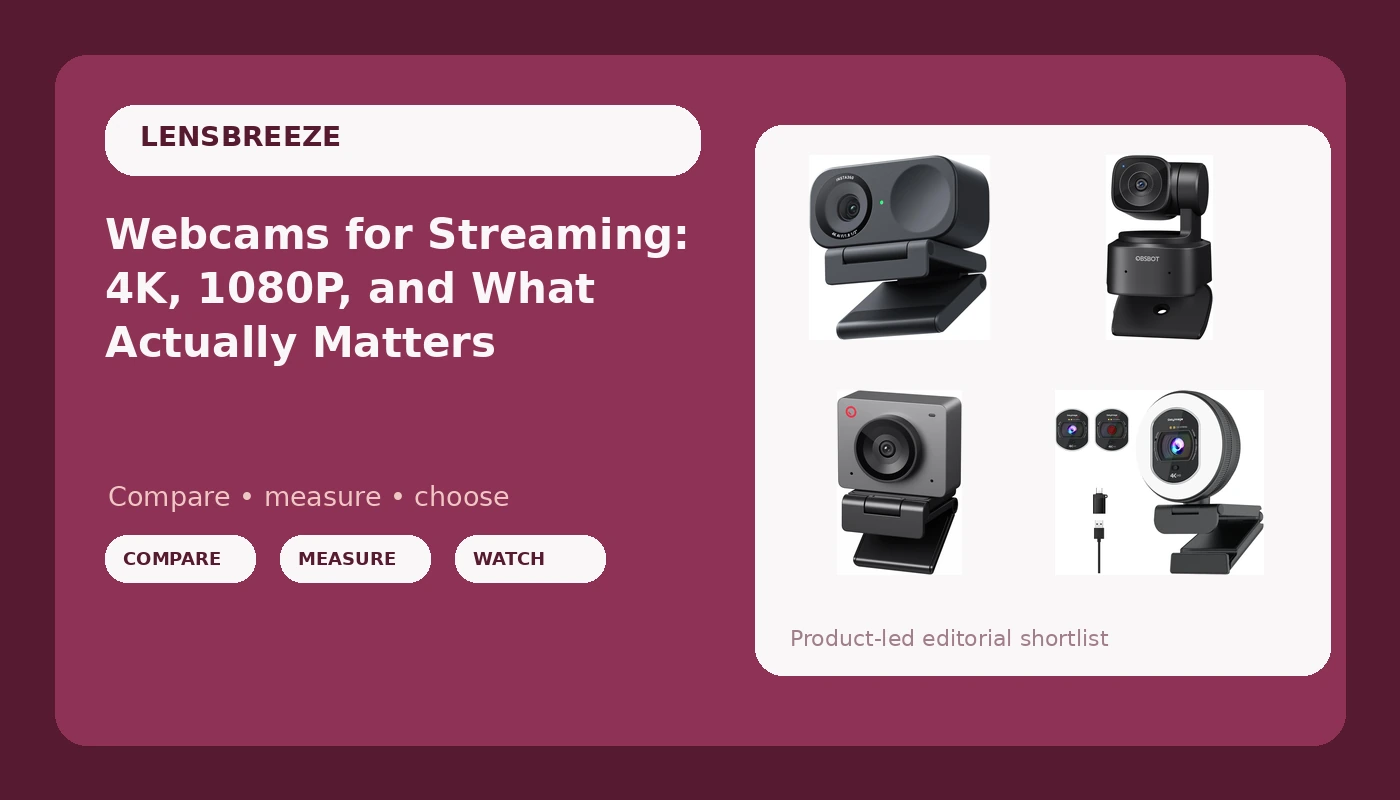
Open any webcam listing and the first thing you see is a number: 4K. The second thing you see is a price that seems impossible next to that number. Somewhere between those two things is an actual camera, and the camera is what your viewers see. This explainer is about telling them apart. It covers what sensor size, exposure handling, framing, and frame rate do to your picture on a live stream, and how four current streaming webcam models divide those jobs between them, so you can match one to your desk instead of to a sticker.
Related: Lighting for Webcams: The Cheap Fix That Beats an Upgrade →
Quick answer
Resolution is the least useful number on a webcam box. What changes how you look, roughly in order of impact: the size of the imaging sensor, how the camera handles bright and dark areas at the same time, how it frames you when you move, and how much of the room it sees. These four models split those jobs differently, and none of them is the right answer for every desk. The Insta360 Link 2C pairs a stated 1/2-inch sensor with 4K, HDR, auto framing, and gesture control for presenter-style work. The OBSBOT Tiny SE is a 1080P PTZ camera built around AI tracking, so it follows you rather than cropping you. The OBSBOT Meet SE keeps 1080P and AI framing in a fixed, desk-facing design. The 4K Webcam with Ring Light & Built-in Microphone for PC Streaming folds a light and a microphone into the camera housing, which changes the rest of your setup more than it changes your resolution.
Four useful options
| Model | Best fit | What stands out |
|---|---|---|
| Insta360 Link 2C | Presenters and mixed desk work | Stated 1/2" sensor, 4K, HDR, auto framing, gesture control |
| OBSBOT Tiny SE | Movement and tracking shots | 1080P at up to 100fps, AI tracking, PTZ head |
| OBSBOT Meet SE | Fixed desk framing | 1080P at up to 100fps, AI framing |
| 4K Webcam with Ring Light & Built-in Microphone for PC Streaming | Single-cable, minimal-gear desks | Built-in ring light and microphone, 4K capture claim |
The 4K pick for presenters: Insta360 Link 2C
This is the one to look at if you present: talking heads, demos, whiteboard segments, anything where you drift out of frame. A 1/2-inch sensor is a real, checkable number rather than a resolution badge, and it is the reason this camera is worth comparing against cheaper 4K listings. HDR matters more than most shoppers expect, because it is the feature that keeps your face from turning into a silhouette when a window sits behind you. The trade-offs are honest ones. Auto framing that moves the crop can feel busy if you sit still, gesture control is the kind of feature you either use daily or forget exists, and you are paying for tracking hardware whether or not you need it. If your camera never moves, that money is better spent on lighting.
The tracking pick: OBSBOT Tiny SE
There is a meaningful difference between tracking and framing, and it is the whole reason to pick this camera over the next one. Tracking with a PTZ head means the lens turns to keep you centered, which preserves full sensor resolution on your face. Digital framing means the camera crops into a wider image, which costs you pixels every time it tightens up. If you stand, pace, or work at a whiteboard, the mechanical approach is the one that holds up. The trade-off is a 1080P ceiling, which is fine for streaming and video calls but not a 4K claim, plus a moving part that can be nudged or knocked out of position. For a seated, static desk, you are buying motion you will never use.
The framing pick: OBSBOT Meet SE
Think of the Meet SE as the seated-desk version of the same idea. No motor, no moving parts to re-aim, and AI framing that quietly adjusts composition as you lean in or shift in your chair. That is the behavior most people actually want on a podcast or a call: not a camera that swings around, but one that stops you from slowly sliding out of the frame over a two-hour session. The 100fps figure is worth understanding rather than dismissing. At 100 frames per second you have headroom to crop, zoom, or slow footage down in software without the motion falling apart, and fast movement looks cleaner than it does at 30fps. The obvious limitation is the same 1080P ceiling, and digital framing does soften the image slightly when it tightens.
The all-in-one pick: 4K Webcam with Ring Light & Built-in Microphone for PC Streaming
The honest read here is that the ring light is the interesting feature, not the 4K. Front fill light is the single biggest upgrade most webcam setups can make, and building it into the camera removes a stand, a cable, and a decision from your desk. That makes this the pick for someone assembling a first streaming setup or a secondary setup where one USB device is the whole rig. The caveats are the usual ones for the category. A 4K claim on a small sensor is a resolution number, not a promise about skin tones, so compare it against the sensor sizes stated on the other cameras here. A built-in webcam mic is a backup plan rather than a broadcast chain: it will capture the room, including the fan, so plan on a separate microphone if audio is the point. And the light is fixed to the camera, which means it lights wherever the camera points, not where you want it.
Prices and availability may change. Product images, names, and retailer links are matched to verified listings. No current price, rating, stock status, or measured result is stated here without current evidence.
Sensor size, field of view, and frame rate: what the numbers mean
The sensor is the camera. Everything else is plumbing around it. A larger imaging chip collects more light per pixel, which is why a camera with a modest resolution and a big sensor usually looks better in a dim room than a "4K" camera with a tiny one. When a listing advertises 4K and says nothing about sensor size, that silence is the answer to the question you were about to ask.
Field of view decides how much of the room is in the shot. Roughly 90 degrees suits desk work, where you want to show your hands, your keyboard, or a second person. Around 65 degrees is the solo face-shot framing that flatters most streamers and keeps the edges of the room out of the picture. If a camera only offers one field of view, make sure it is the one your setup needs, because software cropping to fix it costs you resolution.
Frame rate is about motion. 30fps is standard and fine for a talking head. 60fps and 100fps give you cleaner motion and, more usefully, headroom: you can crop, zoom, or slow a clip down and still have frames to spare. HDR is about exposure range, and it is what keeps your face readable when a bright window sits behind you. Autofocus is the wildcard. A camera that hunts focus during a podcast is worse than a camera that locks and stays put, and manual focus control is worth more than a faster autofocus spec.
How to choose in five steps
- Fix your lighting first, because a modest camera in good light beats a premium camera in a dark room.
- Decide whether you sit still or move. Still means framing; movement means a PTZ head with tracking.
- Check the stated sensor size before you check the resolution, and treat an unstated sensor as a warning.
- Confirm the camera works in the software you actually use, whether that is OBS, Zoom, or Teams, without a driver fight.
- Budget for audio separately and treat any webcam microphone as a fallback, not the plan.
Practical setup notes before you buy
- Put the camera at eye level and point it at your face, not at your monitor, so you are not looking down at viewers.
- Fill the front of your face with a soft light source and avoid a bright window directly behind you.
- Mount over the monitor only if the field of view still covers your hands, since monitor-top placement sees more ceiling.
- Keep in mind that a PTZ camera needs clearance to rotate without hitting the monitor bezel or a shelf.
- Test the camera in your actual streaming app during a recording, not just in the manufacturer's preview window.
Which option should you choose?
Choose the Insta360 Link 2C when you present, move around the frame, or want the largest stated sensor and HDR in this group. Choose the OBSBOT Tiny SE when you stand, pace, or work at a board and want a motorized head to follow you at full resolution. Choose the OBSBOT Meet SE when you sit at a desk and want quiet AI framing with no moving parts and high frame rate headroom. Choose the 4K Webcam with Ring Light & Built-in Microphone for PC Streaming when you want one device that covers camera, front light, and a usable backup mic on a single-cable desk.
One caveat applies to all four. The distinctions above come from the listings themselves, including stated sensor sizes, resolutions, frame rates, and features, not from measurements taken in a studio. Sensor size and frame rate claims are the manufacturer's, and no price, rating, or stock figure is stated here because those change constantly. Verify the current details on the listing before you commit.
The bottom line
Buy the sensor and the framing behavior, not the resolution badge. If you present and move, the Insta360 Link 2C is the most complete package here, with a stated 1/2-inch sensor, HDR, and auto framing doing the heavy lifting. If you want the camera to physically follow you, the OBSBOT Tiny SE is the tracking option, and the OBSBOT Meet SE is its fixed-desk sibling for people who stay in their chair. If you are building a first setup and want fewer boxes on the desk, the 4K Webcam with Ring Light & Built-in Microphone covers the camera, the front light, and a backup mic in one housing. Whichever you pick, spend the leftover budget on light and audio. Those two will change how you look and sound more than any resolution number on a box ever will.