Related: Webcam Lighting on a Budget: Fix Your Picture Before You Buy Hardware
Most people who start shopping for a 1080P webcam are trying to fix one of two problems. Either the built-in camera on their laptop makes them look like a witness sketch, or the cheap webcam they bought a few years ago is somehow worse than the laptop. Both problems are solvable, and neither one requires spending flagship money.
I have been running cameras for eight years, first on Twitch and now on corporate video work, and the pattern has never once changed. The box advertises resolution. What actually decides whether you look good is the sensor behind the lens and how much light reaches it. A 1080P webcam with a real sensor in a well-lit room beats a 4K webcam in a cave every single time.
The four cameras below sit at very different points on the price and purpose spectrum. Two are budget plug-and-play units, one adds a privacy cover for people who care about that, and one is a low-light specialist built around a Starvis sensor for rooms where nothing else works.
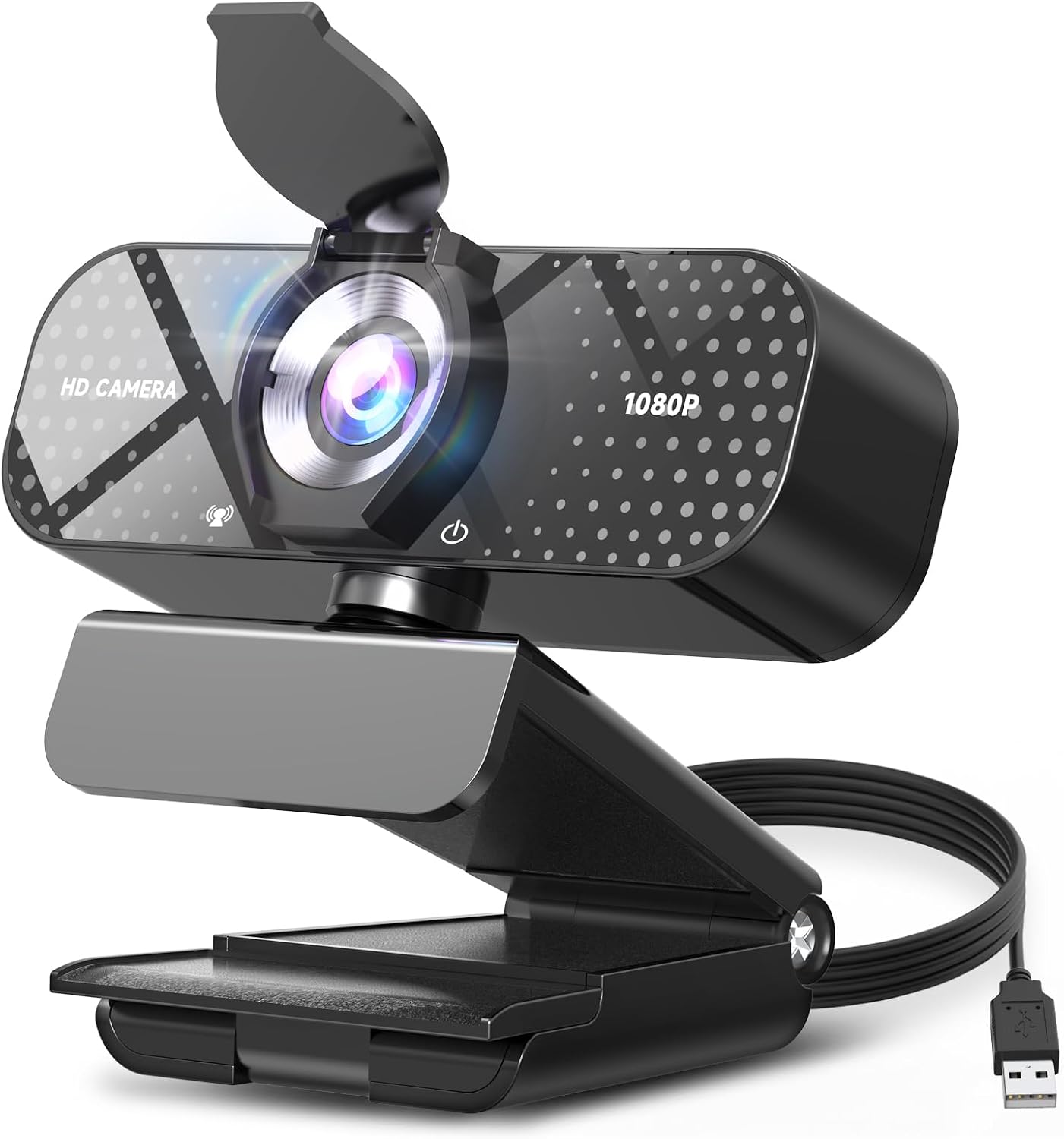
Best Overall for Most People: TRAUSI 1080P FHD Webcam
This is the camera I would hand to someone who wants one purchase and no homework. The listing covers the whole checklist: 1080P FHD, a noise-canceling microphone, auto light correction, a privacy cover, and a wide angle lens, all in a plug-and-play USB body that works with laptops, desktops, PCs, and Macs, and plays nicely with Zoom, Teams, and streaming software.
The wide angle lens is the part I care about most, because field of view is the spec nobody reads and everybody feels. A wide lens is what lets a desk setup breathe, showing your keyboard, your mic, and a bit of the room instead of a tight head shot that looks like a passport photo. If you stream, that framing matters more than a resolution bump you cannot see on a 1080P stream anyway.
Auto light correction is the other feature worth paying attention to. It is not a magic fix for a dark room, and no webcam is. What it does is keep your face from turning into a silhouette when a window blows out the background, which is the single most common way a decent camera looks bad.
The privacy cover is a small thing that a lot of people refuse to buy a camera without. And the noise-canceling mic is a backup plan, which is exactly what a webcam mic should be. Use it for calls. Get a real mic if you are recording anything you care about.
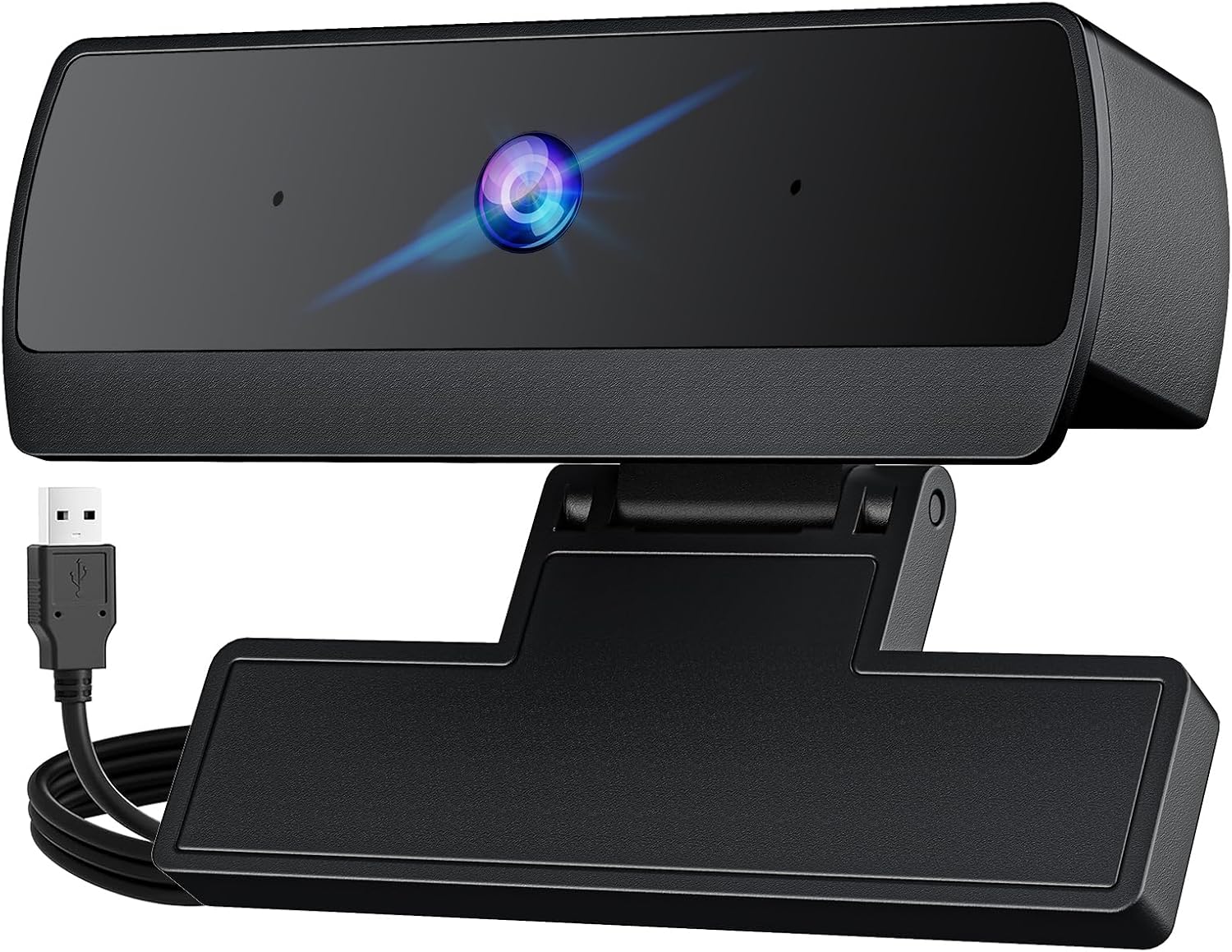
Best Low-Cost Entry: 1080P HD Webcam with Auto Low-Light
This is the camera for a second setup, a guest machine, or a kid who needs something for school calls and will absolutely lose the box. It is 1080P, it is USB plug and play, it advertises auto low-light handling and a noise-canceling microphone, and it is aimed squarely at video on laptops and desktops.
Set your expectations at the level the listing sets them. The phrase "auto low-light" on a budget camera means the firmware lifts the exposure and the gain when the room gets dark. It does not mean the camera finds light that is not there. In a normally lit office or a room with a window, this thing will do its job. In a basement at midnight, it will produce a grainy, soft image, like every camera at this price.
What you are really buying here is convenience. No software to install, no drivers to fight, no configuration screen. Plug it in, pick it in Zoom or OBS, and go. For a lot of people that is the entire requirement, and paying more for features they will never open is wasted money.
If you are on a tight budget and your room has decent light, start here and spend the savings on a cheap ring light. That combination will beat a more expensive camera in a dark room, and it is not close.
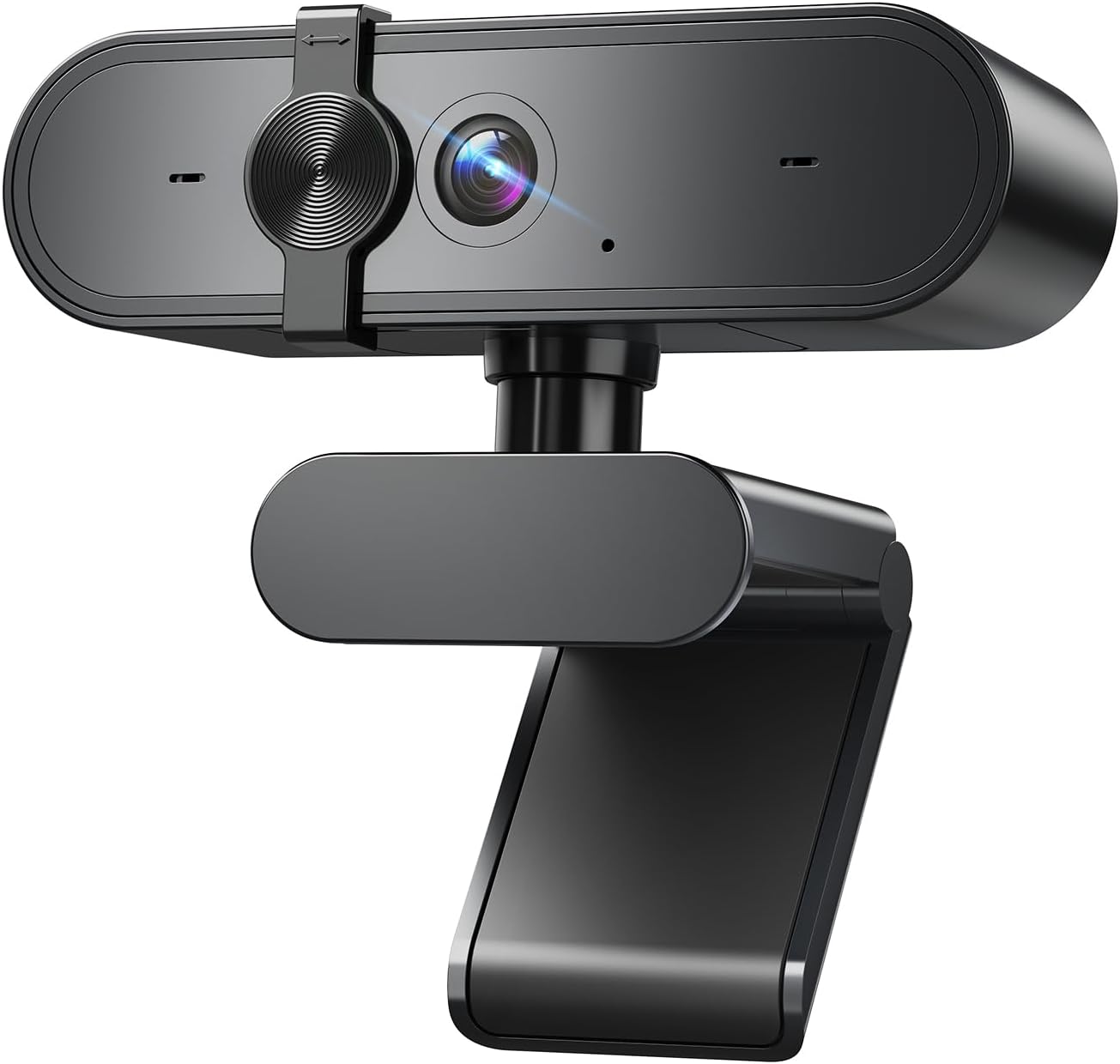
Best for Privacy-First Buyers: 1080P Webcam with Microphone and Privacy Cover
This one is built around a simple idea: 1080P, a built-in microphone, and a privacy cover, for a PC, laptop, or desktop, with nothing else to think about. There is no wide angle claim, no low-light claim, and no software pitch. It is a camera with a shutter.
That is not a knock. A physical cover is the only privacy feature on a webcam that actually means anything, because it works regardless of what the operating system, the app, or the driver decides to do. If you have ever taped a piece of cardstock over a laptop lid, this is the cleaner version of that habit.
The microphone is fine for meetings. It is not a broadcast mic, and the listing does not pretend it is. For someone who takes calls, records the occasional class, and wants to close a shutter when the day is done, the feature list lines up with the job.
Where this camera loses to the TRAUSI is flexibility. No wide angle means a tighter frame, which is fine for solo calls and less fine for a desk streaming setup where you want some environment in the shot. If your camera lives on a laptop lid and points at your face, that trade is irrelevant.
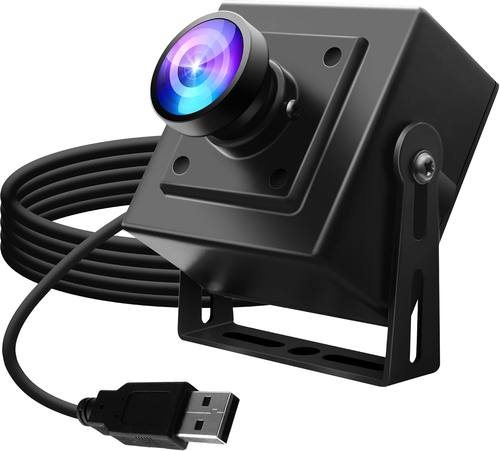
Best for Dim Rooms: ELP Starvis Low-Light USB Camera
Here is the outlier, and it is the one I find genuinely interesting. The listing rates this camera at 0.0001 lux with a Starvis sensor, 100dB HDR, 1080P at 30fps, H.264 encoding, and a wide angle lens, in a mini UVC USB 2.0 body built for computers, laptops, and Raspberry Pi projects. It also mentions LightBurn, which tells you the manufacturer expects this to end up on a laser engraver or a machine vision rig as often as on a monitor.
The low-light number is the whole point. A sensor that can hold an image at a fraction of the light the budget units need is a different category of hardware, and it is the reason this camera costs several times what the others do. If your problem is a genuinely dark room and you cannot add lighting, this is the only one of the four that even claims to address it.
Understand what you are giving up. This is a component-style camera, not a consumer webcam. There is no stand in the description, no privacy cover, no microphone, no auto light correction feature list. You are buying a sensor and a lens in a small housing, and you are expected to mount it and light it yourself.
For a streamer with a permanently dim studio, a mini PC, or a Pi build, that is a fair trade. For someone who wants to clip a camera onto a laptop lid and join a meeting, it is the wrong tool.
The webcam reference table
This is the same comparison I keep in my notes when a camera lands on my desk. Everything in it comes straight from the listings, not from a spec sheet I filled in myself. Prices move constantly, so use the links rather than trusting any number you saw last month.
| Camera | Resolution | Low-light approach | Microphone | Best for |
|---|---|---|---|---|
 Visit on Amazon → Visit on Amazon →TRAUSI 1080P FHD Webcam |
1080P FHD | Auto light correction | Noise-canceling | One camera for calls and streaming |
 Visit on Amazon → Visit on Amazon →1080P HD Webcam |
1080P | Auto low-light mode | Noise-canceling | Backup and second setups |
 Visit on Amazon → Visit on Amazon →1080P Webcam with Privacy Cover |
1080P | Not claimed in the listing | Built-in | Laptop users who want a shutter |
 Visit on Amazon → Visit on Amazon →ELP Starvis Low-Light Camera |
1080P at 30fps, H.264 | 0.0001 lux Starvis, 100dB HDR | None listed | Dark rooms, Pi and mini PC builds |
The pattern in that table is worth reading twice. Every camera here is 1080P, and yet they are not remotely the same product. Resolution is the one number every listing shares and the one number that tells you the least.
What I check before a camera earns desk space
Four things, in this order.
First, the sensor and what the listing is willing to say about it. If a camera claims 4K and the listing will not talk about the sensor, that is a 1080P chip with a nicer sticker. If it names the sensor family, like Starvis, that is a manufacturer confident enough to be specific.
Second, field of view. A wide angle lens is the difference between a desk shot and a face shot. Around 90 degrees is what you want if your keyboard, mic, and a slice of the room should be visible. Tighter framing is better for solo calls. Neither is wrong, but the wrong one for your setup is annoying every single day.
Third, autofocus behavior. Autofocus hunting is the number one webcam annoyance, the constant refocusing that makes you look like you are having a moment during your own podcast. A camera that lets you lock focus, or that does not hunt in your lighting, beats a sharper camera that breathes in and out all meeting.
Fourth, whether it works in OBS without a driver fight. This is the test that separates tools from toys. A UVC camera that shows up as a video source and stays there is worth more than a camera with a companion app that needs updating before every stream. If a camera needs proprietary software just to change a setting, I stop caring about its picture quality.
And underneath all four of those, lighting. A sixty dollar camera in a good room beats a two hundred dollar camera in a bad one. That has been true for a decade and it will be true in 2026.
Should you buy the TRAUSI 1080P FHD Webcam?
Yes, for most people. It is the only camera in this group that covers the whole consumer checklist at once: wide angle framing for a desk, auto light correction to survive a bright window, a privacy cover, a noise-canceling mic for calls, and plug-and-play USB across Windows, Mac, laptop, and desktop. Nothing about it requires you to become a hobbyist.
The compromises are the usual ones. The microphone is a backup plan, so buy a real mic if audio matters to you. Auto light correction helps with contrast, not with a genuinely dark room. If your room is dim, no amount of correction will save it, and you should be reading the ELP section instead.
Should you buy the budget 1080P models?
Yes, if your room already has light. The auto low-light camera and the privacy cover camera are both sensible purchases for a second machine, a student, or a guest setup, and both will look perfectly acceptable on a video call in a lit office. They are not streaming cameras. They are cameras that do a job.
What they are not is a fix for bad lighting. If your current webcam makes you look like a witness sketch and you are sitting in the dark, buying another cheap 1080P webcam will change nothing except your order history.
Should you buy the ELP Starvis camera?
Only if dim rooms are the actual problem. The 0.0001 lux rating and the Starvis sensor put it in a different class for low light, and that is what the money buys. It does not come with the consumer furniture: no stand, no cover, no microphone. You are buying a component, and you should know that going in.
For a Pi project, a mini PC, a machine vision rig, or a studio where the lights stay low on purpose, it is the interesting pick. For clipping onto a laptop before a Tuesday meeting, it is the wrong one.
Either way, fix your light first. It is cheaper than any camera on this page.