I bought my first webcam in 2018 because a client told me my laptop's built-in camera made me look like a witness sketch. Eight years of streaming, corporate video work, and a weekly on-camera podcast later, I've stopped believing that resolution is the thing that fixes a bad image. This webcam and lighting comparison is the conversation I end up having with friends every month: four products, four different jobs, and one rule I refuse to break. If it doesn't make you look better in your actual room, under your actual lights, it's a paperweight with a lens.
For most people, the smartest two-part upgrade is a 1080p webcam plus a dedicated light, not a 4K camera bolted onto the same dim desk. The EMEET C950 and the LitONES conference light together will change your image more than a 4K camera alone ever will. But that's the short answer. The long answer depends on whether your problem is detail, framing, or the fact that your face is currently lit by a monitor and a ceiling bulb.
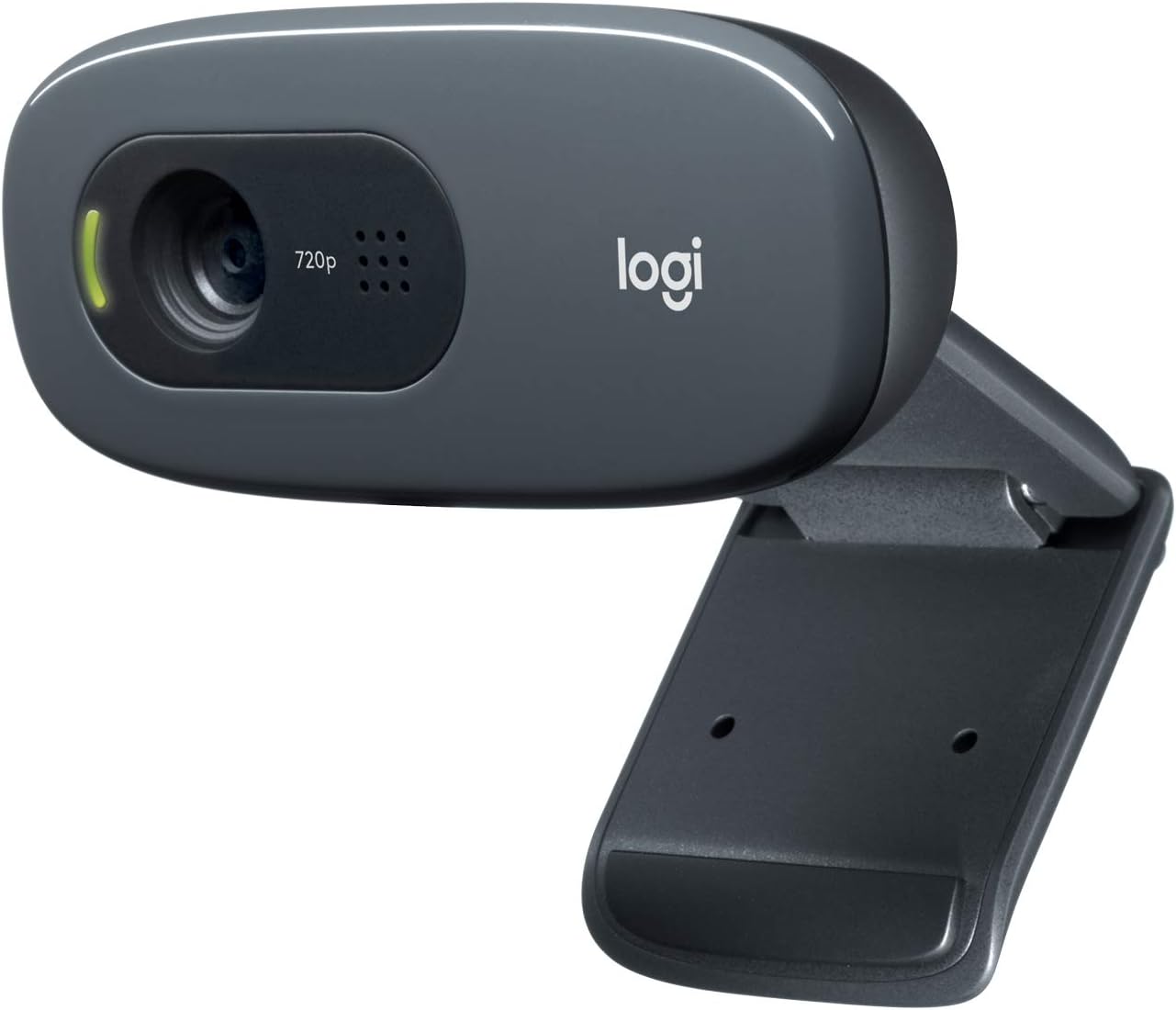
Logitech C270 720p Webcam Plug-and-Play Wide Screen Video Calling - Black
Plug-and-play, wide framing, the cheapest way to stop using a laptop cam
720p is soft on a big screen, and the onboard mic is a backup plan at best
98" width="340" style="border-radius:8px;max-width:340px;width:340px;height:auto;max-height:420px;object-fit:contain">
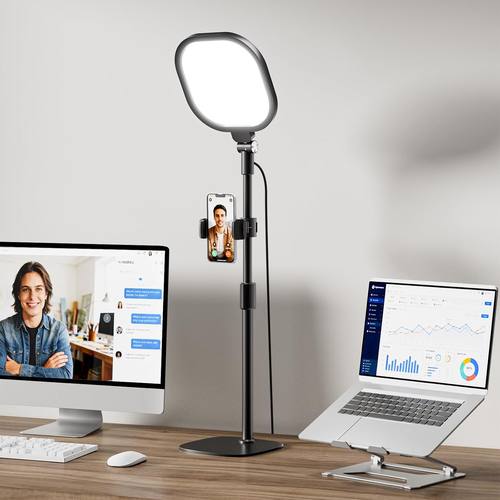
Attacks the actual problem, high color rendering, 30 modes, stand included
It is a light, not a camera, and it needs desk space
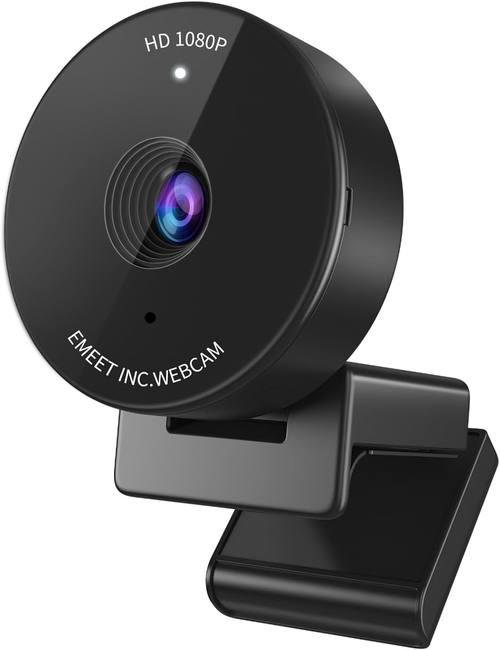
EMEET C950 1080P Webcam, USB Webcam with Microphone&Physical Privacy Cover
1080p detail, an onboard mic, and a physical privacy cover
Still a small sensor, so low light is a fight, and the mic is still a backup
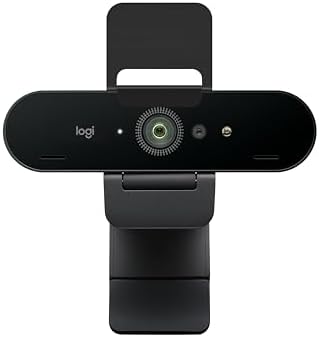
Logitech Brio 4K Webcam, Ultra 4K HD Video Calling (Renewed)
4K detail, field-of-view options that matter for streaming, best all-rounder here
Renewed stock varies, and 4K does not fix bad lighting
Prices and availability were captured from Amazon Creators API and may change.
Start with the sensor, not the sticker
Show me the sensor size and the field of view. The sticker on the box doesn't count.
That's the whole philosophy, and it's why a comparison like this one can't be sorted by resolution alone. A 4K webcam and a 1080p webcam can share a similarly tiny imaging chip, and when they do, the 4K file is just a bigger, noisier picture of the same weak light. Marketing departments know that "4K Ultra HD" sells. They also know that most buyers never check what's behind it.
Three things decide whether you look good on a call, in this order: how much light is landing on your face, how much of the room the lens sees, and how much detail the sensor can hold. Resolution is third. It is not first. Anyone who tells you otherwise is selling you a number.
Field of view matters more than people expect. A wide lens that takes in your whole desk is great for streaming, where the room is part of the show, and terrible for a one-on-one call, where you want the camera tight on your face and the messy shelf out of frame. If a webcam lets you change that framing, it's worth real money. If it doesn't, you're stuck with whatever the factory decided.
Autofocus is a feature until it hunts. The best cameras let you lock focus or at least behave predictably. The worst ones refocus every time you lean back, and you end up looking like you're having a moment on every third sentence of your podcast. That's not a spec sheet item. It's the thing that makes people stop watching.
The budget baseline: Logitech C270
The Logitech C270 is a 720p webcam with wide screen framing and plug-and-play setup, and I want to be fair to it: it solves the most common problem in video calls, which is that you're using a laptop lid camera pointed up your nose.
If your goal is simply to stop looking like a hostage video on a Tuesday standup, this is the least money you can spend to get there. It's a single cable, no driver fight, no software you have to install to change a setting. It shows up in OBS, it shows up in Zoom, it shows up in everything. That reliability is worth something, and it's the reason this class of camera keeps selling.
Here's where it loses. 720p is soft, and on a 27-inch monitor it looks soft in a way that no amount of good posture fixes. The wide framing is genuinely useful for desk shots and genuinely unflattering for face shots, and you can't change it. The onboard mic will pick up your keyboard, your fan, and the room, and it will treat your voice as one more input in that pile. Treat the mic as a backup plan, because that's what it is. The camera is the purchase.
The middle: EMEET C950
The EMEET C950 is a 1080p USB webcam with a microphone and a physical privacy cover, and it's the row in this table I'd point most people to first.
1080p is the honest sweet spot for calls. It's enough detail that your face reads as a face at normal call window sizes, and it doesn't pretend to be something it isn't. The privacy cover is a physical shutter you can slide closed, which is a small thing that I appreciate more every year, and the onboard mic means you have a working audio path out of the box instead of discovering at minute two of a client call that your headset wasn't selected.
The trade-offs are the trade-offs of every 1080p webcam in this price band. It's a small sensor, so low light is a fight it can lose. Point it at a dim corner and you'll get grain and a slow, smeary image, and no setting will rescue that. The mic is fine and it is still a backup plan. A webcam mic picks up the room, not you. If you're doing anything more serious than a team meeting, a real microphone is the next purchase after this one.
What I like about it as a recommendation is that it doesn't oversell. You get 1080p, you get a shutter, you get a mic, and you get out of the driver fight. That's a clean deal.
The flagship: Logitech Brio 4K, renewed
The Logitech Brio 4K is the best all-rounder I've used in this category, and the version in this comparison is renewed stock, which is a real part of the decision.
When it's right, the Brio is the camera I'd put on my own desk. 4K detail holds up when someone full-screens your video, the dynamic range is better than the budget options here, and the field-of-view options actually matter for streaming, because you can go wide when the room is part of the shot and tighter when it isn't. That flexibility is not a gimmick. It's the difference between one camera that handles a podcast, a client call, and a stream, and three cameras you swap around.
The renewed part deserves plain language. Renewed means the unit has been through someone else's hands and back into the supply chain. Condition varies by seller, the accessories in the box may not match a new retail unit, and the warranty situation is not the same as buying new. That's not a reason to avoid it, especially when the price gap is meaningful, but it is a reason to read the listing carefully, check the return window, and test the camera the day it arrives rather than the day before a client call.
And 4K still isn't magic. Put this camera in a dark room and it will produce a clean, detailed image of a dark room. Resolution preserves detail. It does not create light. If your face is lit by a monitor and a ceiling bulb, the Brio will faithfully record that problem in 4K, which is a worse outcome than a cheap camera in good light.
The upgrade nobody wants to buy: LitONES lighting
The LitONES video conference light is the least exciting product in this comparison and the one most likely to change your image the most.
It's a light on a stand with 30 modes and a color rendering index above 98. That number matters more than it sounds. A high CRI means colors come back looking like themselves, so your skin doesn't go orange or corpse-gray depending on the mode. The 30 modes give you brightness and color temperature options, which is the difference between a light you leave on and a light you fight with. The stand means you can place it where it belongs, which is roughly 45 degrees off your face and slightly above eye level, not directly in front of you and not behind you.
Lighting beats hardware. I've said this for years and I'll keep saying it: a mid-range webcam in good light beats a flagship webcam in bad light, every single time. You can spend the money on a better sensor and still look like a grainy silhouette, because the sensor's job is to record light and there isn't any. Fix the light first and every camera you own gets better, including the one in your laptop.
What it isn't: a camera. It doesn't fix a 720p sensor, it doesn't fix framing, and it doesn't fix a mic that picks up the fan. It also takes desk space, and the stand needs somewhere to live. If your desk is already crowded, that's a real cost, and you should count it.
Two builds I would actually run
The budget build is the Logitech C270 plus the LitONES light. You're spending most of the money on light and very little on the camera, and the result is a 720p image that is bright, well-exposed, and honest. It won't survive being full-screened on a 4K display, and it won't win any production awards, but on a normal call window it looks dramatically better than a 4K camera in a dim room. This is the build I'd recommend to someone who wants one purchase to matter and doesn't want to think about it again.
The serious build is the renewed Logitech Brio 4K plus the LitONES light, with the EMEET C950 as a travel or backup camera. Now the sensor has something to work with, the field-of-view options let you frame a stream and a call differently, and the light keeps the whole thing consistent from morning to night. If you're streaming, presenting, or doing client work on camera, this is where I'd land.
The EMEET C950 sits in the middle as the sensible single purchase. If you're not ready to buy a light and you're not ready to deal with renewed stock, it's the one box that fixes the most problems at once.
The trade-offs, honestly
Every pick here is a compromise, and it's worth naming them in one place.
The C270 trades image quality for price and reliability. You will never be embarrassed by it failing to connect, and you will never be impressed by how it looks.
The EMEET C950 trades low-light performance for a complete package. It gives you detail, a shutter, and a mic in one purchase, and it needs decent light to show any of it.
The renewed Brio trades certainty for capability. You get the best image and the most flexibility in this group, and you take on the risk that comes with a renewed unit.
The LitONES light trades nothing except desk space. It makes everything else better and adds nothing to your frame except your face, which is the point.
The pattern underneath all of it: the camera decides how much detail survives, and the light decides whether there's anything worth recording. Buying in the wrong order is how people end up with an expensive webcam and a bad image.
Should you buy the light before the camera?
Yes, if you can only do one thing right now. I know that's not the fun answer. The fun answer involves a 4K sensor and a spec sheet. But I've watched too many people buy the flagship camera and leave it sitting in the same dark corner where the old one lived, and then wonder why nothing changed.
The exception is if you're still on a laptop lid camera. Then buy the EMEET C950 first, because framing and detail are your biggest problems, and add the light next month. In either order, those two purchases together will do more than a single 4K camera ever will.
What I'm testing next
I've got a stack of cameras on the desk and the same test for all of them: the "does my face look like me" check, run in the exact lighting I actually stream in, not a studio setup I'd never use. I'm also spending more time on the question that keeps coming back from readers, which is whether a renewed flagship beats a new mid-range camera for someone who only ever appears on calls. That one has a real answer, and it isn't the same for everyone.
If you take one thing from this comparison, take the order of operations. Light first. Sensor second. Sticker last.