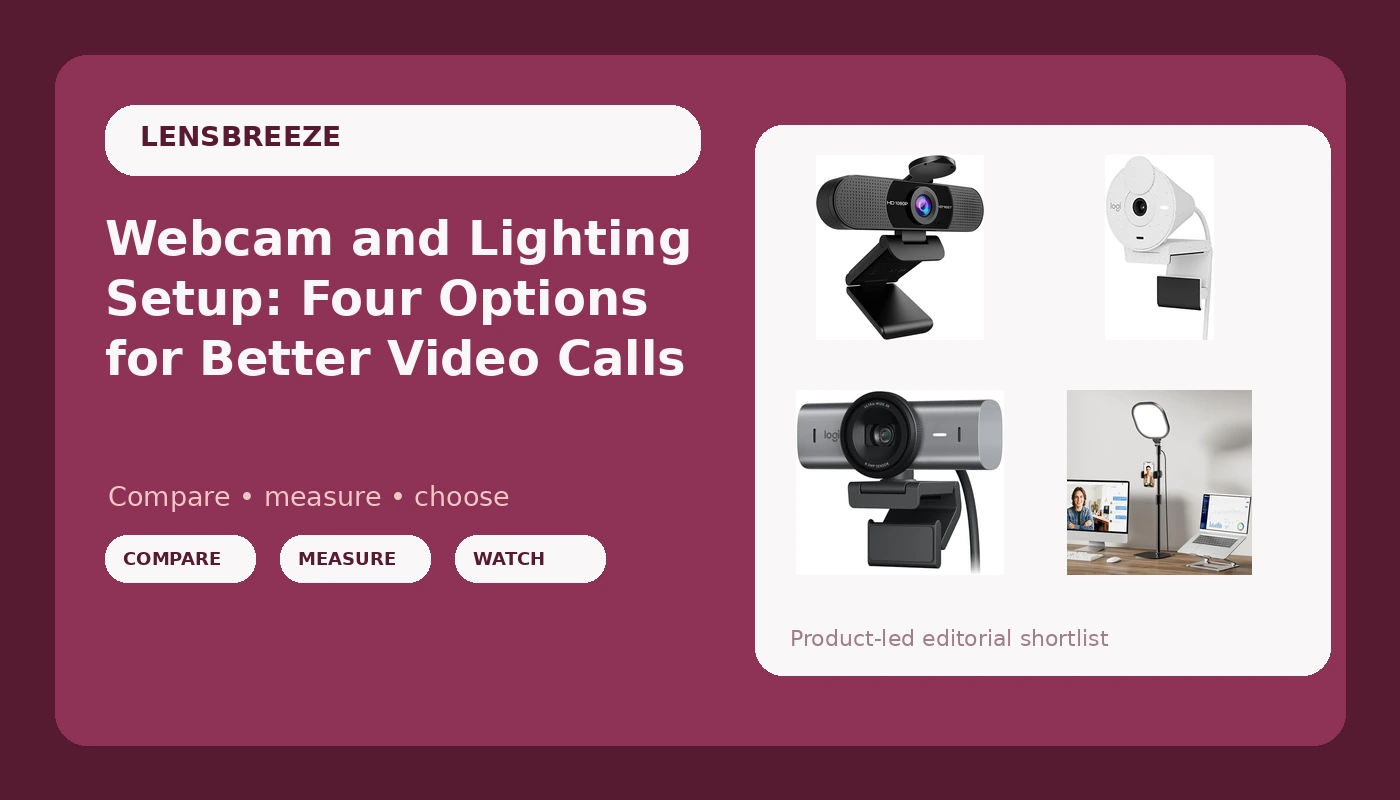
Most people building a webcam and lighting setup start with the camera and treat the light as an afterthought. That order is backwards. A 1080p camera with a bright window behind you will look worse than the same camera lit from the front, and no resolution number fixes a face that is half in shadow. This explainer covers four pieces of gear that solve different parts of that problem: two 1080p webcams, one 4K webcam, and a dedicated video light. The goal is not to crown a single winner. It is to help you match the hardware to the room you actually record in.
Related: How to Light a Desk for Video Calls →
Quick answer
If your room is dim, fix the light before you upgrade the camera. The LitONES Video Conference Lighting is the one item here that changes your picture without touching resolution. If your room is already lit reasonably well and you record at 1080p, the EMEET C960 covers the fundamentals, while the Logitech Brio 300 adds auto light correction, a privacy shutter, and USB-C. If you need 4K capture for cropping or for a large display, the Logitech MX Brio is the only 4K option in this group. None of these is labeled the best overall, because the right pick depends on your lighting, your resolution needs, and your ports.
Four useful options
| Model | Best fit | What stands out |
|---|---|---|
| EMEET 1080P Webcam with Microphone, C960 Web Camera 2 Mics Streaming Webcam | Straightforward 1080p on a desktop | 1080p capture with two built-in microphones |
| Logitech Brio 300 Full HD Webcam | Simple 1080p with a privacy shutter | Auto light correction, noise reducing mic, USB-C, listed support for Teams, Meet, and Zoom |
| Logitech MX Brio Ultra HD 4K Webcam | 4K capture and collaboration work | Ultra HD 4K resolution in a graphite body |
| LitONES Video Conference Lighting | Rooms where the light is the weak point | Stand mounted light with 30 modes and CRI above 98 |
Entry level 1080p: EMEET 1080P Webcam with Microphone, C960 Web Camera 2 Mics Streaming Webcam
This is the camera you buy when the budget is the constraint and 1080p is enough. The two microphones are a convenience, not a replacement for a real mic: a webcam mic sits on top of your monitor, which is close to your fans and far from your mouth. Treat it as the backup plan for a quick call, and reach for a dedicated microphone when the recording matters. The main trade-off is the same one every 1080p webcam makes. A small sensor needs light to produce a clean image, so in a dim room this camera will show noise no matter what the box says about resolution.
Everyday 1080p: Logitech Brio 300 Full HD Webcam
The interesting feature here is auto light correction, which tries to hold your face at a consistent exposure when the room changes around you, for example when a cloud passes or someone turns on a lamp. It is a software assist, not a substitute for a lit face, but it reduces the amount of fiddling you do between calls. The privacy shutter is a physical cover for the lens, which matters if the camera lives on a work laptop. The USB-C connection is worth checking against your machine before you buy, because a USB-A only desktop will need an adapter. The white finish is a cosmetic choice that stands out on a dark monitor.
4K capture: Logitech MX Brio Ultra HD 4K Webcam
4K buys you two things: detail on a large display, and headroom to crop. Cropping matters more than people expect, because it lets you frame tighter in software without the image falling apart. The cost is that 4K asks more of your lighting and your connection. A 4K sensor in a dim room still produces a noisy image, just a bigger one. Some platforms also cap the resolution they send to the other side, so the 4K you capture may not be the 4K your colleagues see. If your output is a compressed video call, the extra resolution is mostly working for you in the recording, not in the call.
Prices and availability may change. Product images, names, and retailer links are matched to verified listings. No current price, rating, stock status, or measured result is stated here without current evidence.
Light first: LitONES Video Conference Lighting
The color rendering index is the number worth understanding here. A high CRI means the light shows colors close to how daylight would, so skin tones stay natural instead of turning orange or green. The 30 modes give you adjustable brightness and color temperature, which is how you match a warm room lamp or cool daylight from a window. The stand means you can place the light at an angle rather than clipping it to a monitor, and angle is most of the battle. The trade-off is desk space and one more thing to power and position before you hit record.
Resolution labels versus sensor reality
A resolution number describes how many pixels the camera records. It does not describe how much light each pixel collects, and that second number is what determines whether your face looks clean or grainy. A large sensor with fewer pixels can beat a small sensor with more of them in the same dim room, because each pixel has more area to gather light. This is why a 1080p camera in a well lit room can look better than a 4K camera in a cave. When you compare webcams, look past the resolution line and ask what the sensor actually is, then ask what your room is actually like. The two answers together decide the picture, not the sticker on the box.
Dynamic range matters in the same way. It describes how much detail survives in the bright and dark parts of the frame at once. A camera with limited dynamic range will blow out a window and crush the shadow side of your face into a dark blob. Software features like auto light correction help here by adjusting exposure as conditions change, but they are compensating for a limitation, not removing it. If your goal is a consistent image across a long stream, the combination of a decent sensor and controlled light will outperform a higher resolution sensor with uncontrolled light every time.
How to choose in five steps
Work through these in order, because each step narrows the next one.
- Measure your light first. Sit where you record, at the hour you usually record, and look at your face. If it is dim or uneven, the light belongs at the top of your list.
- Decide your output resolution. If you record for a call or a 1080p stream, a 1080p camera is enough. If you crop, zoom, or deliver to a 4K timeline, the 4K option earns its place.
- Check your ports. The USB-C connection on the Brio 300 and the MX Brio needs a matching port or an adapter, and the EMEET and LitONES are simpler to plug in.
- Decide whether you need a privacy shutter. On a shared or travel laptop, a physical cover is a real feature rather than a nice extra.
- Set the budget order as light, then camera, then microphone. Most people get this exactly backwards and wonder why the new camera did not help.
Practical guidance for a better picture
- Put the light in front of you at roughly 45 degrees, not directly above your head, so your eye sockets stay lit.
- Never sit with a bright window behind you. If the window is the only light in the room, face it instead of turning your back on it.
- Test in the application you actually use. A camera that looks fine in one app can behave differently in another after compression.
- Lock exposure and focus if your software allows it. Autofocus that hunts during a podcast is more distracting than a slightly soft image.
- Treat any built-in webcam microphone as a backup. A camera mic picks up the room and the fan long before it picks up your voice clearly.
Which option should you choose?
Choose the EMEET 1080P Webcam with Microphone, C960 Web Camera 2 Mics Streaming Webcam when you want a straightforward 1080p camera with audio included and your room is already reasonably lit. Choose the Logitech Brio 300 Full HD Webcam when you want 1080p with auto light correction, a privacy shutter, and a USB-C connection, and your machine has the port to match. Choose the Logitech MX Brio Ultra HD 4K Webcam when you need 4K detail for cropping or large displays and you can give the sensor enough light to use it. Choose the LitONES Video Conference Lighting when the camera is fine but the room is the problem, which is the most common situation of all.
One caveat applies to all four. None of these listings states a sensor size, and sensor size is the specification that matters most for low light performance. That means the honest approach is to buy from a seller with a return window, test the camera in your own lighting, and send it back if the image does not hold up. Resolution, modes, and microphone counts are easy to compare on paper. How a camera renders your face in your room is not, and no spec sheet substitutes for that test.
The bottom line
The four items here solve four different problems: entry level 1080p capture, 1080p with software correction and a privacy shutter, 4K capture, and the light that makes any of them look better. If you are unsure where to start, start with the light, because it is the variable that changes the most for the least. If you already have good light, pick the camera that matches your resolution needs and your ports, and check the current Amazon price on the listing before you commit, since prices and availability move. The camera is the purchase, but the light is what people actually notice.