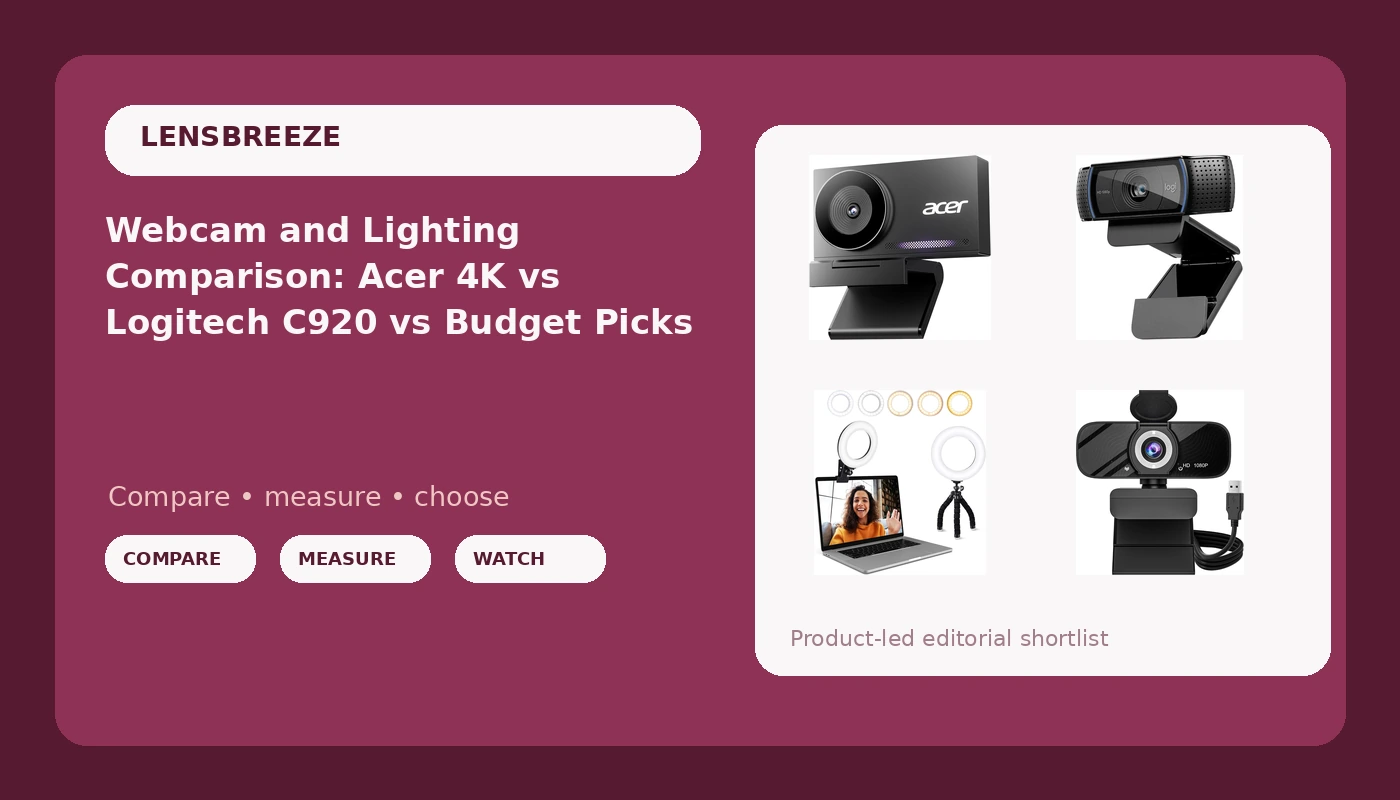
I have been running cameras for eight years, first on Twitch, later on corporate shoots where a client watches the playback and asks why the presenter looks like a witness sketch. Somewhere along the way I stopped counting webcams. I have met the flagships, the budget specials, and every box that prints "4K" over a sensor the size of a grain of rice. This webcam and lighting comparison is the version of that experience I wish someone had handed me before I bought my first camera.
The four products here are not four versions of the same thing. Two are cameras from different tiers, one is the office default that half the working world already owns, and one is not a camera at all. That last one deserves more attention than it usually gets, because it changes how the other three look.
The short answer: the Acer 4K webcam is the best camera in this group for anyone who wants a genuinely better image, the Logitech HD Pro Webcam C920 is still the safest all-round pick, the USB HD webcam with the rotatable tripod is the right call when the budget decides for you, and the clip-on ring light is the cheapest item here and the one that improves all three cameras.
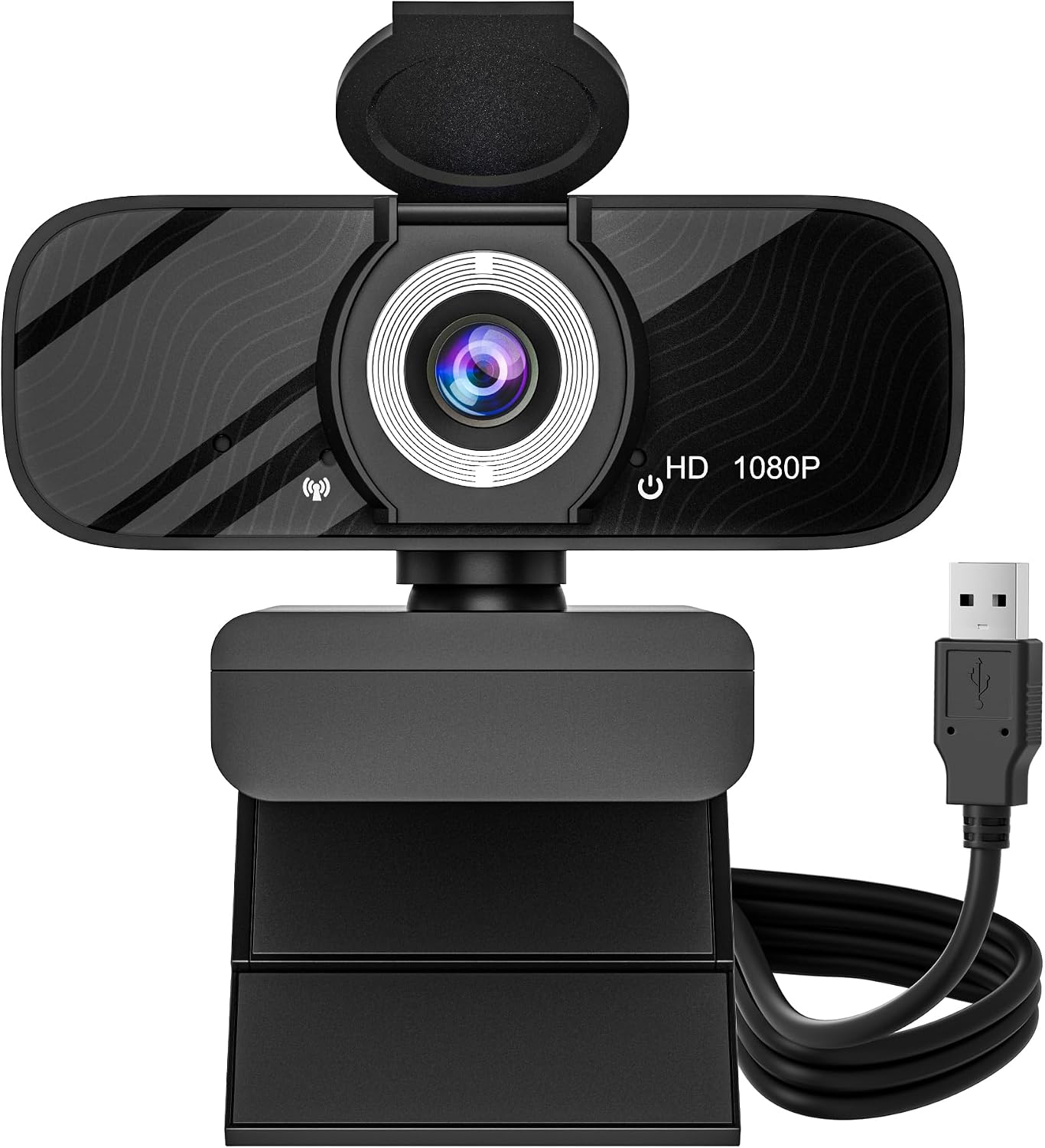
USB HD Webcam with Built-in Microphone and Rotatable Tripod
1080p video, wide angle lens, privacy cover, and a tripod that frees you from the monitor clip
Small sensor, wide lens pulls in every dark corner, plastic build, mic is a backup only
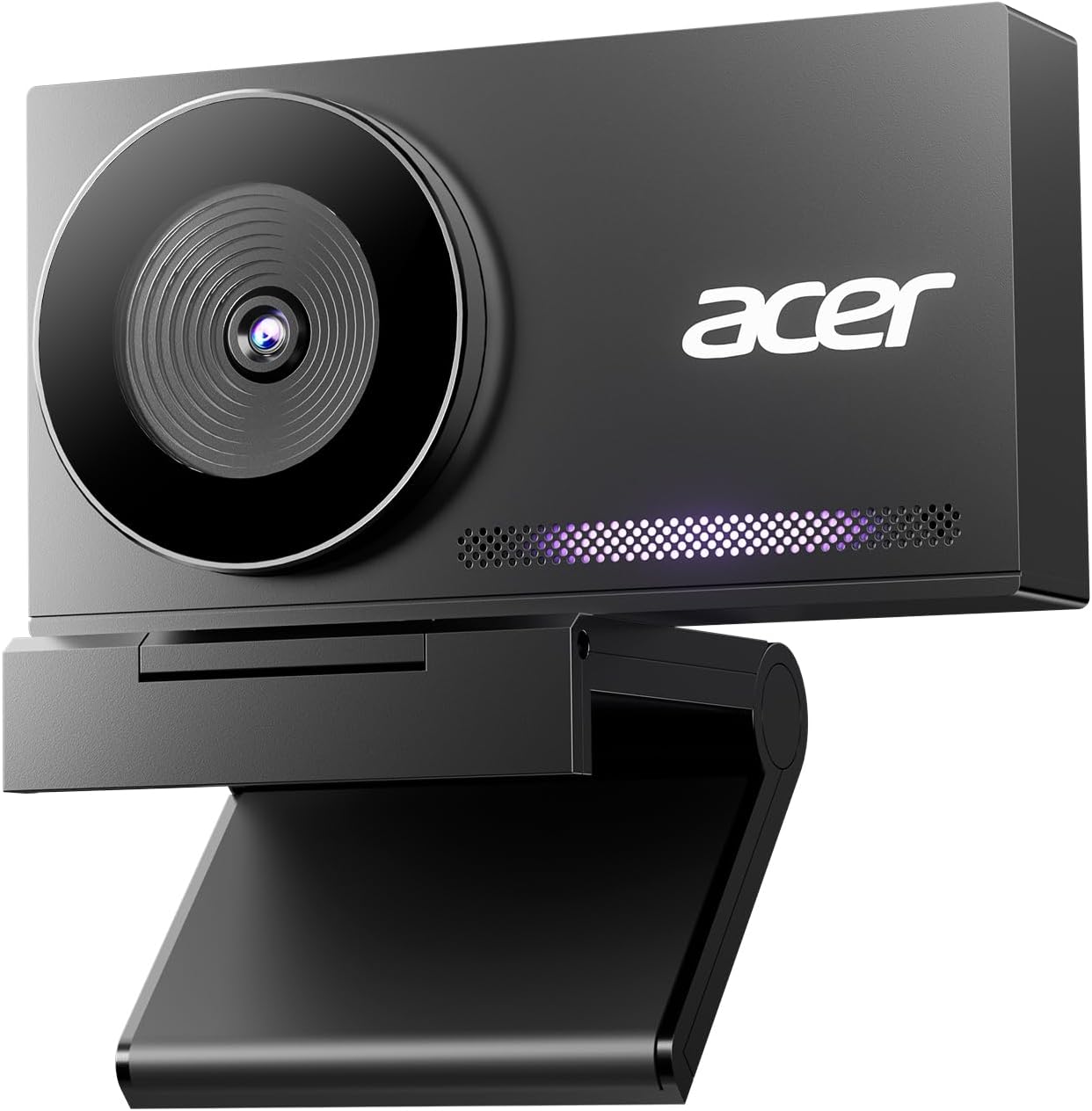
Acer 4K Webcam with Sony 1/2-inch Sensor and PDAF
Real half-inch Sony sensor, phase detection autofocus, all-metal body, dual noise reduction mics
4K costs bandwidth and CPU, and a good sensor is honest about bad room lighting
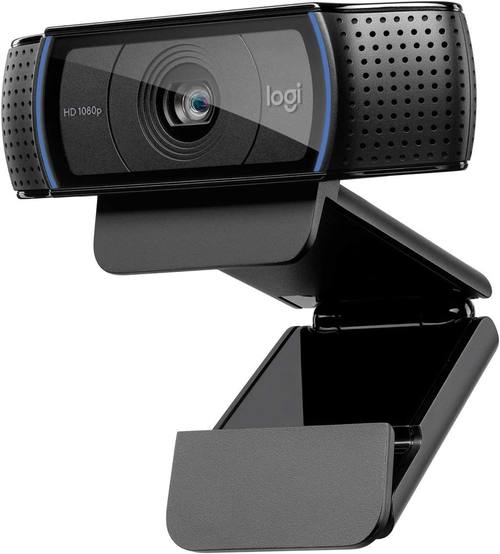
Logitech HD Pro Webcam C920
1080p widescreen that every app already recognizes, mounts on desktop or laptop, endlessly reliable
Older design, small sensor, first to go grainy in a dim room, nothing exciting about it
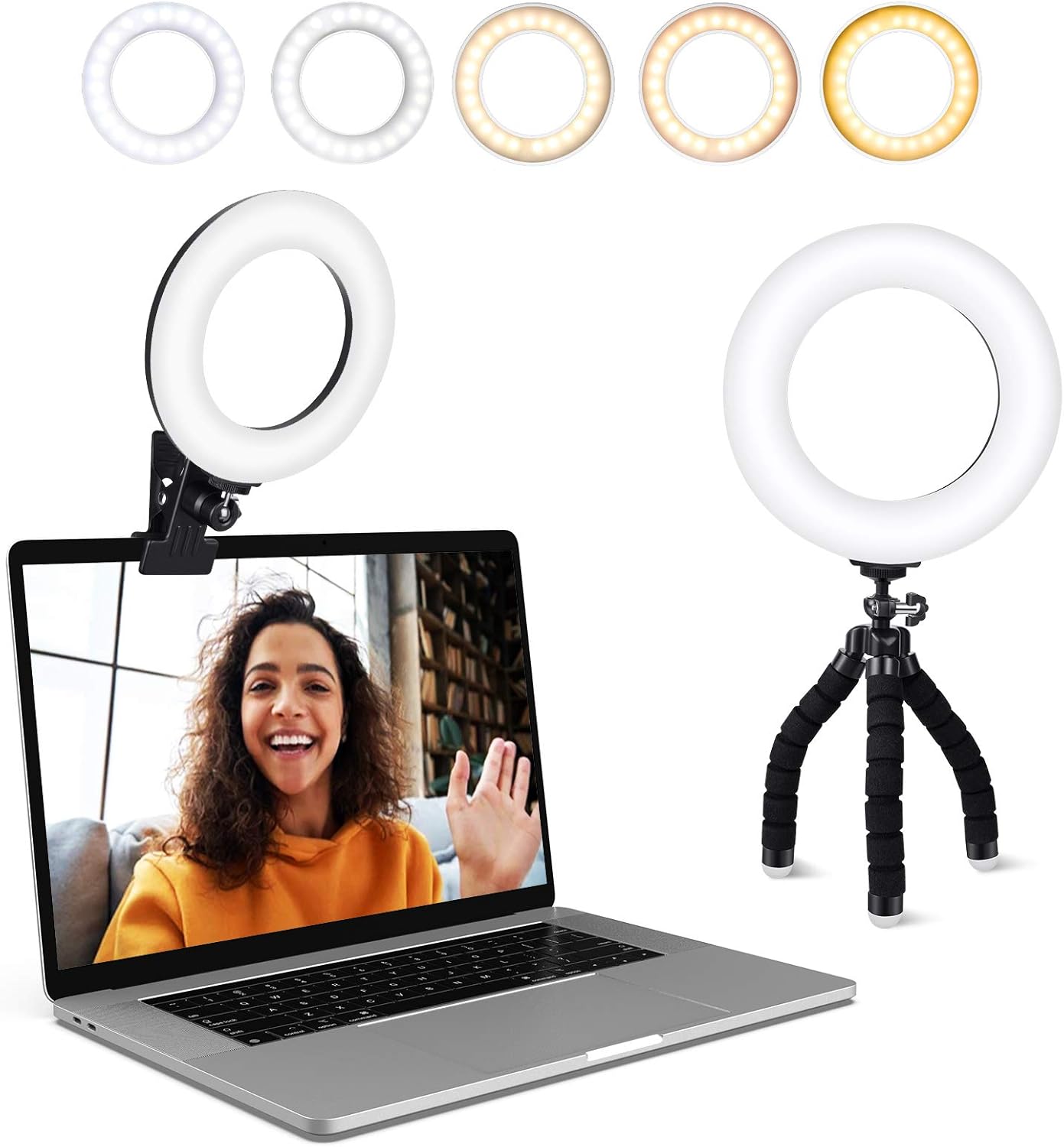
Video Conference Lighting Kit, Ring Light Clip on Laptop Monitor
Five color temperatures and five brightness levels, clips to a laptop or monitor, improves every camera above
Small soft source, can flatten features on axis, reflects off glasses, not a real key light
Prices and availability were captured from Amazon Creators API and may change.
What the spec sheet actually tells you
Most webcam marketing is written for people who will never open the spec sheet. Resolution is the number on the front of the box, and it is the least interesting number in the file. What matters is the size of the sensor behind the lens, because sensor size determines how much light each pixel collects, and light is what separates a face from a smudge.
The second spec that matters is autofocus behavior. Contrast detection hunts, which is the slow breathing in and out of focus that makes you look like you are having a moment on camera. Phase detection, the kind phones have used for years, locks faster and holds. When a webcam lists phase detection, that is a real feature and not a marketing word.
Third is field of view. A wide lens sees the whole desk, which is great for showing a whiteboard and terrible for a solo podcast where your face should fill the frame. A narrow lens flatters one person and crowds out a second. Neither is better, but you should know which one you are buying.
Fourth is the microphone. Treat every webcam mic as a backup plan, because that is what it is. The camera is the purchase.
The Acer 4K webcam: the one with a real sensor
The Acer 4K webcam is the most serious camera in this comparison, and the reason is not the 4K. It is the Sony 1/2-inch sensor sitting behind the lens. A half-inch sensor is genuinely large for a webcam, and larger sensors collect more light, hold more detail in highlights, and render skin tones with fewer of the plastic edges that small chips produce. That is the difference between a face and a painted face.
The autofocus is phase detection, the fast and decisive kind. On a webcam this matters more than resolution, because a camera that hunts during a client call is worse than a camera that is simply soft. The all-metal unibody does two jobs: it gives the camera enough weight to sit still on a monitor, and it acts as a heat sink, which is why the spec sheet mentions fast cooling. Webcams that run warm get noisy over long sessions, and metal helps.
The rest of the package is sensible. Two microphones with noise reduction cover the backup audio role. The privacy cover is table stakes in 2026 and it is good that it is included rather than sold separately. The sculpted body is lightweight enough to clip onto a laptop without dragging the lid down.
Where it loses: 4K is a bandwidth decision, not only a quality decision. A 4K stream eats USB headroom and CPU, and if you are gaming on the same machine you will feel it. The other trade-off is that a good sensor is honest. It shows you exactly how bad your room lighting is, and it will not fix that for you.
The Logitech HD Pro Webcam C920: the default for a reason
There is a reason the Logitech HD Pro Webcam C920 is the camera people name when they cannot name another camera. It has been the office default for so long that it is the reference point every other webcam gets measured against, and that longevity is the feature. It records 1080p widescreen, which is still what Zoom, Meet, and Teams actually send to the other end of the call. It mounts on a laptop lid or a monitor, and it works with the software you already have instead of the app a manufacturer wishes you would install.
The case for it is not that it beats the Acer on image quality. It does not. The case is that it is boring in the best way. It shows up in OBS, it shows up in the operating system settings, and it does not require a proprietary utility to behave. That reliability is worth more than a spec bump when you are five minutes from going live.
Where it loses: 1080p on a small sensor is the definition of adequate, not excellent. In a dim room it will be the first camera here to go grainy, and no firmware update changes physics. It is also the oldest design in the group, which shows in the plastic body and the simple mount. Nothing about it is exciting. Nothing about it is a mistake either.
The USB HD webcam: 1080p, a tripod, and honest expectations
The USB HD webcam with the built-in microphone and rotatable tripod is the entry point in this comparison, and it is honest about what it is: 1080p video, a wide angle camera, a privacy cover, and a mic. That is the whole pitch, and for a lot of people it is enough.
Two details make it more interesting than its tier suggests. The first is the rotatable tripod. A webcam that can stand on a desk, sit on a shelf, or angle down at a keyboard gives you framing options a monitor clip cannot. If your monitor sits low or your desk is cluttered, that flexibility is the difference between a usable shot and a shot of your ceiling. The second is the wide angle. It sees more of the room, which helps when you are showing a project or a second person, and hurts when you want a tight, flattering solo frame.
Where it loses: a small sensor behind a wide lens is the hardest combination to light, because the lens pulls in every dark corner of the room at once. The built-in mic is a backup at best. The plastic build will not enjoy being thrown in a bag every week. And 1080p is a ceiling, not a floor, so there is no upgrade path inside the camera itself.
The ring light: the cheapest thing here that changes everything
The Video Conference Lighting Kit is not a camera, and it is the most important item in this comparison. It clips onto a laptop or monitor, and it offers five color temperatures and five brightness levels, which is enough control to match a warm living room or a cold office without turning your face blue.
Here is the argument in one sentence: a mid-tier webcam in good light beats a flagship webcam in bad light, every single time. The Acer's larger sensor collects more light, but it cannot invent light that is not in the room. The C920 in a dim home office produces the grainy, flat image everyone associates with 2020. Put a ring light on either one, positioned slightly above eye level and just off axis, and both cameras jump a tier.
Where it loses: a clip-on light is a small, soft source, which means it flattens features if you point it straight on axis, and it can reflect off glasses. It also clips to a laptop lid, so a heavy-handed adjustment can wobble the screen. It is not a substitute for a real key light with a softbox. It is, however, a substitute for buying a more expensive camera, which is the trade most people should be making.
How the four actually pair up
Best image for the money: the Acer 4K webcam plus the ring light. The Sony sensor does the heavy lifting and the light removes the last excuse. This is the combination I would build for a podcast or a client-facing stream.
Safest setup with the least drama: the Logitech HD Pro Webcam C920 plus the ring light. Nothing here fights you, nothing needs a driver adventure, and the light covers the one place the C920 is weak.
Tightest budget: the USB HD webcam plus the ring light. Two entry-level pieces that together outperform either one alone, and the tripod gives you framing options the other setups do not have.
The pairing to avoid: a flagship camera with no light at all. That is the most common mistake I see, and it produces the worst result per dollar.
Trade-offs worth naming
4K versus bandwidth. The Acer's resolution is real, but a 4K stream is heavier on your machine than a 1080p one. If your computer already struggles while streaming, resolution is the wrong place to spend headroom.
Sensor size versus convenience. The C920 wins on convenience, the Acer wins on the chip. If you record once a week, convenience probably wins. If you record every day, the sensor does.
Camera versus light. The ring light is the only product here that improves the output of the other three. If you can only buy one thing, buy the light and keep the camera you already own.
Wide versus tight framing. The budget USB webcam sees more of the room. The Acer and the C920 are built around a person at a desk. Know which shot you actually need.
Microphones. All three cameras include one. None of them should be your primary audio. A dedicated microphone is a separate purchase and a separate problem.
The verdict
If you want the best image in this group and you are willing to feed it light and bandwidth, the Acer 4K webcam is the pick, and the half-inch Sony sensor is the reason. If you want a camera that simply works with everything and never surprises you, the Logitech HD Pro Webcam C920 has earned that reputation over years rather than months. If the budget is the deciding factor, the USB HD webcam with the rotatable tripod gives you 1080p, a wide lens, and flexible mounting for the least commitment. And whatever camera you choose, the Video Conference Lighting Kit is the cheapest upgrade in this comparison and the one most likely to change how you look on the next call.
Buy the light first. Then buy the camera the light deserves.