I have had a webcam bolted to my monitor since 2016, first for Twitch, then for corporate video work, and now for a weekly podcast that records on camera. In that time I have bought and returned more cameras than I want to admit, starting with the Logitech C920 that got me into this and ending with a cheap Amazon special that made me look like a witness sketch. So when someone asks me about the best webcams for streaming, I do not read them a box sticker. I tell them what survives a live stream in my actual lighting, on my actual desk, in a room with one window and a ring light I have owned for years.
Related: Webcam Lighting Basics: Why Your Camera Looks Bad Before You Blame It
The best webcam for most streamers in 2026 is the Elgato Facecam 4K, because it hands you real control over focus, exposure, and field of view, and control is the difference between a camera you fight and a camera you forget about. The OBSBOT Meet SE is the smart middle pick for anyone who wants framing help without studio money, and the two 1080p budget cameras here are genuinely fine for meetings, classes, and interviews.
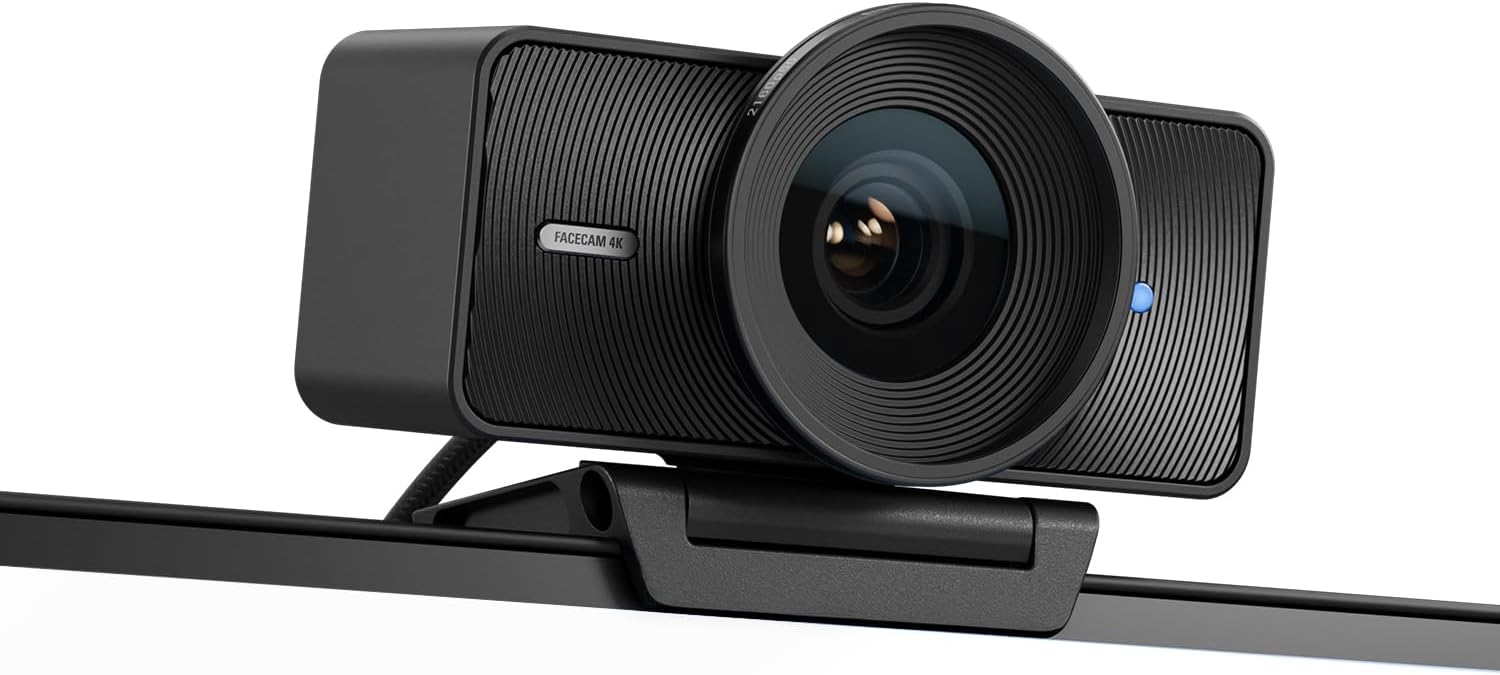
Elgato Facecam 4K, 4K60 Studio Webcam, DSLR-Like Control
Manual, DSLR-like control over focus, exposure, and field of view, plus true 4K60 capture
The most expensive camera here, and it expects you to learn its software
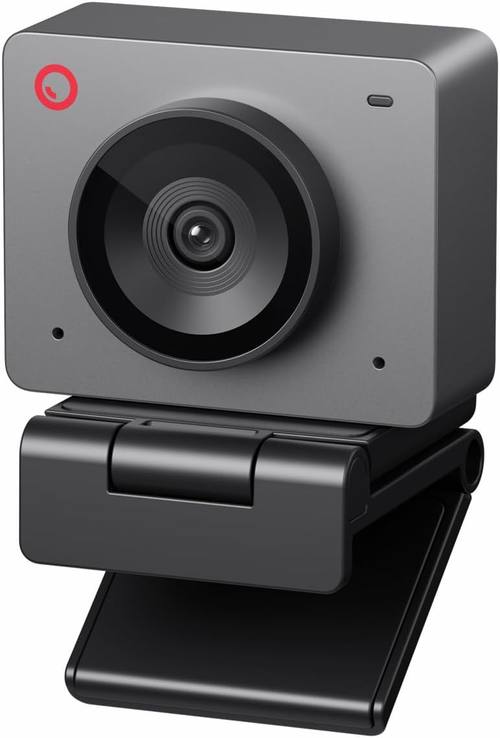
OBSBOT Meet SE 1080P 100FPS Webcam for PC, AI Framing Streaming Camera
AI framing follows you around the desk, and 100fps keeps motion smooth
Auto framing can crop a composition you spent time building
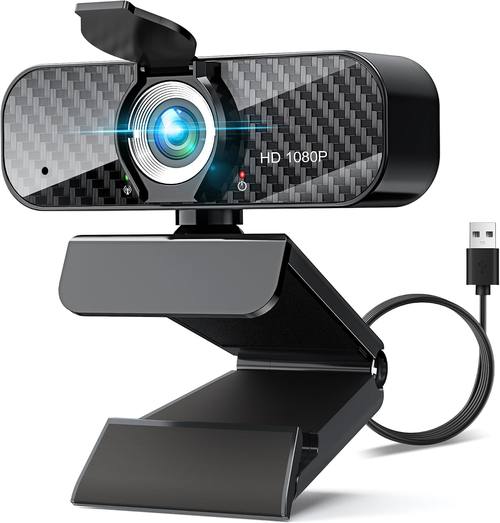
Webcam Full HD 1080P with Built-in Microphone and Rotatable Tripod, Carbon Fiber Board and Privacy Cover, Auto Light Correction, Adjustable FOV, Plug&Play
Rotatable tripod, adjustable field of view, privacy cover in the box
A small 1080p sensor, so low light is a fight it does not always win
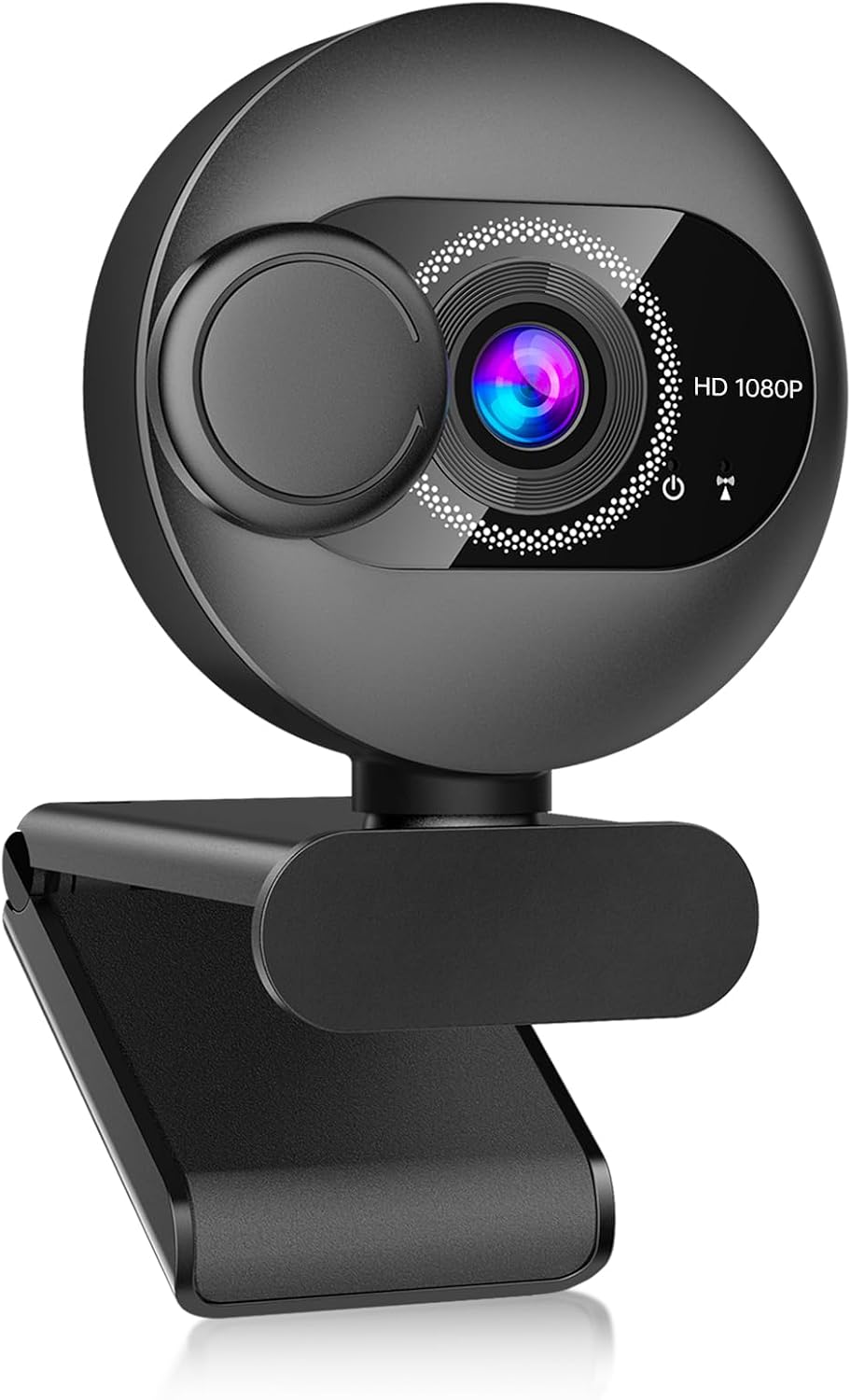
Webcam for PC with Microphone, 1080P FHD Webcam with Privacy Cover, Noise Cancellation, Wide-Angle Lens, Auto Light Correction, Plug and Play USB Web Camera
Wide-angle lens, noise cancelling mic, privacy cover, true plug and play
A wide lens on a small sensor means soft corners and noisy shadows
Prices and availability were captured from Amazon Creators API and may change.
How I judge a webcam
Three things, in order: the sensor, the autofocus, and the software.
The sensor is the camera. A 4K label on a chip the size of a peppercorn is a marketing decision, not an image quality decision. What matters is how much light each pixel collects, which is why a decent 1080p sensor beats a bad 4K sensor in a dim room every single time. When I open a spec sheet, resolution is the last number I care about, not the first.
Autofocus is a feature until it hunts. A camera that refocuses every time you lean back is worse than a camera with no autofocus at all, because at least the fixed-focus camera stays where you left it. For a podcast, for a meeting, for anything where your face is the subject, focus should lock and stay locked.
Software is the tiebreaker. If I cannot change exposure, white balance, and field of view without a proprietary app fighting me, the camera is a toy with a lens. And if it does not appear in OBS without a driver battle, I do not care how good the sensor is.
That is the whole framework. Everything below is that framework applied to four cameras at four very different price points.
Elgato Facecam 4K: the studio pick
The Facecam 4K is the camera I reach for when the recording matters, and it is the one I recommend to streamers who are tired of being at the mercy of automatic everything. The pitch is DSLR-like control, and for once the marketing language is describing something real: you get manual control over focus, exposure, white balance, and field of view, which means the camera does what you tell it instead of guessing what looks nice.
The 4K60 capture is the headline, and it is worth understanding what that actually buys you. Sixty frames per second at 4K is a lot of data, and it is the reason motion looks clean rather than smeared when you gesture, lean in, or wave something at the lens. For a solo talking head setup you could live at 1080p forever, but if you are cutting between camera angles, zooming into a frame in post, or recording anything where hands move, the extra resolution is not vanity. It is editing headroom.
The field of view control is the part streamers underestimate. A wide lens that shows your whole room is great for a workshop stream and terrible for a podcast, where it turns you into a small figure in a big frame. Being able to tighten the frame in software, without moving the camera, is the difference between a setup that looks intentional and a setup that looks like a webcam on a monitor.
Where it loses: it costs the most here, and it asks something of you. This is not a camera you unbox and forget. You will open the software, you will set exposure manually, and you will learn what your lighting is actually doing. If you want zero setup, this is the wrong camera and I would rather tell you that now than have you email me later.
OBSBOT Meet SE: the smart middle
The OBSBOT Meet SE sits in the gap that most people actually occupy. It is a 1080p camera, it shoots up to 100 frames per second, and it brings AI framing to a price that does not require a studio budget.
The 100fps number is the interesting spec. At 1080p, high frame rate means motion stays smooth and clean, which matters more than most people realize for streaming. Hand gestures, leaning in to make a point, standing up to demonstrate something: all of it reads better at a higher frame rate. It is the kind of spec that never shows up on a marketing banner and quietly improves how you look on camera.
AI framing is the feature that will make or break the camera for you. If you move around your desk, stand up, lean over to grab something, or share a workspace with a whiteboard, auto framing keeps you in the shot without a second operator. That is genuinely useful for teaching, presentations, and any stream where the camera operator and the talent are the same person. It is also the reason I would not put it in front of someone with a carefully composed frame. Auto framing will happily crop your composition to keep your face centered, and if you spent twenty minutes getting the shot right, watching software re-decide it mid-stream is maddening.
For most people reading this, the Meet SE is the camera that gives the most new capability for the money. It is a 1080p sensor, so it is not going to out-detail the Facecam 4K in bright light, but the framing and the frame rate are real, usable features rather than spec sheet filler.
The 1080p budget pair
Two of the four cameras here are budget 1080p units, and I want to be fair to them instead of dismissive. Most people reading a webcam comparison are not building a streaming studio. They are taking job interviews, teaching a class, joining a weekly team call, or recording a YouTube video in a bedroom. For that, a competent 1080p camera is not a compromise. It is the correct purchase.
The one with the rotatable tripod
This camera is built around flexibility. It is a Full HD 1080p unit with a built-in microphone, a rotatable tripod, a privacy cover, auto light correction, and an adjustable field of view, and it is plug and play across laptops and desktops. The carbon fiber board in the construction keeps it light, which matters more than it sounds like it should, because a light camera on a rotatable tripod is easy to aim precisely and a heavy one sags.
The adjustable field of view is the feature I would actually use. Being able to go wider for a two person interview and tighter for a solo call, without repositioning the tripod, covers most of what a home user needs. The privacy cover in the box is a small thing that I wish every manufacturer included, and the tripod means you are not limited to hanging it off a monitor bezel that may not fit it.
Where it loses: it is a small 1080p sensor, and small sensors need light. Auto light correction helps by lifting the shadows, but lifting shadows also lifts noise, and a dim room will show it. Point this camera at a window or a lamp and it looks far better than its price suggests. Point it at a dark corner and it will look like a dark corner.
The wide-angle one
This camera leans on convenience. It is a 1080p FHD webcam with a built-in microphone, a privacy cover, noise cancellation, a wide-angle lens, auto light correction, and true plug and play over USB for laptops, desktops, PCs, and Macs, working with Zoom, Skype, and the rest.
The wide-angle lens is the whole personality of this camera. It fits more of the room into the frame, which is great if you are demonstrating something at your desk, recording with another person beside you, or sitting in a small room where a tight lens would put your face against the wall. The noise cancelling microphone is a reasonable backup for a quick call, and the privacy cover and plug and play behavior mean there is nothing to configure before you use it.
Where it loses: a wide lens on a small sensor stretches the image at the edges and lets in less light per pixel. Faces near the corners of the frame will look softer than faces in the middle, and in low light the wide view gives you more shadow to deal with. This is a camera to buy for convenience and coverage, not for a cinematic look.
What the specs actually tell you
Sort the four cameras by resolution and you get a tidy story that is mostly wrong. The Facecam 4K wins on pixels, the Meet SE and the two budget cameras sit at 1080p, and that ordering tells you almost nothing about which one you should buy.
Here is what the specs do tell you. The Facecam 4K is the only camera here promising manual control and 4K60 capture, which is a statement about who it is for: someone who will use that control. The Meet SE is the only one promising high frame rate and AI framing, which is a statement about movement: it is for people who do not sit still. The camera with the rotatable tripod and adjustable field of view is telling you it wants to be aimed and repositioned. The wide-angle camera is telling you it wants to see the room.
None of those are quality claims. They are use case claims, and use case is what you are actually shopping for.
The other thing the specs cannot tell you is how a camera behaves in your room. Two people can buy the same webcam and get wildly different results because one has a window behind them and one has a lamp in front of them. If your camera looks bad and you have not fixed your light, you have not finished diagnosing the problem yet.
Who should buy which
Buy the Elgato Facecam 4K if you record video that matters, you want manual control, and you are willing to spend twenty minutes learning the software once. Streamers, podcasters, and anyone editing their own footage should start here.
Buy the OBSBOT Meet SE if you move around, present, teach, or demonstrate things on camera and want the camera to keep up with you. It is the best combination of new capability and reasonable cost in this group.
Buy the 1080p camera with the rotatable tripod if you want flexibility and an adjustable field of view for calls, classes, and interviews, and you are willing to point a light at yourself.
Buy the wide-angle 1080p camera if convenience is the priority, you want the whole desk in frame, and you need something that works the moment you plug it in.
Should you buy a cheap webcam and a better light instead?
Yes, and I will keep saying it. A budget webcam in good light beats an expensive webcam in bad light. If you are choosing between spending more on a camera and spending less on a camera plus a light, take the light every time.
The practical version of this: face a window, put a lamp behind the camera rather than behind you, and turn off the overhead light that puts a shadow under your eyes. Do that and a 1080p budget camera will look better than a 4K camera sitting in a dim corner. Do the opposite and no sensor on this list can save you.
The second thing to fix is audio, and it is not a webcam's job. The microphone on any of these cameras is a backup plan for a quick call. If you are recording anything anyone will listen to for more than five minutes, a separate microphone will improve the result more than upgrading the camera would.
What I am watching next
The trend worth tracking is software. AI framing, auto exposure, and background handling are moving from premium cameras into budget ones, and that is going to make the resolution number matter even less than it does now. When a camera can decide what to keep in frame, the question shifts from how many pixels to how well the camera understands the shot.
The other thing on my bench is the driver question. A camera that only reaches its full feature set through a proprietary app is fine until that app stops being updated, and I have watched that happen to more than one brand. Cameras that expose their controls through standard interfaces age better, and that is the spec I would most like to see manufacturers compete on.
Until then, the short version stands: buy the sensor and the control, fix your light, and stop paying for a 4K sticker on a tiny chip.