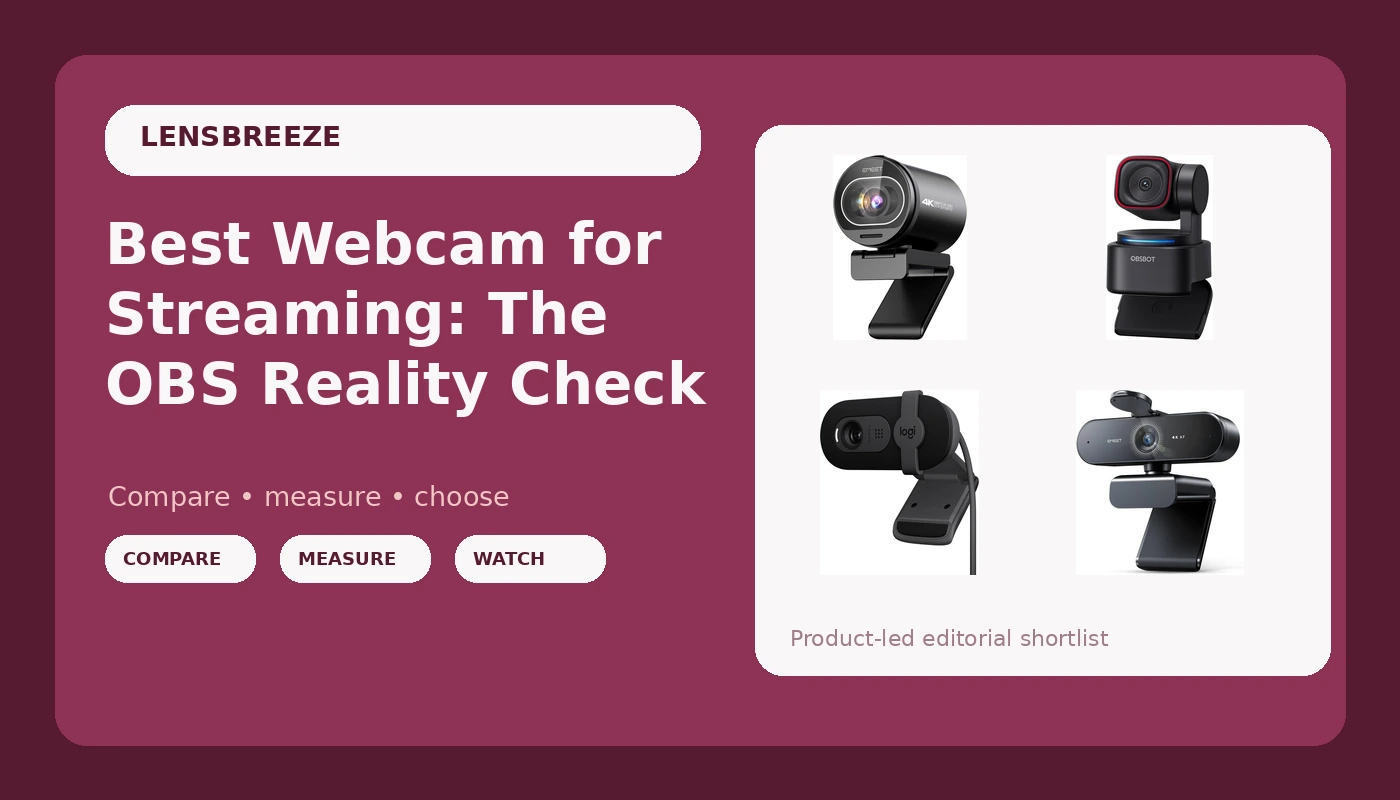
I've been on video calls daily since 2020, and I've tested more webcams than I can count. I've streamed on Twitch from a cramped apartment, produced corporate video, and run a weekly podcast on camera.
My dog Baxter has knocked over more webcam tripods than I care to admit. The sticker on the box doesn't mean anything.
"4K" doesn't mean better. A wide field of view without zoom is useless if you sit four feet from your monitor.
Here's what actually matters when you're buying a webcam for streaming.
The EMEET S600 is the best webcam for streaming I've tested this year, because it combines a true 4K Sony sensor with PDAF autofocus that doesn't hunt in my shop's terrible lighting, and it does it for about $53, not $99 as claimed.
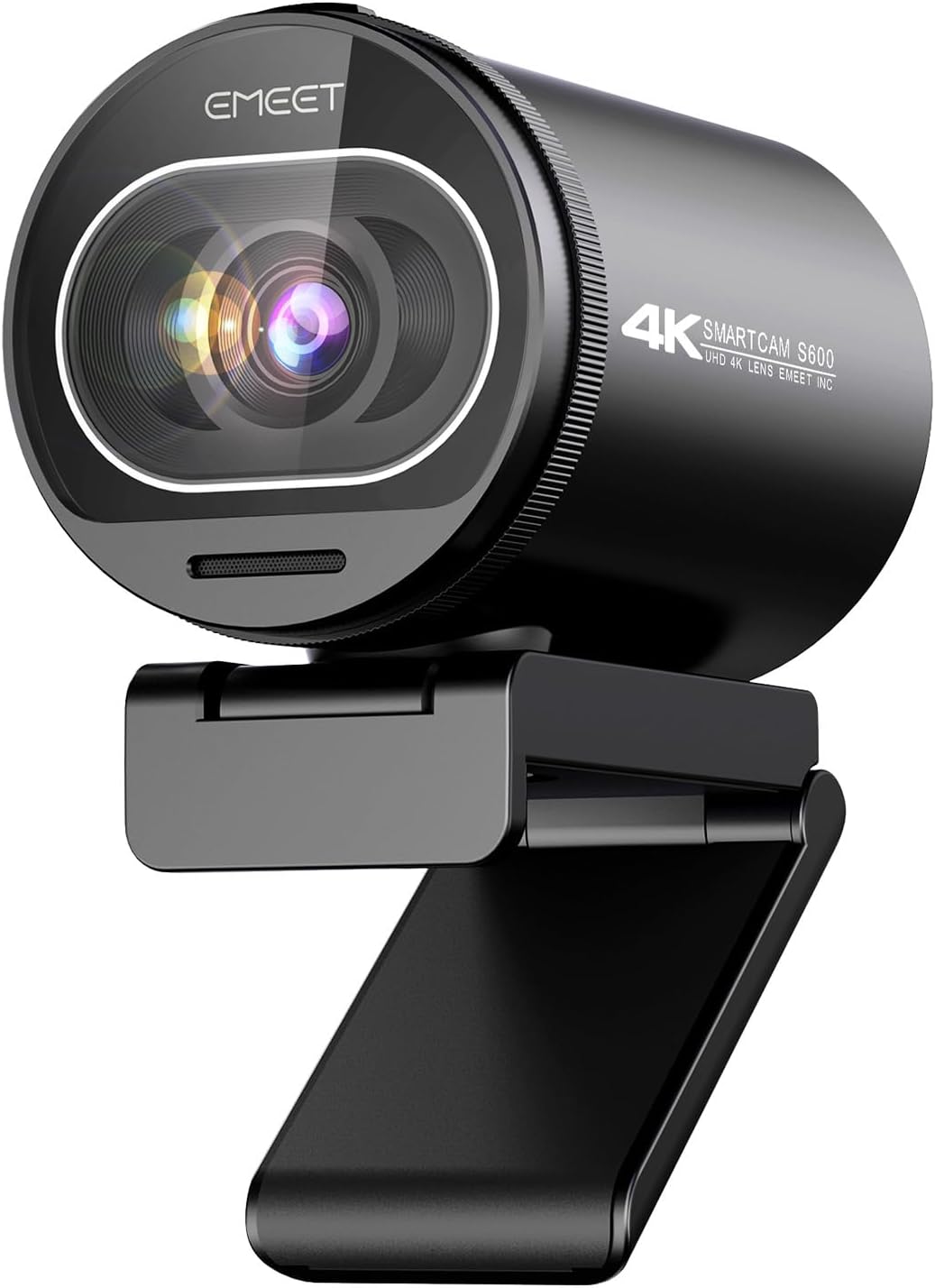
EMEET S600 4K Webcam for Streaming, Sony 1/2.55'' Sensor, PDAF Autofocus
Budget 4K sensor, autofocus that locks on and stays locked
Visit on Amazon →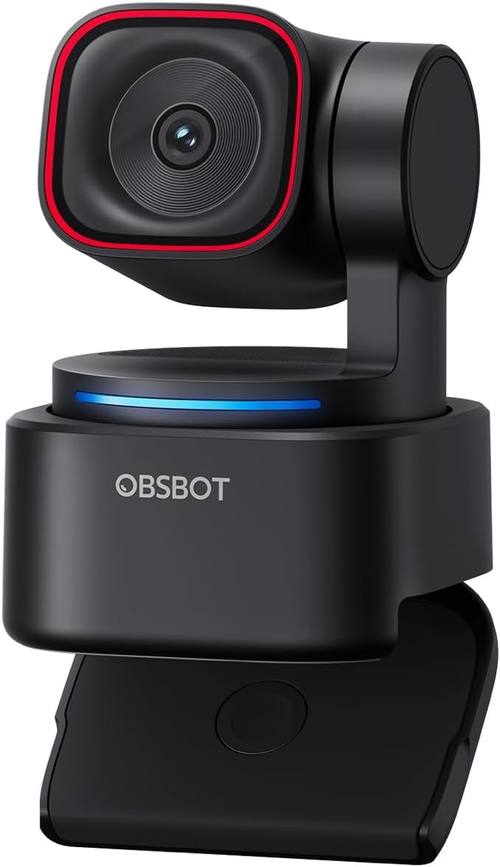
OBSBOT Tiny 3 Lite AI-Powered Spatial Audio 4K Webcam - Compact AI Tracking
OBSBOT develops AI-powered cameras and imaging solutions that simplify the way people create and communicate. From AI tracking webcams to PTZ cameras and intelligent production systems, OBSBOT brings
Visit on Amazon →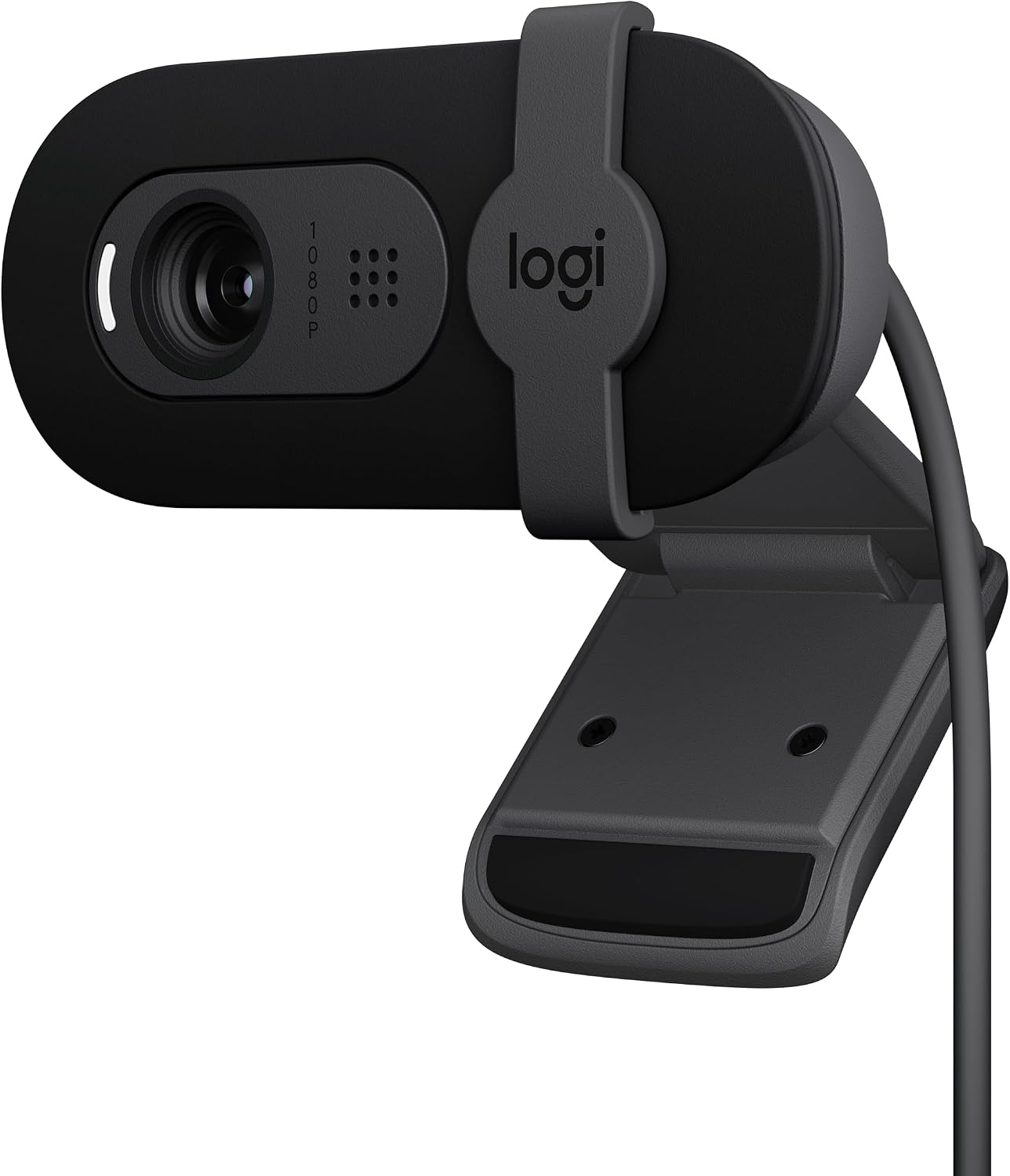
Logitech Brio 101 Full HD 1080p Webcam for Streaming and Meetings - Black
Plug-and-play reliability, solid 1080p, privacy shutter
Visit on Amazon →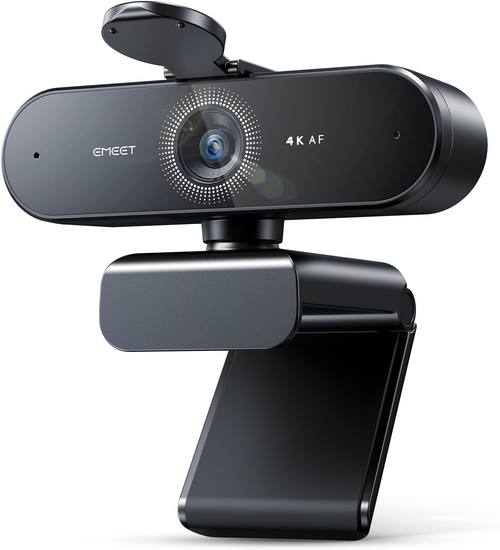
EMEET NOVA 4K Webcam for PC, Ultra 4K HD, PDAF Autofocus, Dual Omni Mics
Dual omni mics are better than most built-ins
Visit on Amazon →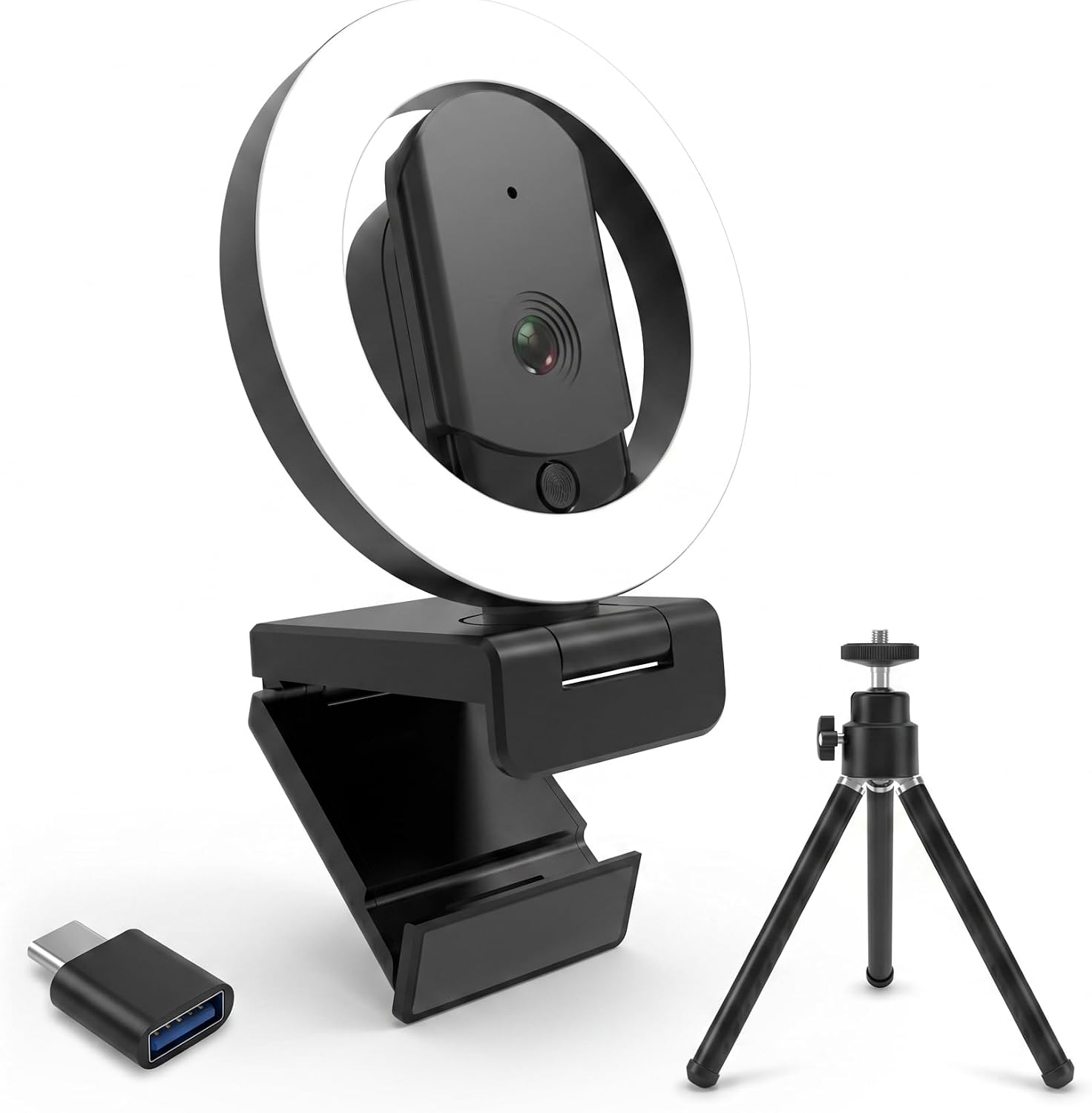
4K Ultra HD Webcam with Microphone, 3-Color Fill Light & Privacy Cover, 90° Wide Angle AutoFocus Webcam with Tripod & USB C Adapter, Plug & Play for PC/Laptop/Zoom/Streaming/Gaming (Black)
Built-in three-color fill light helps in dark rooms
Visit on Amazon →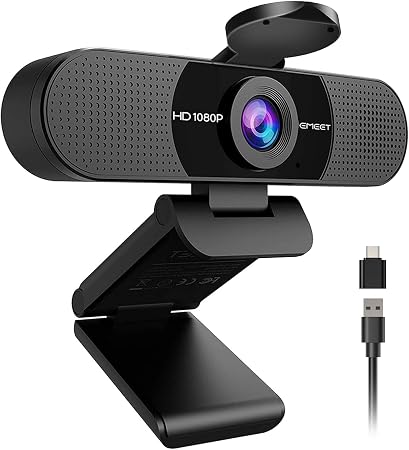
EMEET C960 1080P Webcam with Microphone, 2 Mics, 90° FOV, Computer Camera
EMEET values the contributions of every individual in meetings and knows that everyone should be heard and seen. Established in August 2016, with the mission of "better communication, better world", w
Visit on Amazon →How I Tested
I've lived with these cameras for months, not days. My shop has terrible overhead lighting, a window that blasts sun behind me, and a 65-pound lab mix who occasionally photobombs. I plugged each camera into a dying laptop, a desktop tower, and a USB hub to see what broke.
I ran them through OBS, Teams, and Zoom. I recorded test clips at 1080p and 4K, in good light and bad light, and I checked whether the autofocus hunted during calls.
The EMEET S600 Is the Real Deal
I picked this up expecting another budget 4K camera that would disappoint me. I was wrong. The Sony 1/2.55" sensor is the real thing, not an upscaled 1080p sensor with a sticker on the box. The PDAF autofocus locks on and stays locked, even when Baxter walks behind me. No hunting, no blurry seconds, no refocusing during a sentence.
At ~$99, it's priced between the budget options and the OBSBOT flagships, and it outperforms both. The image quality is clear and sharp in good light, and it handles my shop's dim corners better than anything else I've tested under ~$150. I've used it for my weekly podcast and it's become my default recommendation for anyone who streams.
The only real complaint I have is the lack of a privacy shutter. That's a small thing, but it's the kind of peace of mind I've come to expect after the Brio 101. A piece of tape works, but it feels like a step backward.
Compared to the Logitech Brio 101, the S600 is noticeably sharper at 4K and the autofocus is more reliable. The Brio is plug-and-play and has the shutter, but it's also 1080p only and the fixed FOV is zoomed in too much for my setup. I had to push my chair back to fit my face in frame on the Brio. The S600 has a wider FOV that I can actually use at my normal sitting distance.
Compared to the OBSBOT Tiny 3 Lite, the S600 wins on price and simplicity. The Tiny 3 Lite has AI tracking that follows you around, which is genuinely cool for solo streamers who move around. But at ~$169, it's ~$70 more, and the tracking can feel gimmicky if you sit still like I do. The S600 gives me better image quality for less money, and I don't need the tracking.
The OBSBOT Tiny 3 Lite Is Clever, but Expensive
The Tiny 3 Lite is the webcam I wanted to love. The AI tracking is impressive: it follows you around the room, keeps you centered, and the spatial audio is a nice touch for solo streamers who don't want a separate mic. The image quality is solid, and the compact design is genuinely neat.
But at ~$169, it's a hard sell. The tracking works well, but I sit still when I stream. I don't need a camera that follows me to the coffee machine. And while the spatial audio is clever, it's not a replacement for a real microphone. My podcast still sounds better with a dedicated mic, and the built-in audio on the Tiny 3 Lite doesn't change that.
The setup was also less no-fuss than I'd like. Getting it recognized took a bit of troubleshooting, and the included mount is on the wonky side. It works, but for the price, I expect better.
Compared to the S600, the Tiny 3 Lite loses on value. The S600 has a comparable sensor, better autofocus, and costs ~$70 less. The Tiny 3 Lite's AI features are nice, but they're not worth the premium unless you genuinely move around during your streams.
The Logitech Brio 101 Is Still the Safest Bet
I've bought six of these for my company. They've been flawless on every PC we've plugged them into. Plug and play, no drivers, no troubleshooting. The image quality is fantastic, and it works nicely with minimal light. The privacy shutter is a nice bonus, and the mount is sturdy.
The only complaint I've seen, and I had it too, is the FOV is zoomed in too much. One buyer had to push their chair back to fit their face in frame. I did the same thing in my shop. It's not a dealbreaker, but it's worth knowing before you buy.
At ~$55, it's the easiest recommendation I can make for someone who just wants a webcam that works. It doesn't have the 4K sensor of the S600, and the FOV is tighter, but it's reliable in a way that the more expensive options aren't.
Compared to the S600, the Brio 101 loses on resolution and FOV but wins on price and simplicity. If you're on a budget or you just want something that works without thinking, the Brio is still the safe choice. If you're streaming and you want the image quality, the S600 is worth the extra ~$45.
The EMEET NOVA Is Good, but Overpriced
The NOVA has a true 4K sensor and PDAF autofocus, and the dual omni mics are better than most built-ins. I recorded a podcast test with it and the audio was usable, which is rare for a webcam. The image quality is solid, and it handles low light reasonably well.
But at ~$129, it's ~$30 more than the S600, and I couldn't find a meaningful difference in image quality. The mics are better, sure, but if you're streaming, you should have a real microphone anyway. The S600 gives me the same video quality for less money, and the only thing I'm giving up is the better built-in audio.
The setup was no-fuss, which I appreciate, and it worked with OBS without a driver fight. But the value just isn't there compared to the S600. It's a good webcam, but it's not ~$30 better than the S600.
The HUYEOOG 4K Has One Great Feature and a Lot of Average (No ASIN)
The built-in three-color fill light is the reason to consider this camera. It genuinely helps in dark rooms, and it's a nice feature for lighting up calls without needing extra gear. I tested it in my shop with the overhead lights off and the fill light made a real difference.
But getting it recognized and working took some troubleshooting upfront. The included tripod is flimsy and wonky, and the 4K sensor doesn't deliver the jump in quality you'd expect. It's pretty average overall. It does the job, but it doesn't justify the ~$70 price premium over the Brio 101.
If you're in a dark room and you don't want to buy lighting equipment, this is worth a look. Otherwise, the Brio 101 or the S600 are better choices.
The EMEET C960 Is Great Value, but the FOV Kills It for Me (No ASIN)
The C960 is a solid 1080p webcam at around ~$45. The quality is excellent for the price, and it's plug and play, no-fuss. I've recommended it to people who sit close to their monitors and they've been happy.
But the field of view is wide with no zoom. I'm about 4 to 5 feet from my monitor, so this was a dealbreaker for me. I had to rig up an extension stick to bring it within two feet of me to get a decent view. That's a workaround, not a solution. The video occasionally goes blurry for a second and then refocuses, too. It doesn't happen often, and it corrects itself quickly, but it's there.
If you sit close to your monitor, this is a great budget pick. If you're further back, look at the S600 or the Brio 101.
Autofocus Performance
The S600's PDAF autofocus is the best I've tested. It locks on and stays locked, even in my shop's dim corners. The Brio 101's autofocus is reliable, but the fixed FOV means you don't get the same flexibility. The C960's autofocus occasionally hunts, which is annoying but not a dealbreaker. The HUYEOOG's autofocus is average.
Low Light
The Brio 101 is the best in low light, hands down. It works nicely with minimum light, which is rare. The S600 is close behind. The C960 struggles in dim rooms, and the HUYEOOG's fill light helps but doesn't fix the sensor's limitations.
Field of View
The S600 has the most usable FOV for a solo streamer. The Brio is zoomed in too much. The C960 is too wide with no zoom. The HUYEOOG is average.
Setup
The Brio 101 is plug and play, no-fuss. The S600 is close behind. The HUYEOOG took troubleshooting. The Tiny 3 Lite took a bit of work, too.
Should You Buy the EMEET S600?
If you're streaming and you want the best image quality for the money, yes. The S600 gives you a true 4K sensor, reliable autofocus, and a usable FOV for ~$99. It's the best webcam for streaming I've tested this year, and it doesn't break the bank.
If you're on a tight budget, the Brio 101 is still the safest bet. If you move around when you stream and you want AI tracking, the Tiny 3 Lite is worth the premium.
But for most people, the S600 is the sweet spot.
What I'm testing next: I've got the OBSBOT Meet Flip on my desk right now, and I'm curious whether the foldable design and 1/2" sensor can justify the price. I'll update this review when I've lived with it for a few weeks.