Webcam shopping is confusing on purpose. Two cameras can both say 1080p, both claim "AI," and both promise to make your stream look professional, yet one holds up in a dim room while the other turns your face into a watercolor painting. The label on the box rarely tells you which is which, because the numbers that matter most, sensor size and how the camera handles motion and light, are either buried in the spec sheet or left out entirely.
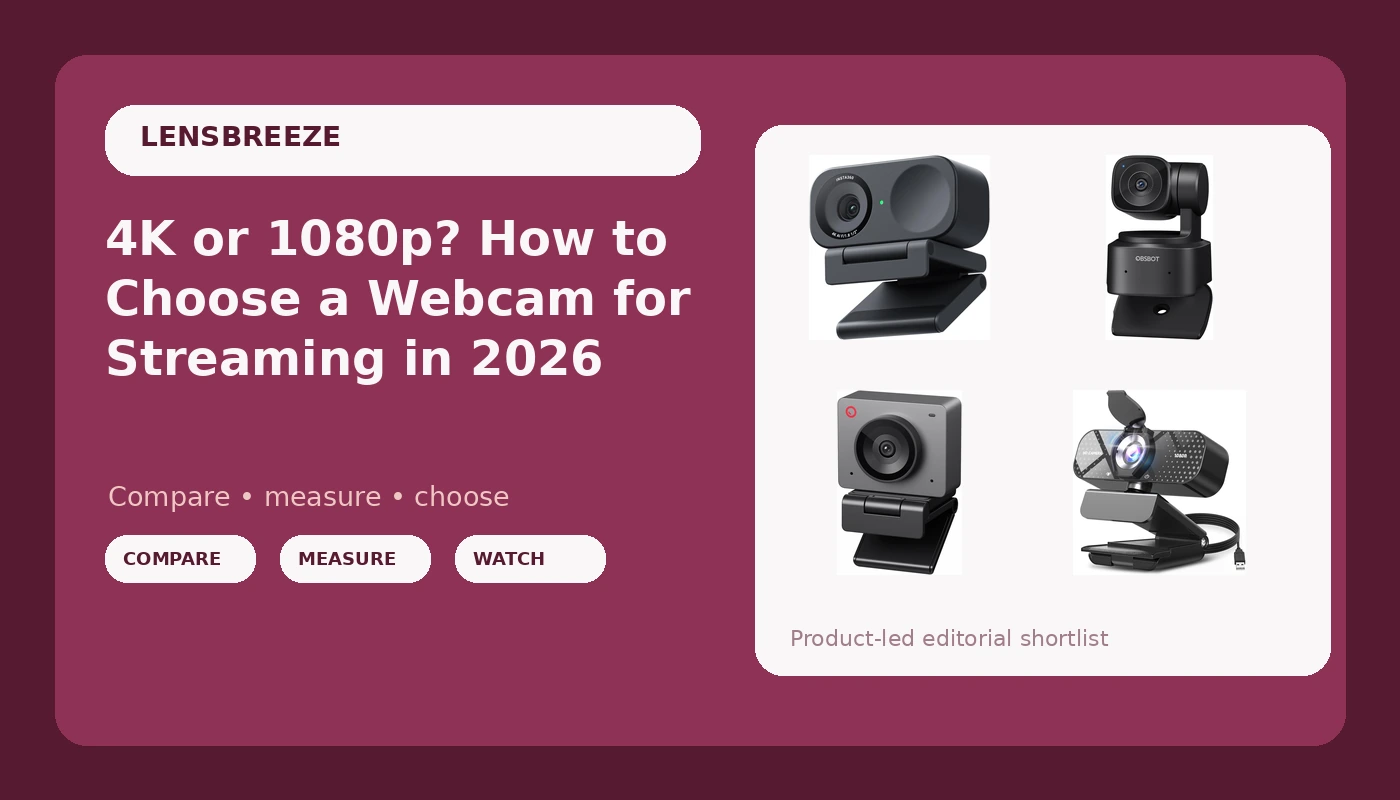
This breakdown looks at four webcams for streaming at very different price points and feature sets: a plug-and-play 1080p model with a privacy cover, a 4K camera built around a 1/2-inch sensor, and two 1080p cameras that lean on AI tracking and AI framing. None of them is a universal answer. The goal is to figure out which one fits the way you actually record, and to stop paying for features you will never turn on.
Related: Webcam Lighting Basics: Fix Your Room Before You Buy a Camera →
Quick answer
Match the camera to your job, not to the biggest number on the box. If you want the highest resolution and the largest sensor in this group, the Insta360 Link 2C is the one to look at, with 4K capture, a 1/2-inch sensor, HDR, auto framing, and gesture control. If you want a camera that physically moves to follow you around a room, the OBSBOT Tiny SE adds AI tracking and PTZ movement at 1080p. If you want AI framing without moving parts, the OBSBOT Meet SE covers that. And if you just need a dependable USB camera that works the moment you plug it in, the TRAUSI 1080P FHD Webcam handles that job.
Four useful options
| Model | Best fit | What stands out |
|---|---|---|
| TRAUSI 1080P FHD Webcam | Simple plug-and-play calls and streams | 1080p FHD, noise-canceling mic, auto light correction, privacy cover, wide angle lens |
| Insta360 Link 2C | Highest resolution and sensor size here | 4K, 1/2" sensor, HDR, auto framing, gesture control, AI noise-canceling mic |
| OBSBOT Tiny SE | Following a presenter who moves | 1080p at up to 100fps, AI tracking, PTZ movement |
| OBSBOT Meet SE | AI framing at a lower cost | 1080p at up to 100fps, AI framing |
The budget pick: TRAUSI 1080P FHD Webcam
The trade-off here is straightforward. You get one resolution, 1080p, and no HDR, no 4K, no tracking, and no framing intelligence. Auto light correction can lift a dark image, but it cannot create detail that was never captured, so this camera leans harder on your room lighting than the others do. The upside is that there is very little to configure. If your needs are video calls, a first stream, or a second camera for a laptop bag, this is the category where you spend the least and risk the least.
The 4K pick: Insta360 Link 2C
Here is why the sensor line matters. A 4K image is roughly eight million pixels of data, and those pixels have to be gathered by a physical chip. Put 4K on a very small sensor and each pixel gets a sliver of light, which is how you end up with a noisy, smeared picture that technically reads as 4K. A 1/2-inch sensor is a much more generous surface for that resolution, and HDR addresses the other half of the problem, which is keeping detail in both the bright window behind you and the shadowed side of your face. The trade-off is cost and complexity: more features means more settings worth understanding before your first stream, and gesture control and auto framing are only useful if you actually want the camera making framing decisions for you.
The tracking pick: OBSBOT Tiny SE
Tracking cameras solve a specific problem: the presenter who stands up, paces, gestures at a whiteboard, or demos something across the desk. A fixed camera either loses them or forces a very wide shot where the person becomes a small figure in a large room. A PTZ camera with AI tracking keeps the framing tight while the subject moves. The costs are real, though. Tracking is a behavior, not a guarantee, and any camera that decides where to point can also decide wrong, especially when two people are in frame or when movement in the background reads as a subject. Higher frame rates like 100fps help with motion smoothness, and they matter most if you record fast movement or plan to slow footage down in editing. If your stream is a seated talking-head shot, you are paying for a feature you will not use.
The AI framing pick: OBSBOT Meet SE
Digital framing is a different compromise than physical tracking. Because the camera crops into the sensor to reframe you, it is effectively using fewer pixels for your face, and on a 1080p sensor that crop costs you sharpness. In exchange, you get a camera that never whirs or swings, never loses its position, and never draws attention to itself mid-sentence. For a single presenter who sits mostly in one place but shifts around in the chair, that is often the better behavior. For someone who walks across a room, the moving camera is the more honest solution.
Prices and availability may change. Product images, names, and retailer links are matched to verified listings. No current price, rating, stock status, or measured result is stated here without current evidence.
Resolution is a label, the sensor is the camera
Every camera in this comparison advertises a resolution, but only one advertises a sensor size, and that tells you something about how webcams are sold. Resolution describes how many pixels the camera outputs. Sensor size describes how much light those pixels have to work with. A larger sensor collects more light per pixel, which generally means cleaner shadows, better separation between you and the background, and skin tones that look like skin instead of plastic.
This is why a 4K label on a tiny sensor is a warning sign rather than a selling point. The camera is upscaling or cramming pixels into a space too small to feed them, and the result shows up as noise, smearing, and blown highlights. When a manufacturer names a sensor size like 1/2 inch, it is usually because the number is a competitive advantage. When a listing shouts 4K and says nothing about the chip, the omission is the message.
Dynamic range is the companion spec. It describes how much detail survives in the bright and dark parts of the same frame at once. HDR processing is how a camera handles a window behind you, a desk lamp beside you, or a dark corner of the room. A camera without it can still look fine, but only if your lighting is even enough that the camera never has to choose between your face and the background.
Frame rate, tracking, and framing: what changes your stream
Frame rate is the second number worth understanding. Standard webcam video runs at 30fps, which is fine for a talking-head stream and perfectly matched to most platform limits. Cameras that reach 100fps are capturing more than three times as many frames per second, which produces smoother motion and gives you room to slow footage down in editing without it turning into a slideshow. If your content is static, 100fps buys you very little. If you record motion, gaming, or physical demonstrations, it buys you a lot.
Tracking and framing are separate features that often get grouped together under the AI label. Tracking means the camera physically moves, using pan, tilt, and zoom motors to follow a subject. Framing means the camera keeps a subject positioned in the shot, usually by adjusting its digital crop instead of moving. Tracking keeps a consistent level of detail because the lens follows the subject. Framing keeps a consistent camera position because the image is being cut to fit. Knowing which behavior you want is more useful than knowing which one sounds more advanced.
Software support is the third thing to check. A camera that requires proprietary software for basic settings is a camera that can strand you when that software misbehaves or drops support. A camera that behaves like a standard USB video device is one you can select in OBS, Zoom, or Teams and adjust from the application itself. None of the four cameras here advertises a proprietary-software requirement, which is a point in favor of all of them.
How to decide in five steps
- Write down your actual job. A seated podcast, a game stream, a demo that involves standing and moving, and a weekly team call are four different jobs, and they point at different cameras.
- Check the sensor before the resolution. If the listing states a sensor size, treat it as a real signal. If it only states 4K, ask what is feeding those pixels.
- Decide whether you need movement. If you stand up and walk, prioritize tracking. If you stay seated, spend that budget on sensor quality instead.
- Confirm the frame rate you need. 30fps covers most streams. Reach for 100fps if you record fast motion or plan to slow footage down.
- Plan for software. Make sure the camera shows up as a standard video device in the applications you already use, and that any companion software you install is optional rather than required.
What to sort out before you buy
- Fix your lighting first. A cheap camera in good, even light beats an expensive camera in a dark room, and no auto light correction feature changes that.
- Mount the camera at eye level. A laptop camera shooting up your nose is a framing problem, not a hardware problem, and the same fix applies to every model here.
- Treat the built-in mic as a backup. The microphones listed on these cameras are useful for calls, but a dedicated audio setup is a separate purchase for a reason.
- Match the field of view to the shot. A wide angle lens is helpful for showing a desk or a second person and unhelpful if you want a tight solo frame.
- Buy for the next two years, not the next two weeks. Resolution and sensor size age better than feature lists, which is why the 1/2-inch sensor camera in this group is the one most likely to still feel current later.
Which option should you choose?
Choose the TRAUSI 1080P FHD Webcam when you want the simplest possible setup: a plug-and-play 1080p camera with a mic, auto light correction, a privacy cover, and a wide angle lens for calls, laptop use, or a first stream. Choose the Insta360 Link 2C when resolution and image quality are the priority and you want 4K, a 1/2-inch sensor, HDR, auto framing, gesture control, and an AI noise-canceling mic in one camera. Choose the OBSBOT Tiny SE when you move while you present and want AI tracking with PTZ movement to keep you in frame at 1080p and up to 100fps. Choose the OBSBOT Meet SE when you want AI framing at 1080p and 100fps but would rather not have a camera that physically moves.
One caveat applies to all four: the feature lists here come from the product listings, not from a lab measurement, and behavior like tracking and auto framing depends heavily on your room, your lighting, and how many people are in frame. Buy from a seller with a return policy you can live with, and test the camera in your actual setup during the return window rather than trusting a demo reel.
The bottom line
The camera that looks best on your stream is the one whose strengths line up with your content. If you need 4K and a larger sensor, the Insta360 Link 2C is the only model in this group that offers both. If you need the camera to follow you, the OBSBOT Tiny SE is the tracking option, and the OBSBOT Meet SE delivers framing intelligence without movement. If you need something inexpensive that works immediately, the TRAUSI covers the basics. Spend on the sensor and the features you will actually use, and let your lighting carry the rest.