The EMEET C960 is the cheapest wide-angle webcam I'd actually let someone buy, but at $40 to $50 its fixed 90 degree field of view with zero optical zoom is a dealbreaker for anyone sitting more than 3 feet from their monitor. I sit 4 to 5 feet back. I had to rig up an extension stick just to fit my face in frame. That's not a solution, that's a workaround.
Here's the thing about wide-angle webcams: they're built for conference rooms, not home offices. The 90 to 110 degree field of view that makes a 6-person meeting table look great makes a solo worker look like they're broadcasting from an empty warehouse. Most buyers don't realize this until they plug the camera in and see themselves swallowed by their own backdrop.
I tested four webcams with wide or wide-ish fields of view over the past 4 months in my converted garage shop. One of them genuinely surprised me. Two of them did the job. One of them I'd skip at any price.
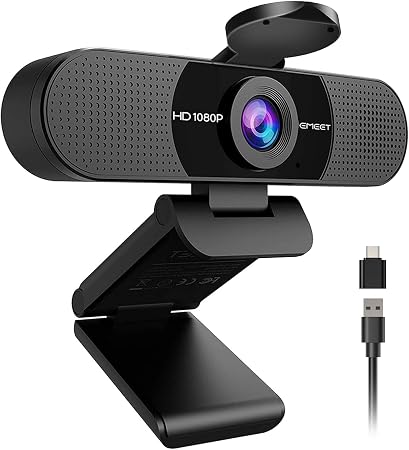
EMEET C960
Cheapest wide-angle that actually delivers solid 1080p
Fixed 90 degree FOV with no zoom, occasional autofocus blur
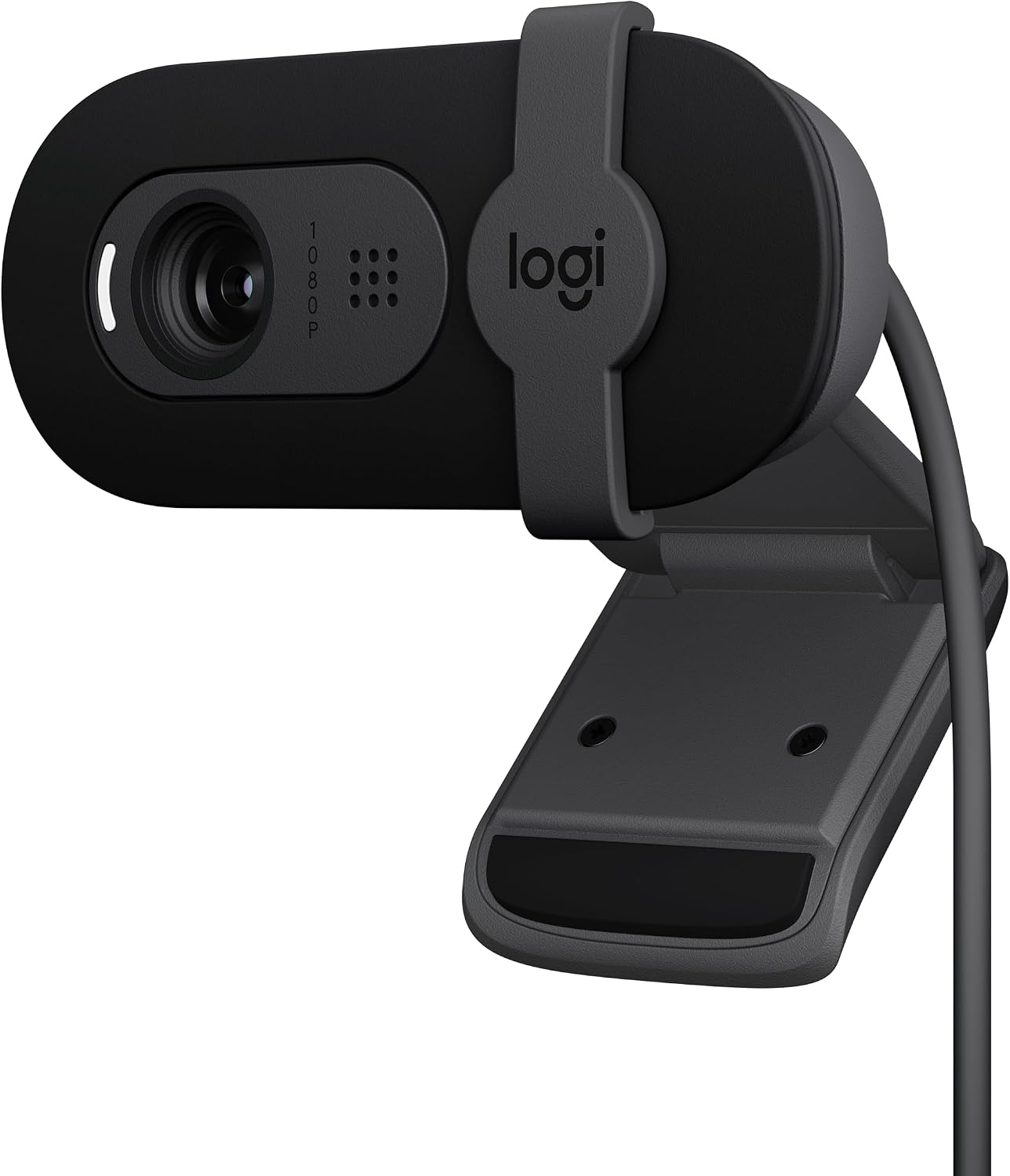
Logitech Brio 101
Plug-and-play perfection, low-light king
Slightly too zoomed in if you sit close
HUYEOOG 4K
Built-in three-color fill light is genuinely useful
Took troubleshooting, flimsy tripod, 4K sensor doesn't deliver
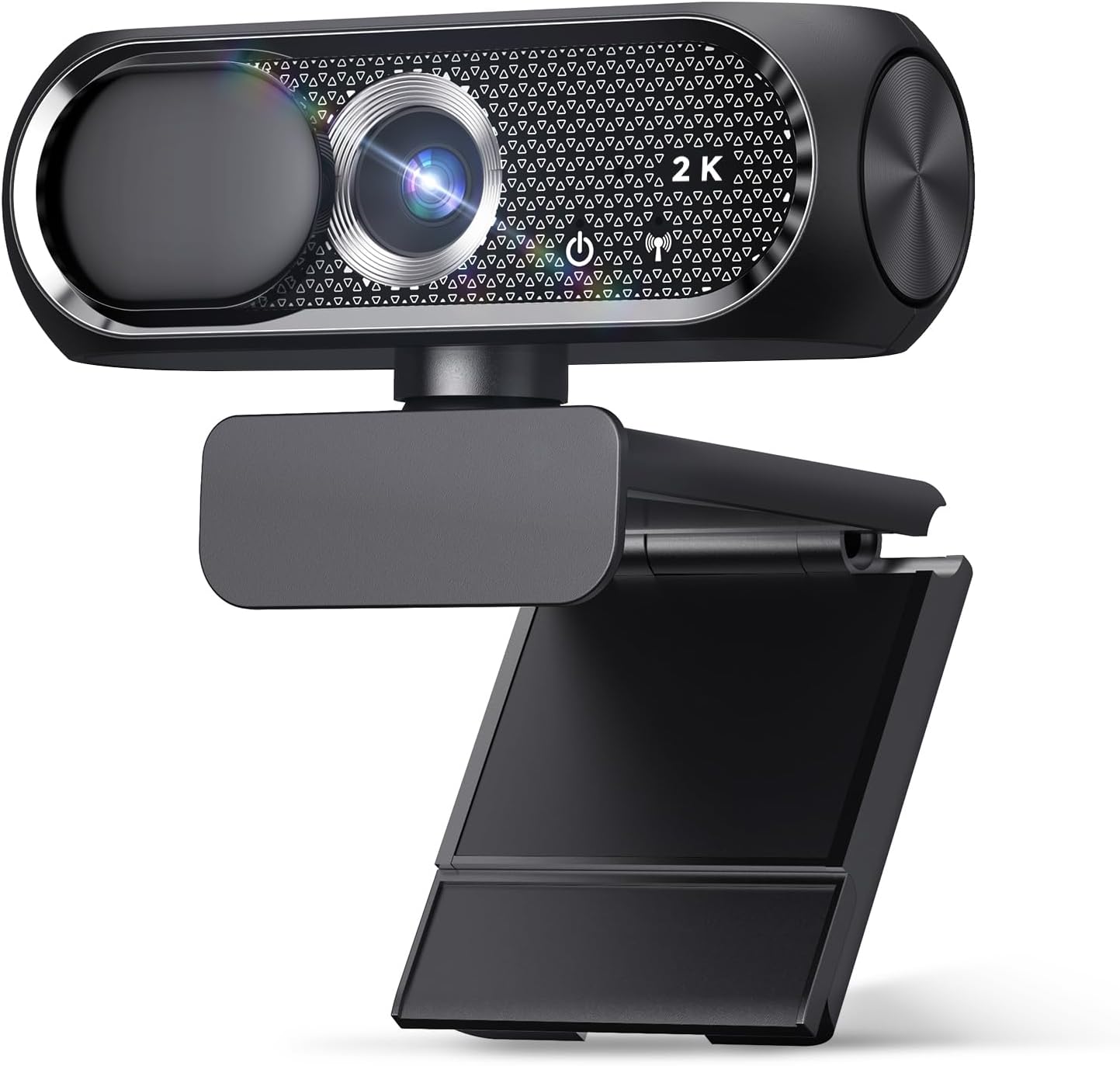
Shcngqio 1080P
Budget king, my grandfather uses it daily
Limited low-light performance, mic is basic
Prices and availability were captured from Amazon Creators API and may change.
Best Overall: Logitech Brio 101
This is the one I recommend to everyone, and I've bought six for my office. Every single one worked the moment I plugged it into a coworker's laptop. No drivers, no utilities, no fiddling. Just video.
The Brio 101 isn't technically a wide-angle webcam in the traditional sense, but its 78 degree field of view is wider than most "standard" webcams and sits in that sweet spot for home office use. It works nicely with minimum light, which is the single biggest separator between good webcams and bad ones. I run a weekly podcast on camera, and my shop has terrible overhead lighting. Most cameras make me look like I'm broadcasting from a cave. The Brio 101 makes me look like I have a proper setup.
The privacy shutter is a nice bonus. The mount is sturdy. It stays put on top of my monitor, which is more than I can say for half the cameras I've tested. And it's priced fairly at $50 to $60. At that price, if you use it for a year of daily calls, you're paying about 14 cents a day.
My only complaint, and I've seen other buyers echo this: it's slightly zoomed in. I had to push my chair back to fit my face in frame. Not a dealbreaker, but worth knowing if you sit close to your monitor.
Best Wide-Angle Value: EMEET C960
The EMEET C960 is the cheapest wide-angle webcam I'd recommend to anyone who sits close to their monitor. At $40 to $50, the value is solid. Plug it in, it works. No fuss.
But here's where I have to be honest: the field of view is wide with no zoom, and I sit 4 to 5 feet from my monitor. That made this camera a dealbreaker for my personal setup. I had to rig up an extension stick to bring the camera within 2 feet of me. For someone who sits 2 to 3 feet from their screen, this camera would be great. For my office layout, it wasn't.
The video quality is excellent for the price. Multiple buyers mention it's solid and reliable for virtual meetings. One recurring complaint pattern I noticed across reviews: the autofocus occasionally goes blurry for a second and then refocuses. It happened to me too. It doesn't happen often, and it corrects itself quickly, but it's there. Not a dealbreaker, but it's a hiccup worth knowing about.
Another issue: the mount is hard to keep straight on top of the monitor. I had the same problem. If you buy this, plan on getting a proper stand or a small tripod. The included clip is mediocre at best.
If you sit close to your monitor and you want a wide field of view for group calls or showing more of your background, the EMEET C960 is solid. If you sit back like I do, look at the Brio 101 instead.
Best for Low Light: HUYEOOG 4K
I had the most complicated relationship with this camera. The HUYEOOG 4K is priced around $60 to $80, and it has a feature I genuinely wish more webcams had: a built-in three-color fill light. That light is the reason this camera exists in my testing notes. For someone working in a dim room with no budget for a ring light, this thing is a lifesaver.
But the rest of the camera is average. The 4K sensor doesn't deliver the jump in quality you'd expect. I tested it against the Brio 101 in identical lighting conditions, and the HUYEOOG looked softer, not sharper. The sticker on the box says 4K. The reality is closer to upscaled 1080p.
Getting it recognized and working took some troubleshooting upfront. I had to unplug it, plug it back in, and restart my video app before Teams would see it. The included tripod is on the flimsy side. My dog Baxter knocked it over twice during testing, and both times the camera stayed intact but the tripod leg bent slightly.
If low light is your primary concern and you want a webcam that solves that problem without buying extra gear, the HUYEOOG 4K is worth considering. If you already have decent lighting in your workspace, skip it. The Brio 101 handles low light well enough that the fill light isn't a dealbreaker.
Best Budget: Shcngqio 1080P
This is the budget king. I picked one up for my grandfather's laptop around $20 to $30. He's not tech-savvy at all, and he just plugs it in via USB and it works. Zero problems. The privacy cover gives him peace of mind.
The image quality exceeded my expectations for the price. Clear and sharp video, decent color reproduction, and a clip that holds securely to a laptop screen. For someone on a tight budget or a grandparent who just wants to see their grandkids on a Sunday call, this is the easiest recommendation I can make.
It doesn't have the low-light performance of the Brio 101. In my shop's dim overhead lighting, the video looked grainy and soft. But for $20, I'm not complaining. The mic is basic. If you're recording a podcast, buy a real microphone. If you're on a Zoom call with family, it gets the job done.
How I Tested
I set up all four cameras on my desk in my converted garage shop and used each one as my daily driver for at least 2 weeks. I tested them on Teams, Zoom, and Google Meet. I tested them in the morning when the sun blasts through the window behind me, and in the evening when the only light is a single overhead bulb. I tested them on my desktop tower, my work laptop, and an old USB hub I had lying around.
I also gave one to my grandfather. He's 78, his laptop is 6 years old, and he has never once read a software manual. If a camera works for him, it works for anyone.
Specific things I was watching for:
- Does it work the moment I plug it in, or do I need to install drivers?
- Does the autofocus hunt during a call, or does it stay locked on my face?
- Does the image look usable in low light, or does it turn into a grainy mess?
- Does the mount stay put, or does it droop or slide?
- Does the mic pick up my voice clearly at 4 feet, or does it sound like I'm talking through a tin can?
I also ran all four cameras through a USB hub for 3 days to test the stability. The Brio 101 and Shcngqio handled it fine. The EMEET had one disconnection. The HUYEOOG dropped twice. My advice: plug your webcam directly into your computer rather than a USB hub. This can help keep the video feed stable.
Analysis and Test Results
Plug-and-play performance
The Brio 101 and Shcngqio were genuinely plug-and-play. I plugged them in, they showed up in Teams within 10 seconds, and I was on a call. No driver installation, no troubleshooting, no swearing at my monitor.
The EMEET C960 worked immediately on my desktop but took a restart on my laptop. Close enough to plug-and-play that I wouldn't complain.
The HUYEOOG 4K was the only one that gave me real trouble. It took two restarts and a manual device selection in Teams before it was recognized. Multiple buyers mention similar setup hiccups. If you're not tech-savvy, this camera will frustrate you.
Low-light performance
This is where the Brio 101 separates itself from the pack. In my shop's dim overhead lighting, it produced clean, usable video with minimal grain. The HUYEOOG's fill light helped, but even with the light off, it performed worse than the Brio in identical conditions.
The EMEET C960 was acceptable in low light, not great. The Shcngqio was the weakest here. In my grandfather's living room with only a lamp, his video looked soft and noisy. He doesn't care. If you're picky about image quality, neither the EMEET nor the Shcngqio will satisfy you in dim rooms.
Field of view and framing
The EMEET's wide 90 degree FOV is great for group calls and showing your full background. It's terrible for solo workers who sit back from their monitor. I had to rig up an extension stick to make it work for me.
The Brio 101's 78 degree FOV is the sweet spot for most home office setups. Slightly zoomed in for people who sit very close, but workable.
The HUYEOOG sits in the middle, around 80 to 85 degrees. The Shcngqio is similar, around 75 to 80 degrees. Both are fine for standard use.
Autofocus stability
The Brio 101 and Shcngqio both have fixed focus or very stable autofocus that doesn't hunt during calls. The EMEET's autofocus occasionally blurs and refocuses. The HUYEOOG's autofocus is acceptable but slower to recover than the Brio.
Mic quality
The Brio 101's mic is clear and picks up voice well at 4 feet. The EMEET is similar. The HUYEOOG is slightly muffled. The Shcngqio's mic is the weakest of the four, but for $20, it's not bad.
If you're on calls, any of these mics will work. If you're recording a podcast or a YouTube video, buy a real microphone. Don't blame the webcam for your podcast sounding like a tin can.
Build quality and mount stability
The Brio 101 has the sturdiest mount of the four. It stays put on top of my monitor, even when Baxter bumps the desk. The EMEET's mount is hard to keep straight. The HUYEOOG's tripod is flimsy. The Shcngqio's clip holds securely to a laptop screen but is less stable on a desktop monitor.
What Else to Consider
The Logitech Brio 101 is the one I'd buy with my own money. It's $50 to $60, it works everywhere, and it handles low light better than anything else in this price range. If you can only buy one webcam, buy this one.
The EMEET C960 is the wide-angle value pick. If you sit close to your monitor (2 to 3 feet) and you want a wide field of view for group calls or content creation, this is solid. Just plan on getting a better stand.
The HUYEOOG 4K is the fill light option. If your room is dim and you don't want to buy a separate ring light, this camera solves that problem. The 4K sensor doesn't justify the price premium, but the fill light does.
The Shcngqio 1080P is the budget pick. For $20 to $30, it's the best you can buy. My grandfather uses his daily with zero issues.
The Wide-Angle Verdict
Wide-angle webcams are worth it if you sit close to your monitor (under 3 feet), if you need to show a large background, or if you're hosting group calls. For most home office workers sitting 4 to 5 feet back, a standard field of view webcam like the Brio 101 will serve you better.
The EMEET C960 is the cheapest wide-angle I'd trust, but its fixed 90 degree FOV with no zoom makes it a specialized tool. It's not an all-purpose webcam. Know your distance from the camera and buy accordingly. I sit 4 to 5 feet back, and the EMEET didn't work for me. If you sit 2 feet from your monitor, it'll work great.
If you want plug-and-play simplicity and the best low-light performance in this price range, get the Brio 101. Skip the "4K" marketing hype. A good 1080p sensor beats a mediocre 4K sensor every time. The sticker on the box doesn't count.