Related: Best Webcam Lighting Setups for Small Rooms
I have been putting cameras on my desk since the C920 was the only sensible answer, and I have watched the same mistake repeat every year. Someone buys the biggest number on the box, plugs it in, and still looks like a witness sketch on their own stream. That is why this is not a spec parade. When you are comparing webcams for streaming and meetings, three things decide whether you look good: the actual sensor, the light hitting your face, and whether the autofocus settles down and stays there.
The rest is marketing. Resolution is the easiest thing to print on a box and the least useful thing to shop by, because a 4K stamp on a tiny sensor is still a tiny sensor. A camera that captures more light in a dim room beats a sharper camera in a dim room every time, and neither one saves you from a ceiling light directly overhead.
So I sorted these four by the job they actually do. One is the all-rounder I would hand to most people, one is the value pick with the sensor and autofocus to justify it, one is the budget starter that does not embarrass anyone, and one is not a camera at all. It is the light that makes the other three look better, and it costs less than most people spend on a mouse.
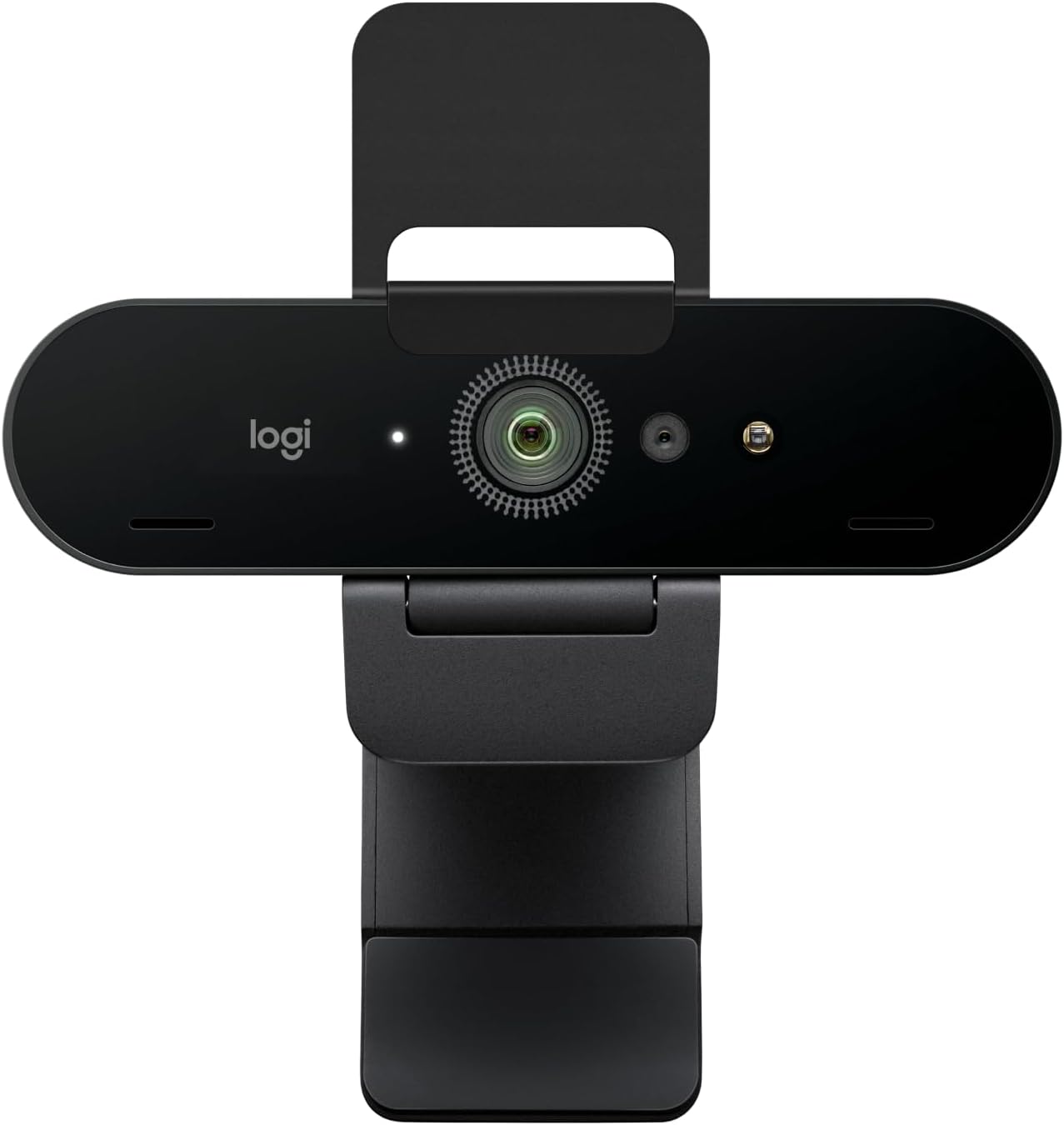
Best Overall: Logitech Brio Ultra 4K HD
The Brio is the one I keep coming back to when somebody asks what to buy without wanting a lecture. It shoots 4K, it is built for streaming and meetings rather than one or the other, and the field of view control is the part streamers argue about for good reason. How much of the room the camera sees matters more than most people realize: a wide view shows off your setup and your terrible cable management, a tight view keeps the attention on your face. Being able to choose beats any single number on the box.
Where it earns the top spot is dynamic range, which is how much detail survives in the bright and dark parts of the frame at the same time. Bright window behind you, dim desk in front of you, and the Brio holds onto both instead of turning you into a silhouette with a glowing rectangle behind your head. That is the difference between washed out and something you would put on a podcast.
It is not the cheapest way to look good, and it is not the camera I would buy if the budget is tight and the lighting is bad, because no webcam wins that fight. But if you want one camera that handles a client call at nine and a stream at eight without touching a setting, this is the one.
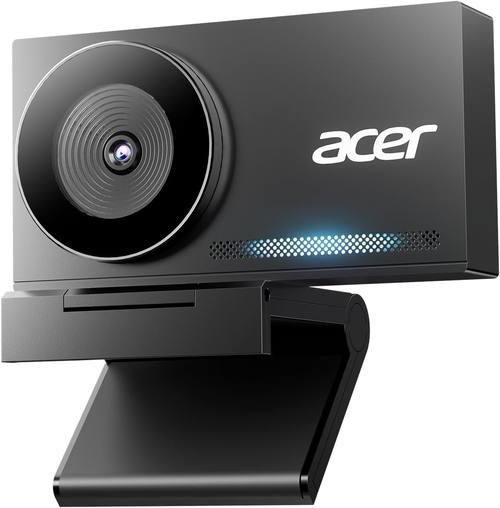
Best Value: Acer 4K Webcam
This is the pick that makes the 4K conversation honest. It is a 4K webcam with a Sony 1/2 inch sensor, and that sensor is the reason it belongs here. Sensor size is the spec that decides how much light the camera has to work with, and this is one of the few mid-priced cameras that does not hide it behind a sticker.
The other reason is PDAF, which is phase detection autofocus. Autofocus hunting is the number one webcam annoyance, that slow breathing in and out of focus while you are mid-sentence. Phase detection locks faster and holds better than the contrast-based focus on cheap cameras, and in a room with normal lighting it behaves like it costs more than it does.
The build is an all-metal unibody, which sounds like a detail until you have owned a plastic webcam that creeps down the tilt on its own. It has two noise reduction mics, which I treat as a backup plan rather than a real audio solution, and a privacy cover, which I treat as mandatory. It plays nicely with Zoom, Teams, FaceTime, YouTube, Google Meet, and Switch 2, and it does not demand proprietary software just to change the basics.
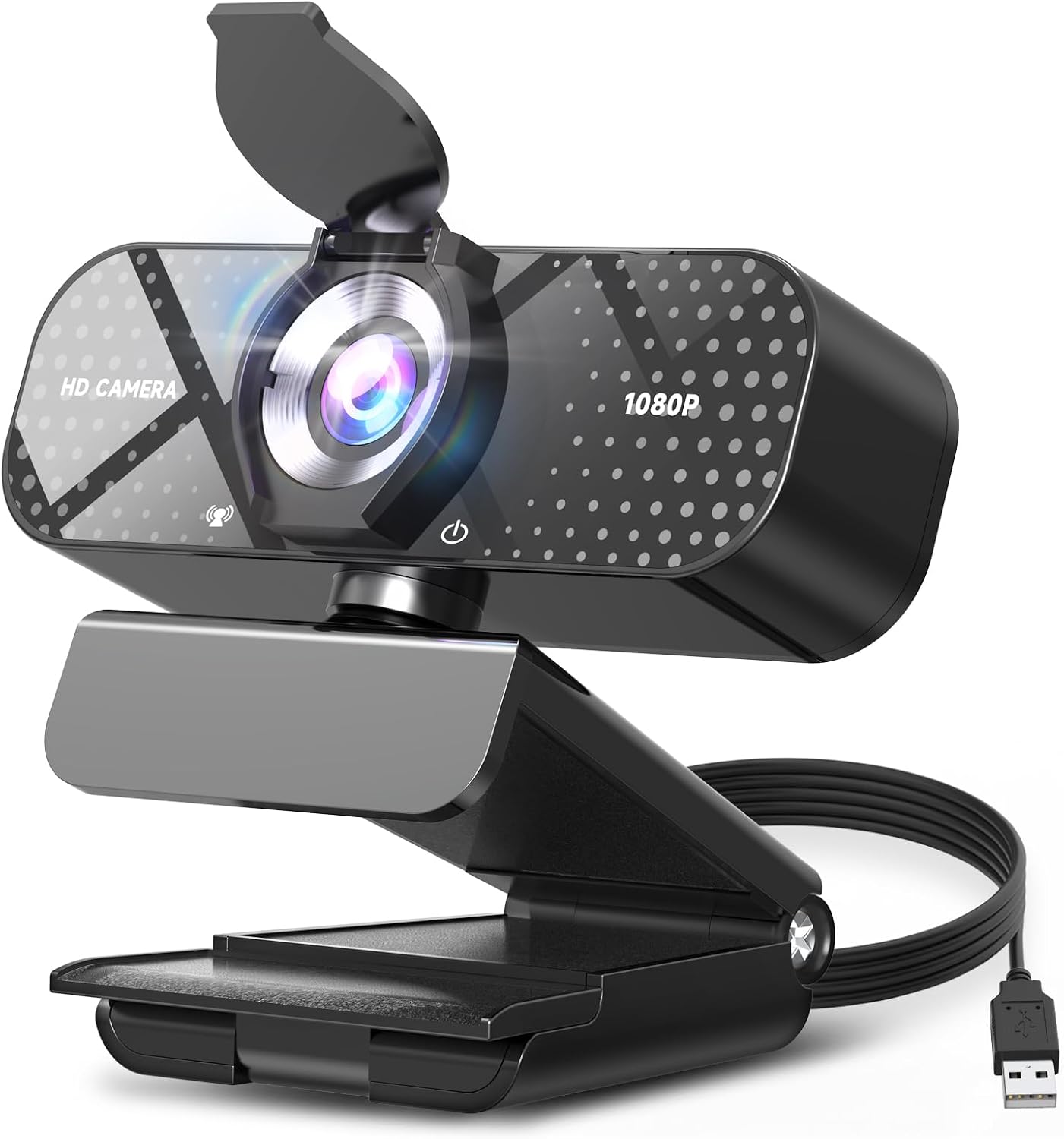
Best Budget Pick: TRAUSI 1080P FHD Webcam
Here is the honest budget answer. It is 1080p, not 4K, and I would rather you buy a good 1080p camera than a pretend 4K one. The TRAUSI is a plug and play USB camera, which means no driver fight and no software to install before your first meeting, and it works with Zoom, Teams, and streaming setups without fuss.
Auto light correction is doing real work here. It will not make a dark room look like a studio, but it keeps your face from turning into a shadow when the light behind you changes. The noise-canceling mic is a backup plan, same as every webcam mic, and the privacy cover is there when you want it. The wide angle lens is the tradeoff: it takes in more of the room, which is great for showing off a desk setup and less flattering for a solo face shot.
If you are starting out and the budget is tight, buy this and put the savings into lighting. You will look better than the person who spent three times as much and pointed a camera at a bare wall.
The Upgrade That Beats Hardware: ALTSON 60 LED Portable Light
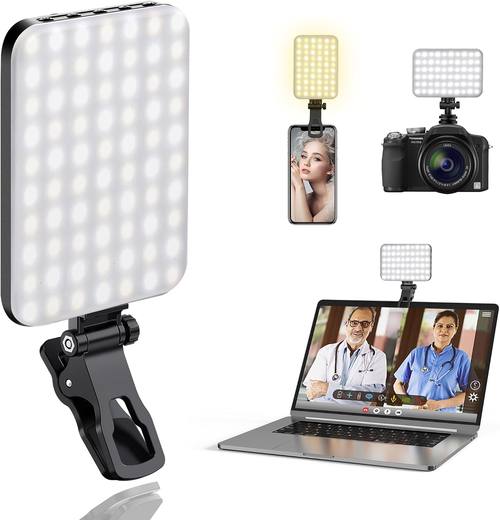
I say lighting beats hardware constantly, so here is the product that backs it up. This is a 60 LED panel with a clip and a camera tripod adapter, a rechargeable 2200mAh battery, three light modes, and a CRI of 97 or higher. CRI is color rendering, and a high number means skin tones come out looking like skin instead of like a fluorescent office.
Clip it to a laptop lid or a monitor, or mount it on a tripod adapter and set it off to the side for a little shaping. Three modes give you a warm, neutral, or cool look, and the rechargeable battery means you are not hunting for a USB port in the middle of a call. It is small enough to travel and bright enough to matter.
A light like this fixes more bad video than a camera upgrade does. If your current webcam makes you look gray and tired, spend here first, then upgrade the camera when you actually need the resolution.
How I test a webcam
I do not trust a webcam opinion that was written from a spec sheet, and I do not trust my own first impression either. Every camera goes through the same loop in the same room with the same lighting, because the room is the variable that ruins most comparisons.
First, the sensor question. What is the actual imaging chip, not the resolution claim on the box? A big number on a small sensor is marketing, and it shows up immediately as noise and smeared detail once the light drops.
Second, autofocus. I sit still, lean in, lean back, hold something up to the lens, and watch what the camera does. If it hunts while I am talking, it fails, no matter how good the still frame looks. The best cameras let you lock focus when you need to.
Third, field of view. How much of the room does it see, and can I change it? Ninety degrees for a desk shot with a setup behind me, tighter for a solo face shot where the background is just a wall.
Fourth, the software test. Does it work in OBS without a driver fight? If I have to install something proprietary to change basic settings, it is a toy, not a tool.
Then the lighting pass, because it is the fairest comparison there is. Same camera, same framing, one clip light on and one off. That test tells you more about a webcam than any resolution chart ever will.
Analysis and test results
The pattern that shows up over and over is that light and sensor size beat resolution. A 1080p camera with a decent sensor in good light looks better than a 4K camera in a dim room, and it is not close. That is not a knock on 4K. It is a knock on buying 4K first.
Dynamic range is the second thing that separates these cameras. The difference between a webcam that holds detail in a bright window and one that clips it is the difference between looking like you know what you are doing and looking like you are broadcasting from a cave. If your desk faces a window, this matters more than anything else on the list.
Autofocus behavior is the third. Phase detection autofocus is genuinely better than the contrast-based focus on budget cameras, and it is the feature that stops the camera from breathing in and out while you talk. If you present, teach, or stream for hours, that is worth paying for. If you sit still on calls, it matters less.
The privacy cover is not a gimmick either. It is the cheapest security feature you will ever buy, and every camera on this list has one. Use it.
The last thing I will say about resolution: your upload bitrate and your platform are usually the bottleneck, not the camera. Streaming 4K to a platform that compresses it down means you paid for detail nobody sees. Buy the sensor, buy the autofocus, buy the light, and let resolution be whatever the camera does well.
The webcam reference table
This is the table I keep open when someone asks which one to buy. It is sorted by the job, not by the spec sheet, and the notes are the part that matters.
| Webcam | Best for | What the spec sheet says | Price |
|---|---|---|---|
 Visit on Amazon → Visit on Amazon →Logitech Brio Ultra 4K HD |
The all-rounder | 4K Ultra HD, built for streaming and meetings, field of view control | $169.99 |
 Visit on Amazon → Visit on Amazon →Acer 4K Webcam |
Autofocus and build | Sony 1/2 inch sensor, PDAF, all-metal unibody, two noise reduction mics, privacy cover | $56.37 |
 Visit on Amazon → Visit on Amazon →TRAUSI 1080P FHD Webcam |
Budget starter | 1080p FHD, noise-canceling mic, auto light correction, privacy cover, wide angle, plug and play | $16.99 |
 Visit on Amazon → Visit on Amazon →ALTSON 60 LED Portable Light |
Lighting first | 60 LEDs, CRI 97+, rechargeable 2200mAh, three light modes, clip and tripod adapter | $12.40 |
Read the table by the second column, not the third. Two people can buy the same camera and get wildly different results depending on the window in the room and whether there is anything bouncing light back at their face.
Should you buy the Logitech Brio Ultra 4K?
Yes, if you want one camera that handles a client call at nine and a stream at eight without touching a setting. It shoots 4K, it is built for streaming and meetings rather than one or the other, and the field of view control is the part streamers argue about for good reason.
Where it earns the top spot is dynamic range. Bright window behind you, dim desk in front of you, and it holds detail in both instead of turning you into a silhouette with a glowing rectangle behind your head. It is the camera I would put on my own desk if I had to pick one and stop thinking about it. Visit on Amazon → if that is the trade you want to make.
Should you buy the Acer 4K webcam?
Yes, if autofocus hunting is the thing that drives you up the wall. The Sony 1/2 inch sensor gives it light to work with, and the PDAF focus system locks and holds instead of breathing in and out while you talk. Add an all-metal unibody that will not creep down the tilt, two noise reduction mics, and a privacy cover, and it is the value pick that does not feel like a compromise.
It is the camera I would buy for a home office that has to double as a streaming setup. The only reason to step up is if you want the field of view options and the dynamic range of the Brio. Visit on Amazon → to see the current listing.
Should you buy the TRAUSI 1080P FHD webcam?
Yes, if you are starting from nothing and the budget is tight. It is 1080p, and that is fine, because a good 1080p camera beats a fake 4K camera every day of the week. Plug and play USB means no driver fight, auto light correction keeps your face from disappearing when the room changes, and the wide angle lens shows more of your setup.
Put the money you save into lighting and you will look better than most people who spent three times as much. The noise-canceling mic is a backup plan, same as on every webcam. Visit on Amazon → if you want the cheap fix that actually works.
Should you buy the ALTSON 60 LED light?
Yes, and honestly this is the one I would buy first. Sixty LEDs, a CRI of 97 or higher so skin tones stay honest, three light modes, a rechargeable 2200mAh battery, and both a clip and a tripod adapter. It clips to a laptop or a monitor, or it sits on a tripod off to the side.
Lighting beats hardware. A cheap webcam in good light beats an expensive webcam in bad light, and this is the cheapest way to prove it on your own face. Visit on Amazon → and fix the light before you fix the camera.