Related: Best Webcam Lighting Setup for Small Rooms
I have been pointing a camera at my own face for eight years, first on Twitch and now for corporate video work and a weekly podcast, and in that time I have bought, borrowed, and returned more webcams than I can count. So when someone asks me to recommend a budget 4K webcam for streaming, I understand the appeal and I also wince a little, because the number on the box and the picture on the screen are two different things.
The rule I keep coming back to is simple: the sensor is the camera. Resolution is the easiest number to print on a box and the least useful number to shop by. Field of view, dynamic range, autofocus behavior, and whether the thing shows up in OBS without a driver fight all matter more, and none of them fit in a marketing headline.
These four webcams are what the cheap end of the market actually looks like right now, and each one has a job it is suited for. What follows is what the spec sheet promises, who each camera is for, and what I would want to verify before I built a channel around any of them.
Best Overall: Acer A640 4K Webcam with AI Noise Canceling Mic
If I had to hand one of these to someone starting a channel or a hybrid work setup, it would be the Acer A640. Two reasons, and neither of them is the resolution.
First, Acer is a hardware company with a firmware team, and that matters more than people think. Cheap webcams fail in the boring places. They drop frames when the room gets warm, they reset exposure when a cloud passes the window, and they refuse to be adjusted by anything except the vendor's own app. A brand that ships drivers for a living is a safer bet over a two year life than a no-name label with a nice photo on the listing.
Second, the AI noise canceling mic. Let me be clear about my bias here: the mic on a webcam is a backup plan. The camera is the purchase. A dedicated USB mic or a decent headset will beat any webcam mic for a podcast, and that is not close. But if you are packing a laptop bag for client meetings, having a mic that suppresses keyboard clatter and room hum is the difference between usable and unusable, and the AI processing here is aimed squarely at that problem.
What I would verify before buying is how the 4K capture handles skin tones under office fluorescents, and whether the noise canceling is aggressive enough to clip the start of your own sentences. That second one is a real failure mode on any AI mic, and it is the first thing I listen for.
Best Value: HD Pro PC Webcam, Full HD 1080p/30fps
The HD Pro is the one I would put on a desk where the camera gets used for meetings, classes, and the occasional stream, and nobody wants to think about settings ever again. Full HD 1080p at 30fps is the workhorse spec. It is not cinematic, it is not going to make your face look like a commercial, and it is exactly what Zoom, Meet, and Teams were built to send.
The 120 degree field of view is the number worth paying attention to. That is wide. Wide enough to show your desk, your hands, and whatever is happening on the wall behind you. For a solo face shot in a small room, 120 degrees means you will be small in the frame unless you crop or move the camera closer. Most streaming software will let you crop, so this is a setup decision rather than a dealbreaker. For a presenter who moves around, or for a camera mounted on a shelf to capture a whiteboard, a wide lens is genuinely useful.
Light correction is the other spec I care about, because lighting beats hardware. A webcam that lifts shadows when you are backlit by a window will save a lot of bad calls. It will not turn a dim room into a studio, and no webcam will, but it will keep you from looking like a witness sketch.
The supported app list reads like the standard compatibility checklist, and the reason I care is selfish. No driver fight means it works in OBS on day one, and a camera that works on day one is a camera you actually use.
Best Starter Pick: Full HD Webcam with Built-in Microphone and Rotatable Tripod
This is the entry point, and it is the one I would hand to someone who has never owned a webcam. Two features do the work here: the built-in microphone and the rotatable tripod.
The tripod is the underrated part. Most cheap webcams assume you are clipping them onto a laptop lid, which locks you into a bad angle and a shaky image. A rotatable tripod lets you set the camera on a desk, angle it up to eye level, and get the single biggest image improvement available to a beginner: putting the lens at eye height instead of under your chin. Nobody looks good from below. That is not a camera problem, that is a physics problem.
The privacy cover is the other feature I would not skip. If you work in an office or share a room, a physical shutter is a simple thing that removes a whole category of anxiety, and it costs the manufacturer almost nothing to include.
1080p video and a wide angle lens put this in the same practical territory as the HD Pro, with a different set of accessories. Where it makes sense is a desktop PC or a laptop that lives on a desk, a second camera for a different angle on a podcast, or a spare that lives in a bag and gets used for exactly one thing.
The Cheap 4K Question: 4K Webcam with Microphone for PC and Streaming
Here is where I have to be the guy at the party who talks about sensor size.
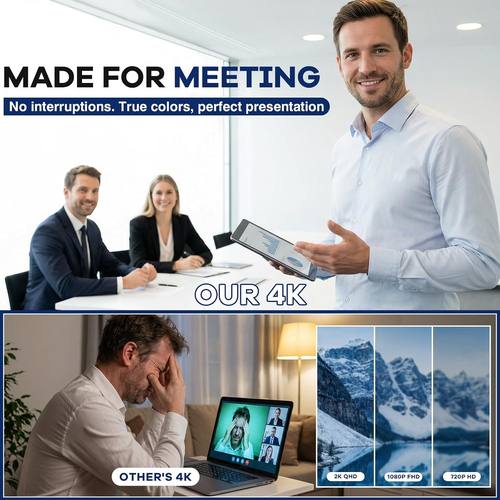
A 4K label on a budget webcam deserves a second look, and this is the camera in this group that raises the question most loudly. A true 4K sensor is a physically larger chip with more pixels, and pixels cost money. When a camera claims 4K at this price, the honest possibilities are that you are getting a genuinely impressive piece of modern manufacturing, or that you are getting a 1080p sensor and a software upscale, or something in between. The label alone cannot tell you which. The sensor can.
None of that makes it a bad buy. It makes it a specific buy. The microphone is included, the cost of entry is the lowest here, and if what you need is a camera that shows up on a stream and does not cost anything to replace, it does that job. Buy it for the price and the convenience. Treat the 4K as a bonus you have not verified yet, not as the reason you clicked buy. If you are building an audience and your face is the product, spend the money on lighting first and then on a camera with a sensor you have actually confirmed.
How I judge a webcam
Every camera gets the same checks, and the order matters, because a camera that fails check two never gets to check four.
- What is the actual sensor, not the marketing? Resolution is a number, sensor size is a camera. If I cannot find out what the chip is, I assume the worst.
- Does the autofocus hunt? Autofocus is a feature until it breathes in and out during a long take. A camera that cannot hold focus on a stationary face is a camera I will not use on a podcast.
- Does it work without proprietary software? If changing exposure or field of view requires the vendor's app, the camera is a toy. OBS on day one, or it goes back in the box.
- Does the mic pick up the fan or the person? A webcam mic that captures your HVAC system and not your voice is worse than no mic, because it makes people think your audio is broken.
- How wide is the lens, and is that width right for the job? Ninety degrees covers a desk. Sixty-five degrees flatters a solo face shot. A hundred and twenty degrees covers a room, which is either exactly what you need or a lot of ceiling.
Analysis: what these spec sheets actually tell you
Resolution is the loudest spec and the weakest one. All four of these cameras are aimed at the same job, putting your face on a call or a stream, and all four will do it. The differences that show up on screen are not in the number of pixels.
Dynamic range is what decides whether you look washed out or human. That is the range between the brightest and darkest parts of the frame that keep their detail. Sit with a window behind you and a cheap camera will either turn you into a silhouette or blow the window out into a white rectangle. The light correction claim on the HD Pro is a direct answer to that problem, and it is the kind of feature that matters more on a Tuesday afternoon call than any resolution bump.
Field of view is the spec people ignore and then complain about. A 120 degree lens in a small room shows more wall than person. A tight lens in a big room turns you into a talking head with no context. Match the lens to the room, not to the number on the box.
Frame rate sits quietly at the bottom of the spec sheet. Thirty frames per second is the standard for calls and streams. It is fine. It is not a problem to solve at this price.
And then there is the part no spec sheet lists: does it behave. Does the exposure settle and stay settled, does white balance stop drifting, does the camera survive being unplugged and plugged back in twenty times. That is the difference between a webcam you forget about and a webcam you fight with every morning, and it is the reason I care about who made the thing and not just what the sticker says.
The webcam comparison table
| Webcam | What it claims | Mic | Best for | Price |
|---|---|---|---|---|
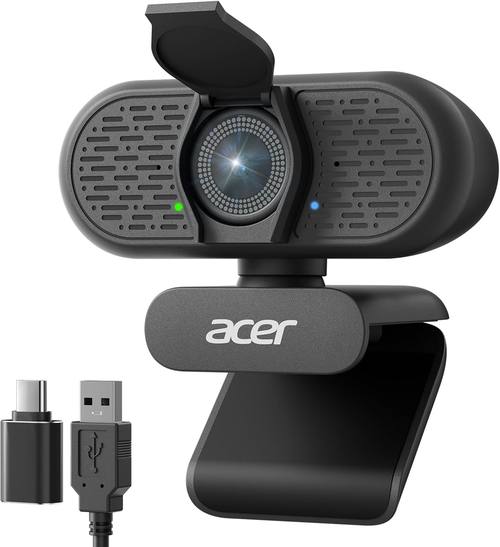 Visit on Amazon → Visit on Amazon →Acer A640 4K Webcam |
4K capture, AI noise canceling mic | AI noise canceling | Meetings, streaming, hybrid work | $49.99 |
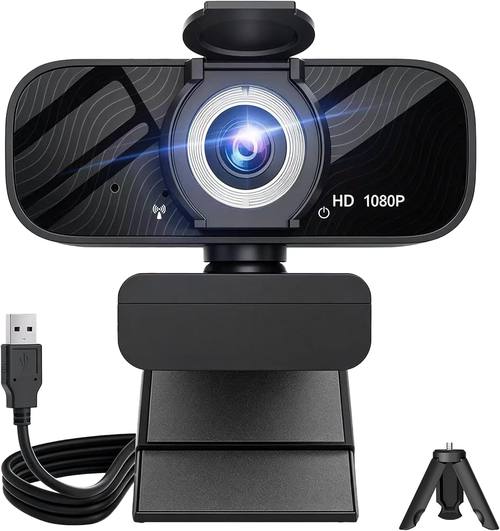 Visit on Amazon → Visit on Amazon →HD Pro PC Webcam |
1080p at 30fps, 120 degree field of view, light correction | Clear audio | Presenters, teachers, room shots | $32.99 |
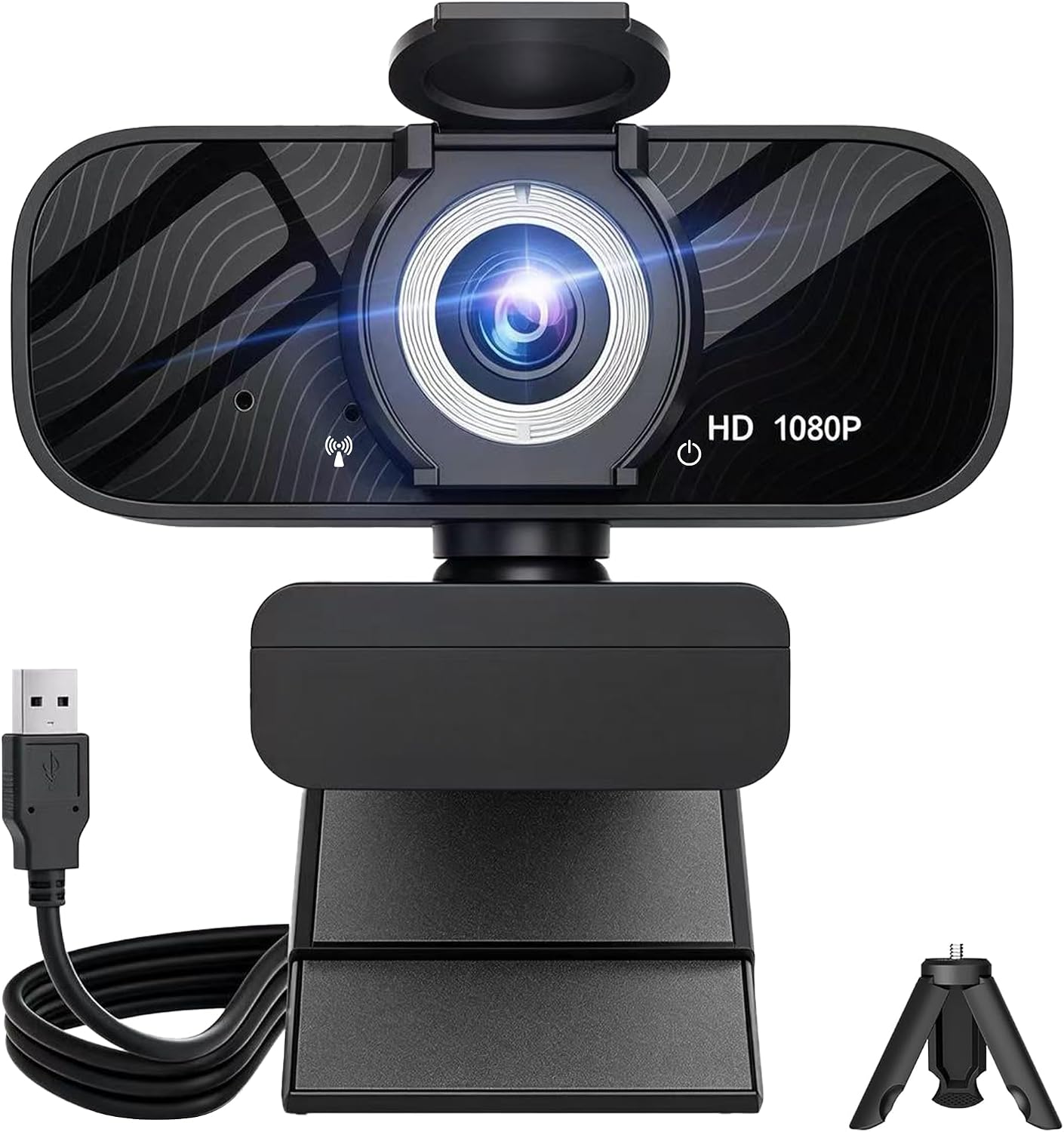 Visit on Amazon → Visit on Amazon →Full HD Webcam with Rotatable Tripod |
1080p, wide angle, privacy cover | Built-in | First webcam, desktop PC, spare angle | Visit on Amazon → |
 Visit on Amazon → Visit on Amazon →4K Webcam with Microphone for PC and Streaming |
4K capture, streaming camera | Built-in | Lowest cost of entry, backup camera | Visit on Amazon → |
Read that table as a shortlist, not a scoreboard. Two of these cameras promise 4K, two promise 1080p, and all four promise a microphone. The column that should decide your purchase is the one that says what you are going to point it at.
Should you buy the Acer A640 4K Webcam?
Yes, if your camera has to work in a bag as well as on a desk. It is the one in this group with a real hardware brand behind the firmware and a mic designed to fight room noise, and those are the two things that break first on cheap webcams. If your only use is a permanent desk setup in a room you control, you can save the difference and put it toward a light.
Should you buy the HD Pro PC Webcam?
Yes, if you want the widest view and the simplest life. The 120 degree lens and the light correction make it a good fit for a presenter, a teacher, or anyone whose camera lives on a shelf and needs to see a room rather than a face. Crop it in software for solo shots and it behaves like a normal webcam.
Should you buy the two budget picks?
The tripod model is the right first webcam. The rotatable tripod and the privacy cover solve real beginner problems, and 1080p is all a call needs.
The 4K model is the right buy if the price is the whole point and you are willing to treat the resolution claim as unverified. It will put you on screen. Just do not buy it expecting a sensor you have not confirmed, and spend your next upgrade budget on lighting, because a cheap camera in good light beats an expensive one in a dim room every single time.