Two webcams can both say 4K on the box and look nothing alike on a call. Resolution describes how many pixels a sensor can output. It says nothing about how large that sensor is, how much light it gathers, how the autofocus behaves when you lean toward the lens, or how much of the room ends up in the frame. Those are the details that decide whether you look like yourself on a video call.
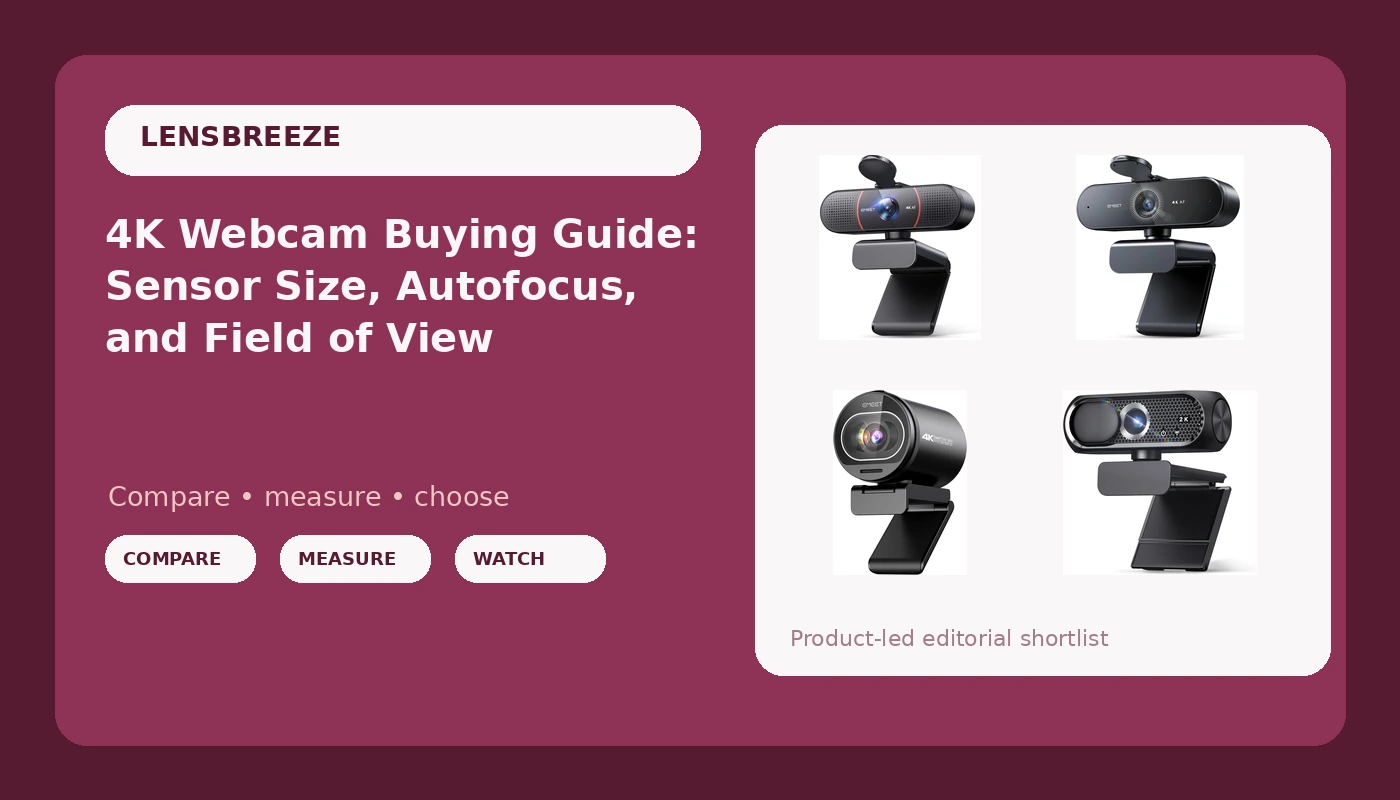
This guide covers what actually separates one 4K webcam for streaming from another, and it puts four specific models side by side: three EMEET cameras and a budget 2K option with a privacy cover. Every spec below comes from the product listings, not from a lab bench, so treat the named features as the starting point for your own comparison.
Related: Webcam Lighting Basics: Why Light Beats Hardware →
Quick answer
Buy for the sensor and the frame, not the resolution number. A camera whose listing names a real sensor size, like the Sony 1/2.55 inch sensor listed on the EMEET S600, gives you something concrete to compare against other models. A listing that promises 4K without mentioning a sensor tells you less about how the image will hold up in a dim room.
Beyond the sensor, settle three questions before you buy: how much of the room you want in frame, whether the autofocus is phase-detection or contrast-based, and whether you need extras like a privacy cover or plug-and-play USB. If your budget is tight and your lighting is already decent, the 2K option covers the basics. If you are building a streaming setup and want the sensor detail to check first, start with the S600.
4 useful options
| Model | Best fit | What stands out |
|---|---|---|
| EMEET S600 4K Webcam for Streaming, Sony 1/2.55'' Sensor, PDAF Autofocus | Streaming and desk setups where sensor size is the deciding spec | Lists a Sony 1/2.55 inch sensor alongside PDAF autofocus |
| EMEET C960 4K Webcam for PC, PDAF Auto Focus, Dual Omni Mics, 73° FOV | Solo face framing at a desk | Lists a 73 degree field of view with PDAF autofocus and dual omni mics |
| EMEET NOVA 4K Webcam for PC, Ultra 4K HD, PDAF Autofocus, Dual Omni Mics | A general 4K desk camera with onboard mics | Lists 4K capture, PDAF autofocus, and dual omni mics |
| 2K Webcam with Microphone, Noise Cancellation, Privacy Cover, Wide-Angle Lens, Auto Light Correction, Plug & Play USB Webcam for Laptop, Desktop, PC, Mac, Zoom, Skype, Streaming (Black) | Tight budgets and laptops that need a privacy shutter | Lists 2K resolution, noise cancellation, a privacy cover, a wide-angle lens, auto light correction, and plug-and-play USB |
The sensor-first pick: EMEET S600 4K Webcam for Streaming, Sony 1/2.55'' Sensor, PDAF Autofocus
A named sensor size is the single most useful line in a webcam listing, because it is the one number a manufacturer cannot easily dress up. A 1/2.55 inch chip is small by camera standards, but knowing the size lets you compare it against another model instead of guessing. The trade-off is that the listing does not name a field of view, so if you want a wide shot of a desk or two people in frame, you will be judging that from the images and reviews rather than from a spec. PDAF autofocus is also a meaningful detail: phase-detection systems generally settle faster than contrast-based ones, which is the difference between a camera that holds focus and one that visibly breathes in and out.
The tight-frame pick: EMEET C960 4K Webcam for PC, PDAF Auto Focus, Dual Omni Mics, 73° FOV
Field of view is the spec people overlook and then complain about. A 73 degree lens sees less of the room than a wide-angle camera, which is usually what you want for a podcast or a talking-head stream: your face gets more pixels, and the messy corner of the room stays out of frame. The trade-off runs the other way if you present at a whiteboard, sit far from the desk, or share the camera with a second person. In those cases a tighter lens forces you to move the camera back, and moving it back costs you light. Dual omni mics are listed here, and they are worth treating as a backup plan rather than the reason to buy. A webcam mic is fine for a call and rarely fine for a recording you care about.
The all-round 4K pick: EMEET NOVA 4K Webcam for PC, Ultra 4K HD, PDAF Autofocus, Dual Omni Mics
The NOVA is the hardest of the four to separate on paper, and that is worth saying plainly. The listing leads with 4K and lists PDAF autofocus and dual omni mics, but it does not name a sensor size or a field of view, so the two specs that most affect how you look in a dim room are the two you cannot verify from the name. That does not make it a bad camera. It means your decision leans more on how the listing describes the image and on the return window than on a spec sheet comparison. If you already own good lighting and just want 4K capture with autofocus and onboard mics, this sits in a reasonable middle spot. If sensor size is the thing you care about most, the S600 gives you a firmer answer.
The plug-and-play pick: 2K Webcam with Microphone, Noise Cancellation, Privacy Cover, Wide-Angle Lens, Auto Light Correction, Plug & Play USB Webcam for Laptop, Desktop, PC, Mac, Zoom, Skype, Streaming (Black)
The trade-offs here are easy to name. You give up 4K, and a wide-angle lens pulls more of the room into frame, so you may need to tidy up behind you. Auto light correction helps a camera cope with a bright window behind you, but it is not a substitute for putting a light in front of your face. The privacy cover is the kind of small feature that matters more than it sounds like it should, especially on a laptop that travels. For a first webcam, a second machine, or a spare setup for a guest, the combination of plug-and-play USB and a low entry point is the whole pitch. For a stream you are trying to grow, the missing 4K and the unnamed sensor are the reasons to look higher in this list.
Prices and availability may change. Product images, names, and retailer links are matched to verified listings. No current price, rating, stock status, or measured result is stated here without current evidence.
Why sensor size matters more than the 4K label
A webcam sensor is a physical chip, and resolution is just the grid of pixels laid over it. Squeeze four thousand horizontal pixels onto a very small chip and each pixel has less area to collect light. That shows up first in dim rooms, where the camera compensates by raising gain, and gain brings noise, smearing, and skin tones that look flat or orange. It shows up second in dynamic range, which is how much detail survives when a bright window and a dark corner share the same frame.
This is why the sensor line matters more than the resolution line. A listing that names a 1/2.55 inch Sony sensor gives you a real number to compare. A listing that only says 4K leaves you to guess, and two 4K cameras from different price points can behave very differently in the same room.
None of this makes resolution irrelevant. If you crop your video, record at 4K, or stream at 1080p from a 4K source, the extra pixels buy you room to reframe. But resolution is the ceiling on detail, not the floor on quality. Lighting and sensor size decide what the image actually looks like before resolution gets a say.
Autofocus, field of view, and the specs that change how you look
Autofocus is the spec that generates the most complaints, because hunting is visible. When a camera loses focus and searches for it again, viewers notice immediately. Phase-detection autofocus, the PDAF named on three of the models here, uses a different method to judge distance and generally settles faster and more quietly than contrast-based systems. Fixed-focus cameras never hunt, but they also cannot follow you if you move closer to the lens. If you record long sessions and sit still, focus stability matters more than focus speed.
Field of view is measured in degrees, and it decides your framing before anything else does. A tighter lens around 73 degrees puts more pixels on your face and keeps the background out. A wide-angle lens shows more of the room, which is useful for showing a workspace, a product, or a second person, and unforgiving if the room is untidy. Neither is better in the abstract. Match it to what you actually want on screen.
The microphone is the third spec and the one to discount hardest. Dual omni mics on a webcam are a convenience, not a studio. They will carry a video call. They will not carry a podcast you intend to publish.
A five-step version of the same logic:
- Measure how far you sit from the camera at your normal desk position.
- Read the listing for a sensor size before you read the resolution claim.
- Decide your field of view from the framing you want, not from the biggest number available.
- Check whether the autofocus is phase-detection or contrast-based if you move during calls.
- Confirm the camera works with your operating system and your video software without a driver install.
Practical guidance for a real desk setup
- Light your face before you upgrade anything else. A camera in good light beats a better camera in bad light.
- Test your setup at the same time of day you actually use it, since window light changes hour to hour.
- Put the camera at eye level, not below your chin, and check what the background looks like in frame.
- Treat the webcam microphone as a backup and plan a separate mic if you record anything you intend to keep.
- Buy from a listing that states real specs and has a return window, because field of view and low-light behavior are easier to judge in your own room than in a product photo.
Which option should you choose?
Choose the EMEET S600 4K Webcam for Streaming, Sony 1/2.55'' Sensor, PDAF Autofocus when sensor size is your deciding spec and you want the one camera here whose imaging chip is named outright. Choose the EMEET C960 4K Webcam for PC, PDAF Auto Focus, Dual Omni Mics, 73° FOV when you want a tighter 73 degree frame that puts your face front and center. Choose the EMEET NOVA 4K Webcam for PC, Ultra 4K HD, PDAF Autofocus, Dual Omni Mics when you want straightforward 4K capture with autofocus and onboard mics and you are comfortable judging the rest from the listing. Choose the 2K Webcam with Microphone, Noise Cancellation, Privacy Cover, Wide-Angle Lens, Auto Light Correction, Plug & Play USB Webcam for Laptop, Desktop, PC, Mac, Zoom, Skype, Streaming (Black) when the budget is the constraint and a privacy cover, a wide-angle lens, and plug-and-play USB matter more to you than 4K.
One caveat applies to all four. The distinctions above come from what each listing states, not from a controlled test in your room. Sensor size, autofocus type, and field of view are the specs that travel well between setups, but your lighting, your distance from the lens, and your software will still change the result. Where a listing is silent on a spec, treat that silence as unknown rather than as a feature.
The bottom line
The 4K label is the least useful thing on a webcam box. What you actually buy is a sensor, a lens, and an autofocus system, and only one of the four models here names its sensor size outright. If that detail is what you have been missing, the EMEET S600 is the place to start. If you want a tighter frame for a solo shot, the C960 states its 73 degree field of view and gives you something concrete to compare. If you want a general 4K desk camera, the NOVA covers the basics. And if the budget is the deciding factor, the 2K option trades resolution for a privacy cover, a wide-angle lens, and plug-and-play USB.
Whichever you pick, spend an evening on lighting first. It is the upgrade that shows up in every frame, on every camera, at every price.