I have bought, returned, and quietly re-bought more webcams than any reasonable person should. Eight years of streaming out of a converted spare room in Austin will do that to you, and it leaves you with opinions you cannot get rid of. So when someone asks me for a 1080P webcam comparison, my answer starts somewhere uncomfortable: the camera is usually the third most important part of the setup, behind the light hitting your face and the room you are sitting in. That is why this comparison is not four cameras. It is two cameras, one clip-on light, and one cleaning kit, which happens to be the shape of a sensible budget streaming setup in 2026.
The short answer: if you want one camera and nothing else, the NexiGo N60 is the safer of the two webcams here, because it is the one that ships with software control and a privacy cover. But the recommendation that actually changes how you look on a call is the clip-on video conference lighting kit, and it costs less. The Aispour cleaning kit is the sleeper of the group, because a dusty lens on a good camera looks worse than a clean lens on a cheap one.
None of these products claim 4K, and that is a feature rather than a limitation. A 1080P sensor that captures decent dynamic range beats a stretched 4K label on a chip the size of a thumbnail every single time. What follows is what each piece actually does, where it fits in a real desk setup, and which ones are worth your money if you are building from nothing.
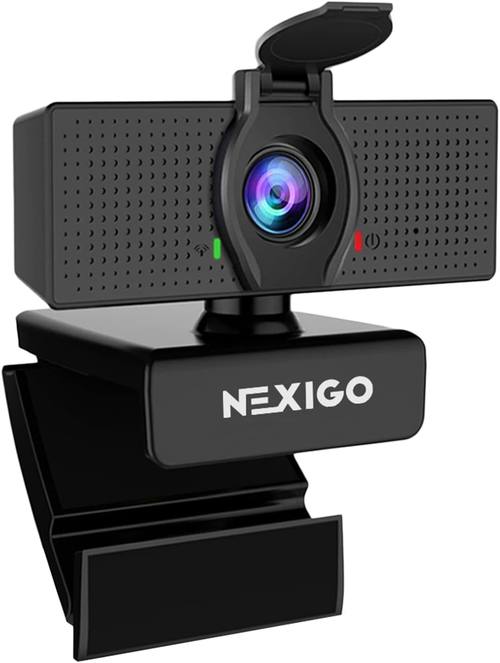
NexiGo N60 1080P Webcam with Microphone
Software control, privacy cover, plug and play on Zoom, Skype and Teams
Still a small sensor, so bad light still beats it
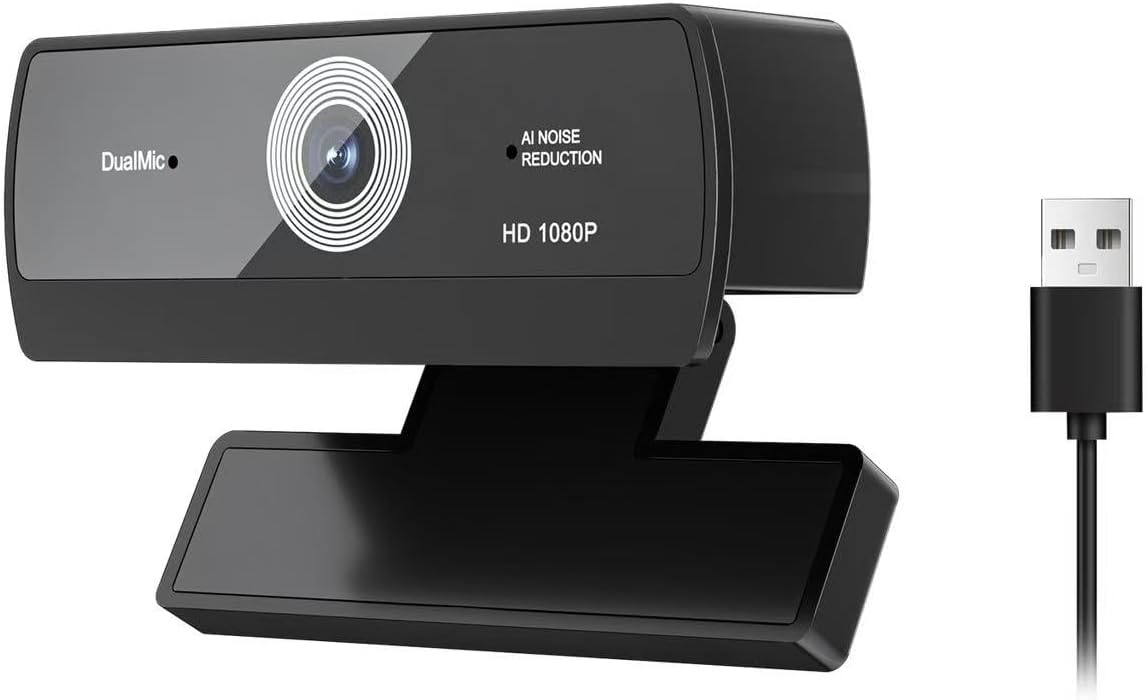
1080P HD Webcam with Built-in Microphone and Auto Light Correction
Lowest entry point, auto light correction, genuinely plug and play
No stated software control, no privacy cover, fewer safeguards
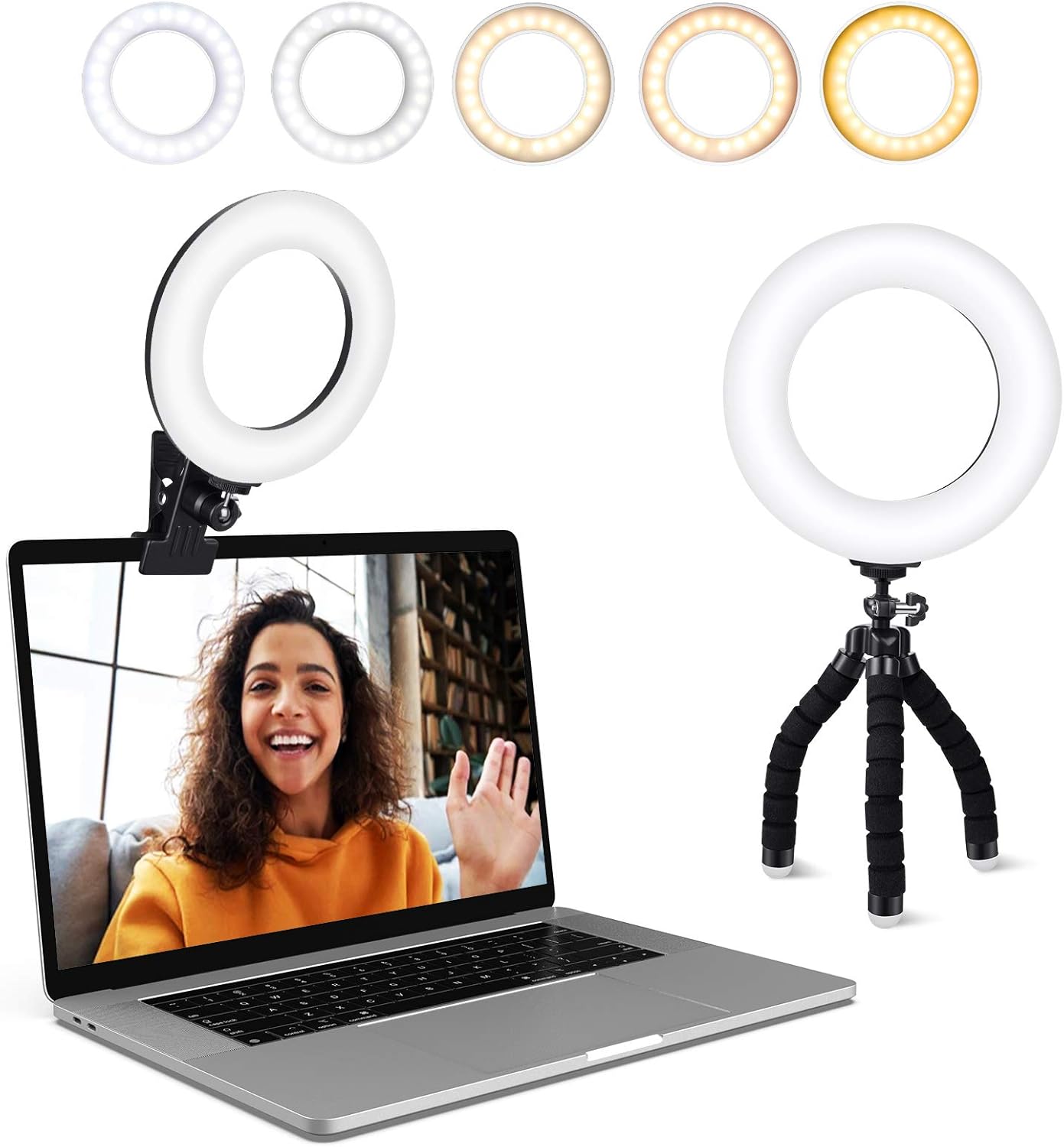
Video Conference Lighting Kit, Ring Light Clip on Laptop Monitor
Five color temperatures and five brightness levels, clips to a laptop or monitor
Needs a USB port, and clipping a light to a thin laptop lid is never elegant
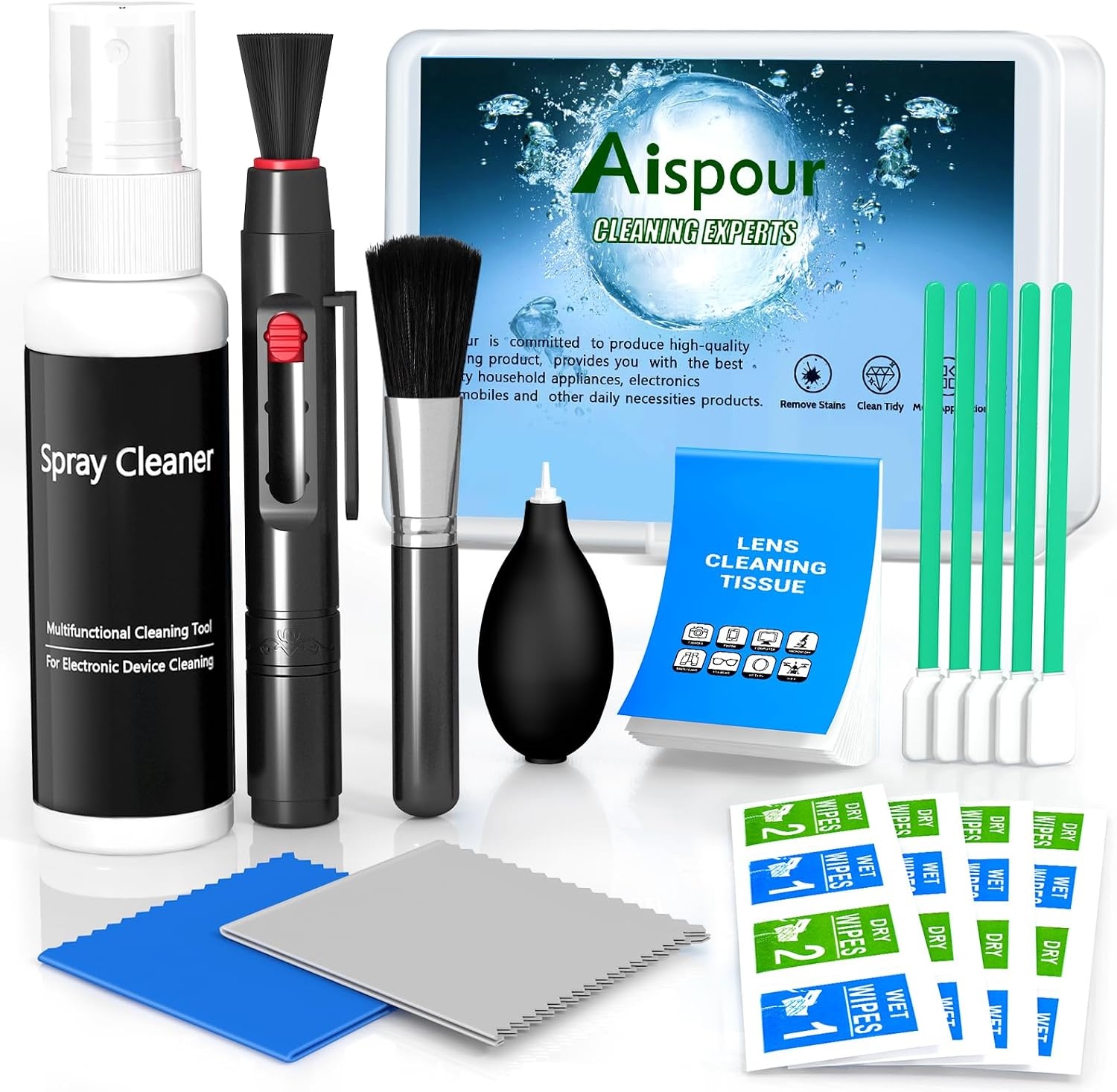
Aispour Camera Lens Cleaning Kit, 10-in-1
Cheap insurance for any camera you already own
Does nothing for framing, light, or audio
Prices and availability were captured from Amazon Creators API and may change.
What 1080P actually buys you in 2026
The number on the box describes how many pixels the sensor records, not how good those pixels look. Two cameras can both output 1920 by 1080 and produce completely different images, because resolution is only one variable. The other two that matter are sensor size, which determines how much light each pixel collects, and the processing the camera applies before the frame ever reaches your computer.
For streaming and video calls, the practical consequences are simple. A small sensor in a bright room looks fine. The same sensor at 9 p.m. with a desk lamp behind you looks like a security camera still. That is why a cheap 1080P camera plus decent lighting beats an expensive camera in a dark room, and it is why the lighting kit in this comparison matters more than either webcam.
A 1080P camera is also still the right call for most people in 2026. Zoom, Teams, Meet and Twitch all compress what you send them, and a well lit 1080P feed survives that compression better than a noisy 4K feed downscaled by the platform anyway. If your upload bandwidth is limited, 1080P is not a compromise. It is the format your audience actually receives.
The NexiGo N60 1080P Webcam
The NexiGo N60 is the camera I would hand to someone setting up their first decent desk. It does 1080P, it has a built-in microphone, it includes a privacy cover, and it exposes its settings through software control rather than forcing you to guess what the camera decided for you. It is advertised as plug and play across Zoom, Skype and Teams, which is the boring, essential promise a webcam has to keep.
Software control is the detail that separates this camera from the cheaper option below. When a webcam only offers automatic everything, your only lever is the room: you move lamps, you close blinds, you sit at a different angle. When software control is available, you can decide for yourself how bright the image runs and how the camera handles the room you are actually in. For anyone who records at the same desk every day, that is worth the difference.
The privacy cover is a small thing that I have come to consider non-negotiable. A sliding shutter over the lens is the only webcam privacy measure that does not depend on trusting software, and it costs the manufacturer almost nothing to include.
What the N60 will not do is rescue a badly lit room. It has the same fundamental physics problem as every other webcam in this class: a small sensor collecting light through a small lens. Buy it, put it on a monitor, and then buy a light. Which brings us to the thing that actually changes your image.
The budget 1080P USB webcam
The second camera in this comparison is the no-name alternative: 1080P HD, built-in microphone, auto light correction, USB, plug and play, advertised for Zoom, Teams and streaming. On paper it covers the same checklist as the NexiGo, and for a first camera on a tight budget, that checklist is real. Auto light correction in particular is a useful feature for anyone who moves between a bright kitchen table and a dim home office, since the camera tries to compensate for you instead of forcing you into the settings menu.
Where it gives ground is in what it does not advertise. There is no privacy cover mentioned, and no software control mentioned. Those absences tell you what kind of product this is: a camera designed to be plugged in and forgotten, not adjusted. For a student on a laptop, or a spare-room setup that only sees occasional use, that is a defensible trade. For a weekly stream or a podcast you record on camera, you will notice the missing control within a month.
My general rule for cameras in this tier is to be suspicious of any claim you cannot verify. "HD" is a resolution, not a quality grade. "Auto light correction" describes an algorithm, not a sensor. Neither is a lie, but neither is a promise about how you will look. If you buy this camera, buy it knowing it is a starting point, and spend the money you saved on the light below.
The clip-on video conference lighting kit
If you take one recommendation from this article, take this one. The clip-on ring light is a small LED panel that clips to the top of a laptop screen or a monitor and throws soft, controllable light directly at your face. It offers five dimmable color temperatures and five brightness levels, which is more control than most people realize they need until they have it.
Here is why it matters. Every webcam problem people describe to me, being grainy, being washed out, looking orange, having a bright window behind them, is usually a lighting problem wearing a camera costume. Your camera can only record the light that reaches it. If the light reaching your face is a ceiling fixture behind your head, no sensor upgrade fixes that. If the light reaching your face is a soft source at eye level, a modest camera suddenly looks competent.
The color temperature control is the part I would not give up. Matching your key light to the ambient light in the room stops the orange-face look that happens when you mix a warm desk lamp with a camera that has already decided your white balance for you. Five steps is not a laboratory instrument, but it is enough to get you into the neighborhood of neutral.
The trade-offs are honest ones. It needs a free USB port, which on a laptop is a real cost if you are already running a dock. Clipping a light to a thin laptop lid makes the screen feel top heavy, and on a desktop monitor you will want to check that the clip clears your bezel. And it lights you, not the room, so it will not make your background look intentional. For a face shot on a call, that is exactly the scope you want.
The Aispour 10-in-1 camera lens cleaning kit
Nobody puts a lens cleaning kit on a wish list, and everybody with a camera eventually needs one. The Aispour kit is a 10-in-1 set, which in practice means the small tools you want when the front element of your webcam, phone camera or compact picks up a fingerprint, a smear of sunscreen, or a season of desk dust.
Dust on a webcam lens does not announce itself. It softens the image and adds a haze that people blame on the sensor, the resolution, or the platform compression, and they end up buying a new camera to fix a problem a clean cloth would have solved. For the price of a couple of coffees, this kit removes that entire class of false diagnosis from your setup.
This is also the product in the group that keeps giving across everything else you own. Webcams, phone lenses, the front element of a mirrorless lens, a laptop camera that has been living in a bag. A cleaning kit is not a purchase that improves your stream today. It is the purchase that stops you from wondering, six months from now, why your image got slightly worse for no reason you can name.
The trade-offs, spelled out
Buying the NexiGo N60 gets you software control and a privacy shutter, and it costs more than the generic camera while still being limited by sensor size. That is the honest trade: better control, same physics.
Buying the budget 1080P camera gets you the lowest entry price and auto light correction, and it costs you the adjustability you will want the moment your lighting changes. It is a fine first camera and a frustrating second one.
Buying the clip-on lighting kit gets you the single biggest visual improvement per dollar in this entire comparison, and it costs you a USB port and a slightly heavier laptop lid. It is also the only product here that makes both cameras look better, which means it is the one purchase that cannot be wasted.
Buying the cleaning kit gets you maintenance you will forget you own until the day you need it, and it costs you almost nothing. There is no real downside, which is why it belongs in every camera bag and on every desk.
One more trade-off worth naming: none of these addresses audio. The built-in microphones on both webcams are a backup plan, not a plan. If your audience hears a fan, a keyboard and a room, the camera is not the problem to solve next.
How to spend a small budget without regretting it
If you are starting from zero, buy the light first, then the camera, then the cleaning kit. That order feels wrong because the camera is the exciting part, and it is right because the light is what determines whether the camera's footage is usable at all.
If you already own a webcam that you like, buy the light and the cleaning kit and skip the cameras entirely. A clean lens plus controlled light will do more for your image than replacing a functioning 1080P camera with another 1080P camera.
If you record for an audience rather than for meetings, spend the camera money on the light and put the rest toward a microphone. Your viewers forgive a soft image far faster than they forgive bad audio.
FAQ
Is 1080P still enough in 2026? For calls, streams and recordings that get compressed by the platform, yes. Resolution is not the bottleneck for most setups. Light is.
Do I need the light if I have a window? A window is a great key light for about two hours a day, and a terrible one for the rest. The clip-on kit gives you the same result on demand and after sunset.
Will the cheaper webcam work in OBS? It is advertised as USB plug and play, which is what a UVC camera needs to show up as a video source. Check the listing details before you buy if capture software compatibility is critical.
Is a lens cleaning kit really necessary? For a camera you use weekly, yes. It is the difference between diagnosing a dirty lens and replacing a camera that was never broken.
What I am watching next
The interesting movement in webcams right now is not resolution, it is processing. Cameras that handle exposure and white balance intelligently in mixed lighting are quietly doing more for how people look than another jump in pixel count ever did. I will keep an eye on that, and on whether budget cameras start shipping the software control that currently separates the NexiGo N60 from its cheaper competition. When that line moves, this comparison will change. Until then, the light is still the answer.