I have been on camera for a living since 2018, first streaming on Twitch and now shooting corporate video that pays better than Twitch ever did. In that time I have learned that shopping for webcams for streaming and meetings is mostly an exercise in ignoring the box. 4K is a number. The sensor is the camera. And the light in your room decides more about how you look than anything printed on the packaging.
All four cameras in this comparison land in the same search results, and none of them is a bad purchase. The difference is what each one is built to solve. One is a plug-and-play 1080p workhorse with a privacy cover. One is the only listing here that actually names its sensor. One is a 4K meeting camera from a brand with a long imaging history. And one brings its own fill light, which is the feature I would argue matters most of all.
The short answer: the EMEET S600 is the pick for most people who stream or present on camera, because it is the only camera here that publishes a real sensor size, a Sony 1/2.55 inch chip, alongside PDAF autofocus. If you need a dependable camera for calls and nothing more, the NexiGo N60 covers it with a privacy cover built in. If your room is dark, the 4K webcam with the fill light solves the problem the other three ignore.
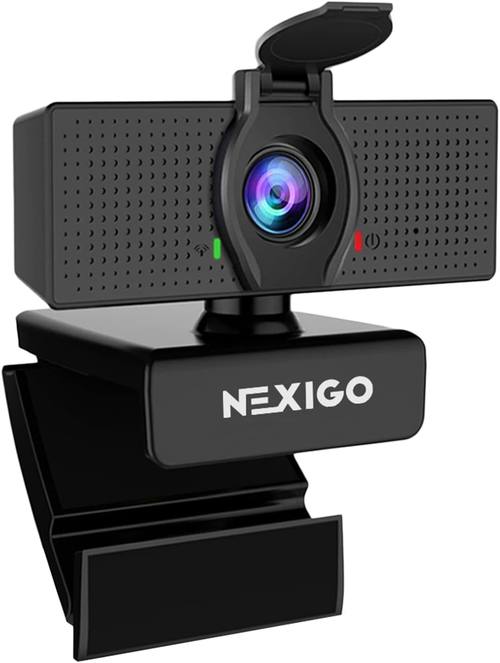
NexiGo N60 1080P Webcam with Microphone, Software Control & Privacy Cover, USB HD Computer Web Camera, Plug and Play, for Zoom/Skype/Teams, Conferencing and Video Calling
1080p is genuinely enough for calls, the privacy cover is built in rather than sold separately, and software control means you are not fighting a driver to change a setting
No published sensor size, a 1080p ceiling for anyone cropping or keying, and the mic is a backup plan at best
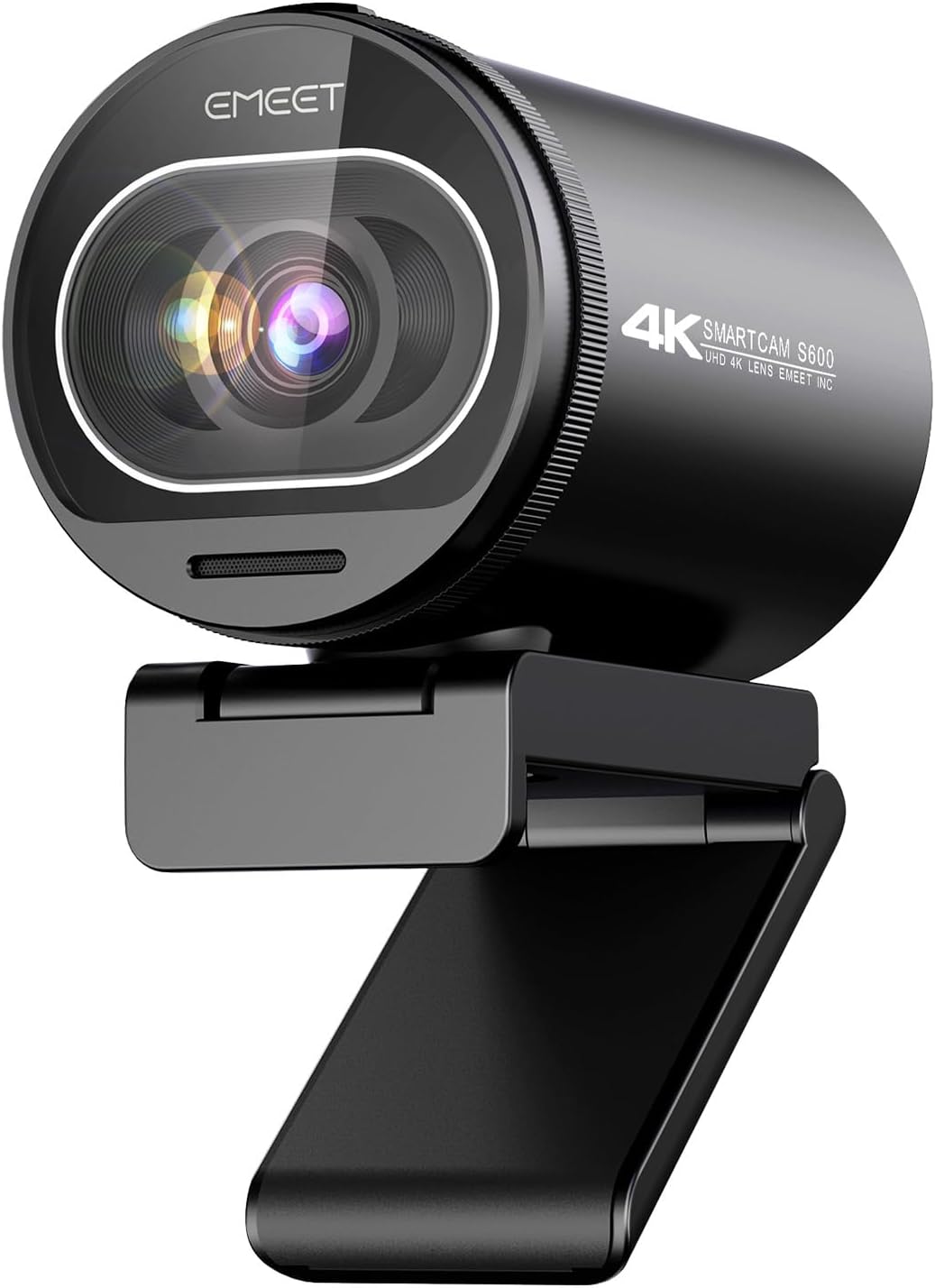
EMEET S600 4K Webcam for Streaming, Sony 1/2.55'' Sensor, PDAF Autofocus
The only camera here that tells you what the sensor is, and it is a Sony 1/2.55 inch chip, plus PDAF autofocus and a 4K stream for streaming setups
Autofocus is only as good as its ability to lock, PDAF can still hunt against a busy background, and there is no privacy cover in the description
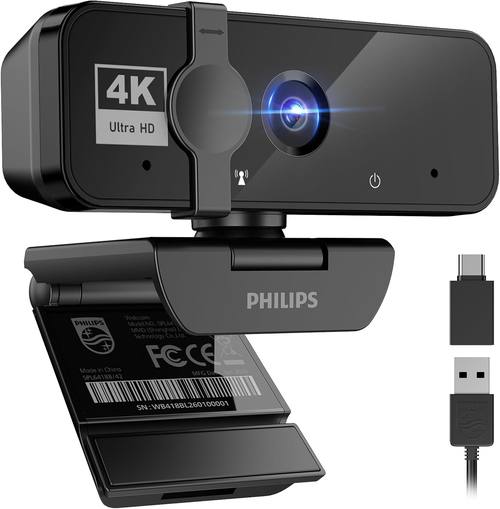
PHILIPS 4K Webcam for PC with Microphone, Computer Camera for Meetings
4K from a brand with a real imaging history, a microphone included, and a design brief aimed squarely at meetings rather than gaming
No sensor size in the pitch, no privacy cover mentioned, and 4K on an unnamed sensor is a resolution, not a look
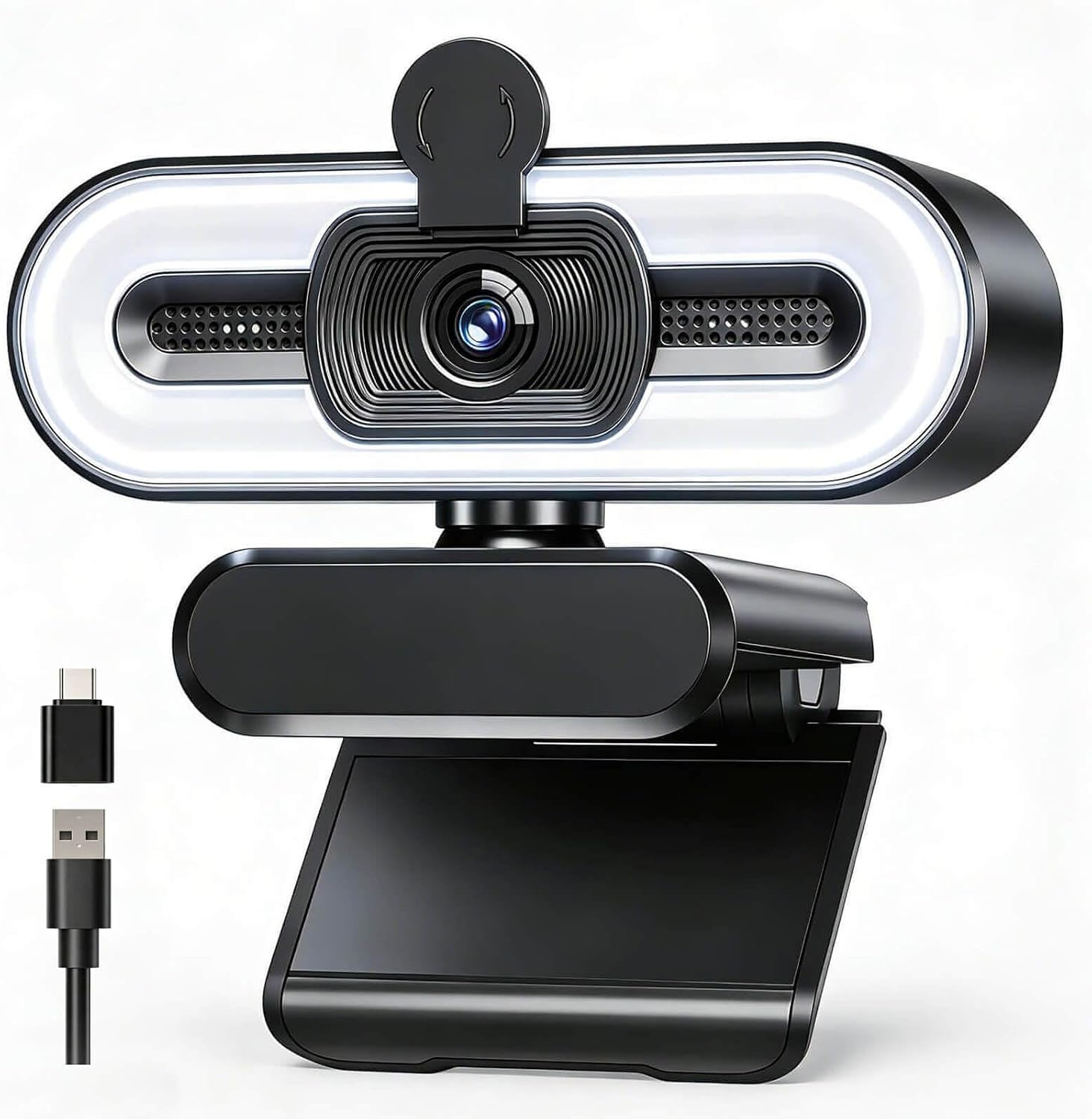
4K Webcam with Fill Light, Computer Camera with Privacy Cover & Noise-Reducing Microphone, Webcam for PC/Laptop/Mac/Monitor, USB-A to USB-C Adapter Included, Adjustable Brightness, Plug & Play
A built-in fill light with adjustable brightness, which is the single most useful feature on this list, plus a privacy cover, a noise-reducing mic, and a USB-A to USB-C adapter in the box
Generic branding, no sensor size published, and a light left at full brightness will flatten your face into a passport photo
Prices and availability were captured from Amazon Creators API and may change.
What I check before I recommend a webcam
Four questions, every time, and the order matters.
First, is the sensor size published? This is the fastest filter I know. A bigger sensor captures more light, and more light is what separates a face that looks like a person from a face that looks like a witness sketch. When a listing leads with resolution and never mentions the chip, that tells you something about the chip. Of the four cameras here, only the EMEET S600 puts the sensor in the title, a Sony 1/2.55 inch sensor, and that alone earns it a longer look.
Second, how does the autofocus behave? Autofocus is a feature right up until it hunts. The failure mode is not that a camera cannot focus, it is that it decides to re-check mid-sentence while you are making a point. PDAF, which the EMEET S600 lists, is phase detection, the faster approach, but speed is not the same as stability. Whatever you buy, test it against a cluttered background before the return window closes, because that is where hunting shows up.
Third, does it work without a driver fight? If a camera will not show up in OBS or your meeting app as a standard video device, it is a paperweight with a lens. Plug and play is not a marketing line, it is a requirement. The NexiGo N60 and the 4K model with the fill light both lead with it.
Fourth, what else is in the box? A privacy cover, a mount that grips a monitor, and the right cable or adapter for your machine. The 4K webcam with the fill light includes a USB-A to USB-C adapter, which is the kind of small inclusion that saves you a separate order.
NexiGo N60: the plug-and-play default
The NexiGo N60 is a 1080P webcam with a microphone, software control, and a privacy cover, built for Zoom, Skype, Teams, conferencing, and video calling. Read that list again, because it is a mission statement. This camera is not trying to win a spec war. It is trying to be the thing you plug into a laptop and forget about.
For a huge number of people, that is exactly right. A 1080p sensor is plenty for a video call, and it is genuinely plenty when your connection is going to compress the image anyway. The privacy cover being built in rather than sold as a separate accessory matters more than reviewers admit, because the alternative is a strip of tape or a camera that is always watching.
Software control is the other quiet win. I have lost entire evenings to cameras that only expose brightness and exposure inside proprietary software that refuses to install. Being able to adjust the image through normal software control, without a driver fight, is the difference between a camera you use and a camera you tolerate.
The honest limits: no published sensor size, and a 1080p ceiling if you plan to crop into the frame or key yourself out of the background. And the microphone is a backup plan, not a solution.
EMEET S600: the one with a real sensor spec
The EMEET S600 is a 4K webcam for streaming with a Sony 1/2.55 inch sensor and PDAF autofocus. In a category where most listings hide the chip, this one puts it in the headline, and that is the reason it sits at the top of this comparison.
Sensor size is the spec that survives every other marketing claim. Resolution tells you how many pixels the camera records. Sensor size tells you how much light those pixels have to work with. A Sony 1/2.55 inch sensor is a real imaging chip, not a phone sensor with a 4K sticker, and it is the kind of part that holds up when your key light is not perfect.
PDAF autofocus is the second reason. Phase detection autofocus is the faster approach, and on a streaming camera the goal is a focus that locks and stays locked rather than a focus that keeps auditioning. I still want to see it hold against a busy background, because that is where every autofocus system gets tested, but the underlying method here is the right one for a talking head.
The trade-offs are real. The listing does not mention a privacy cover, so if that matters to you, budget for one. And a camera aimed at streaming assumes you already have a plan for audio, which you should, because the microphone on any webcam is a backup plan.
Philips 4K: the meeting room workhorse
The Philips 4K webcam is a 4K computer camera with a microphone, positioned for meetings. Philips has been in imaging and display for a very long time, and that history shows up in the way this camera is framed: it is a business tool, not a streaming toy.
If your calendar is back to back calls and your camera lives on a monitor above a spreadsheet, this is the profile to look at. The 4K resolution gives you headroom for cropping and for looking sharp on a large display, and the included microphone means one cable and no extra desk clutter for the occasional call where you cannot be bothered with a headset.
The caveat is the same one I apply to every 4K claim: no sensor size is published in the pitch. That does not mean the image is bad. It means the resolution is the part they want you to compare, and resolution is the least interesting number on the box. 4K on a small sensor in a dim room looks worse than 1080p on a good sensor in a lit room, every single time.
There is also no privacy cover mentioned, and no adapter listed. If you are on a laptop with only USB-C ports, check the connection before you commit.
4K webcam with fill light: the lighting-first pick
This is the camera on the list that understands the actual problem. It is a 4K webcam with a fill light, a privacy cover, a noise-reducing microphone, adjustable brightness, and a USB-A to USB-C adapter in the box. It works with PC, laptop, Mac, and monitor mounting, and it is plug and play.
The fill light is the feature that matters. I say this constantly and I will keep saying it: lighting beats hardware. A mid-tier camera in good light will beat an expensive camera in a dark room, and most people reading a webcam comparison are sitting in a dark room. A built-in light with adjustable brightness fixes the source of the problem instead of buying more sensor to compensate for it.
Adjustable brightness is the part that keeps the fill light from becoming a liability. Fill light at full power flattens a face, kills the shadows that give a face shape, and makes skin look plastic. Dialed down to a fraction of its output, it does what a small key light does: puts a catchlight in the eye and lifts the shadows under the nose.
The honest criticism is branding and disclosure. The name is generic and no sensor size is published, so you are trusting the light and the feature list rather than the chip. For a lot of setups, especially a desk in a room with one overhead bulb, that trade is worth making.
The trade-offs the box never mentions
Resolution is the easiest thing to sell and the least useful thing to compare. Here is what I would weigh instead.
Autofocus hunting is the number one annoyance in webcams, and it is invisible on a spec sheet. A camera that refocuses every time you lean forward makes you look like you are having a moment on every call. Look for phase detection, like the PDAF on the EMEET S600, and then test it against a messy background before you keep it.
Field of view is the second invisible spec. A wider field of view shows more of the room, which is what you want at a desk. A narrower one frames your face and hides the laundry behind you. Neither is better, but the wrong one for your space is frustrating, and the number is often buried in the listing images.
The microphone on every camera here is a backup plan. Noise-reducing processing on the 4K model with the fill light helps, and having a mic at all helps on a day when your headset dies, but a webcam mic picks up the room, the fan, and the keyboard along with your voice. If your audio matters, buy a microphone.
Privacy covers, adapters, and mounts are the small stuff that decides whether a camera stays plugged in. The NexiGo N60 and the fill light model both include a cover. Only the fill light model lists a USB-A to USB-C adapter. Check your ports.
Which one should you buy?
If you stream, present, or record anything where your face is the product, buy the EMEET S600. It is the only camera here that tells you what the sensor is, the Sony 1/2.55 inch chip is the right kind of part for that job, and PDAF autofocus is the right method. You are paying for the sensor and the focus system rather than a resolution sticker.
If you make video calls and want zero friction, buy the NexiGo N60. It is 1080p, it is plug and play, it has a privacy cover, and it does not ask you to install anything you will regret. For a work laptop, that is a complete answer.
If your calls are corporate and you want 4K from a name you recognize, the Philips 4K webcam is built for exactly that room. Just go in knowing that the sensor size is not part of the pitch.
And if your room is dark, which it probably is, the 4K webcam with the fill light is the one I would hand to most people first. A camera that fixes your lighting is worth more than a camera with a bigger number on the box.
What I am watching next
The pattern I keep seeing across this category is that the marketing gets louder as the sensor gets smaller. The cameras that publish their chip are usually the cameras that have something to publish. The ones that shout 4K and stay quiet about everything else are telling you where the budget went.
So my advice is boring and it does not change: find out what the sensor is, find out how the autofocus behaves when your background is messy, confirm it works in your app without a driver fight, and then spend whatever is left on light. Your face will look better for it than any upgrade in resolution ever managed.